Synology DiskStation User's Guide
Based on DSM 3.1
44 Chapter 4: Manage Storage Space
RAID Type HDD #
Allowed
Failed HDD #
Description Capacity
RAID 1 2 - 4 (HDD #) - 1
The system will write identical data to each hard
drive at the same time, so data integrity is
protected when at least one disk is normal.
Smallest HDD
size
RAID 5
≧3
1
This configuration includes a backup option. It
uses parity mode to store redundant data on
space equal to the size of one disk for later data
recovery.
(HDD # – 1) x
(Smallest HDD
size)
RAID 5+Spare
≧4
2
A RAID 5+Spare storage space requires at least
four drives, one of which will act as a hot spare
drive to rebuild the failed drive of the volume
automatically.
(HDD # – 2) x
(Smallest HDD
size)
RAID 6
≧4
2
RAID 6 provides extra data protection. It uses
parity mode to store redundant data on space
equal to the size of two disks for later data
recovery.
(HDD # – 2) x
(Smallest HDD
size)
RAID 10
≧4
(even
number)
1 HDD within
each RAID 1
group
RAID 10 has the performance of RAID 0 and data
protection level of RAID 1. RAID 10 combines two
hard drives into a RAID 1 group, and combines all
the groups with RAID 0.
(HDD # / 2) x
(Smallest HDD
size)
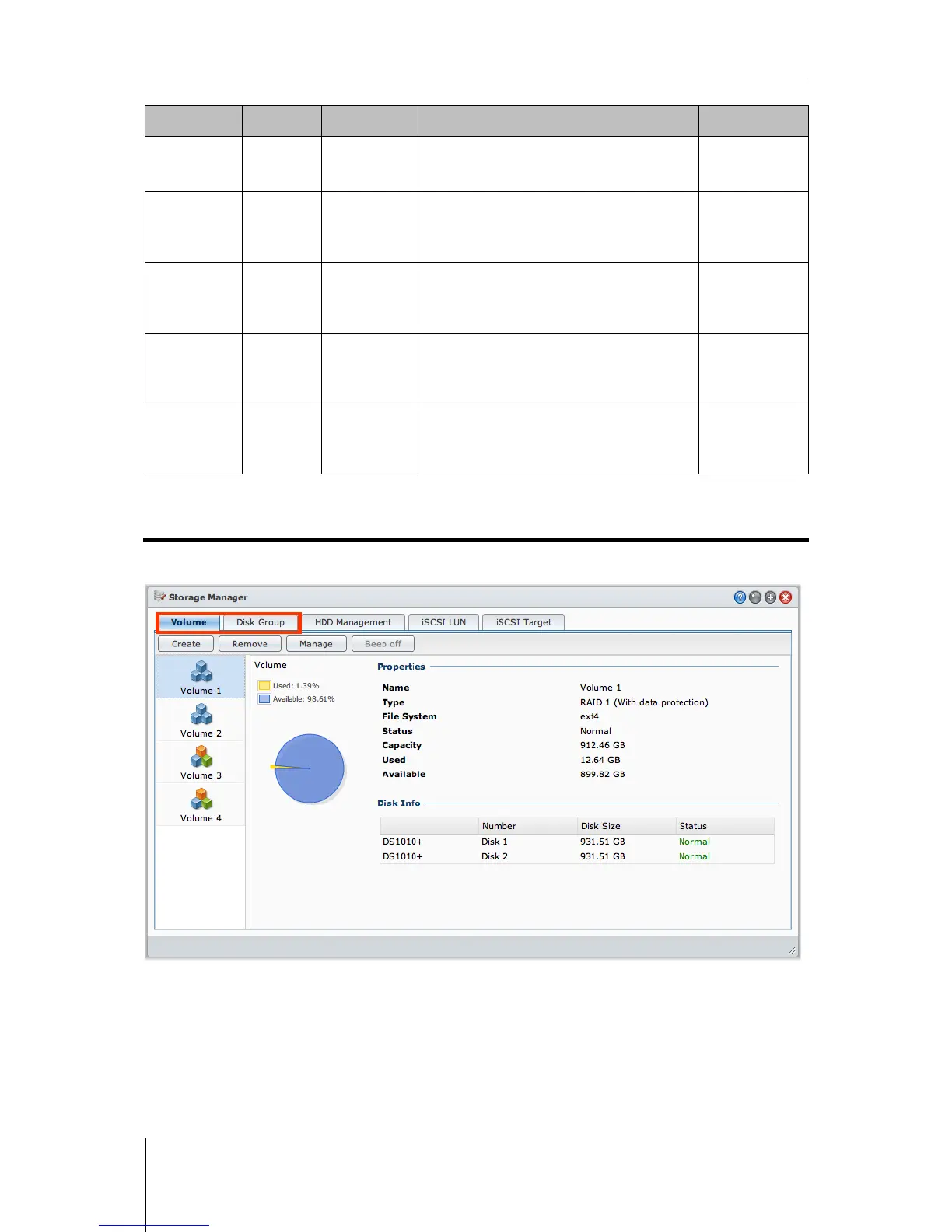
Manage Volumes or Disk Groups with Storage Manager
Go to Main Menu > Storage Manager and click the Volume or Disk Group tab to create, set up, and manage
volumes or Disk Group.






 To Next Page