Synology DiskStation User's Guide
Based on DSM 3.1
157 Chapter 13: Download Files with Download Station
Download Schedule
You can limit BT/HTTP/FTP/NZB's download tasks to certain time period of a week and alternative speeds, so
that you can free up more network bandwidth when needed.
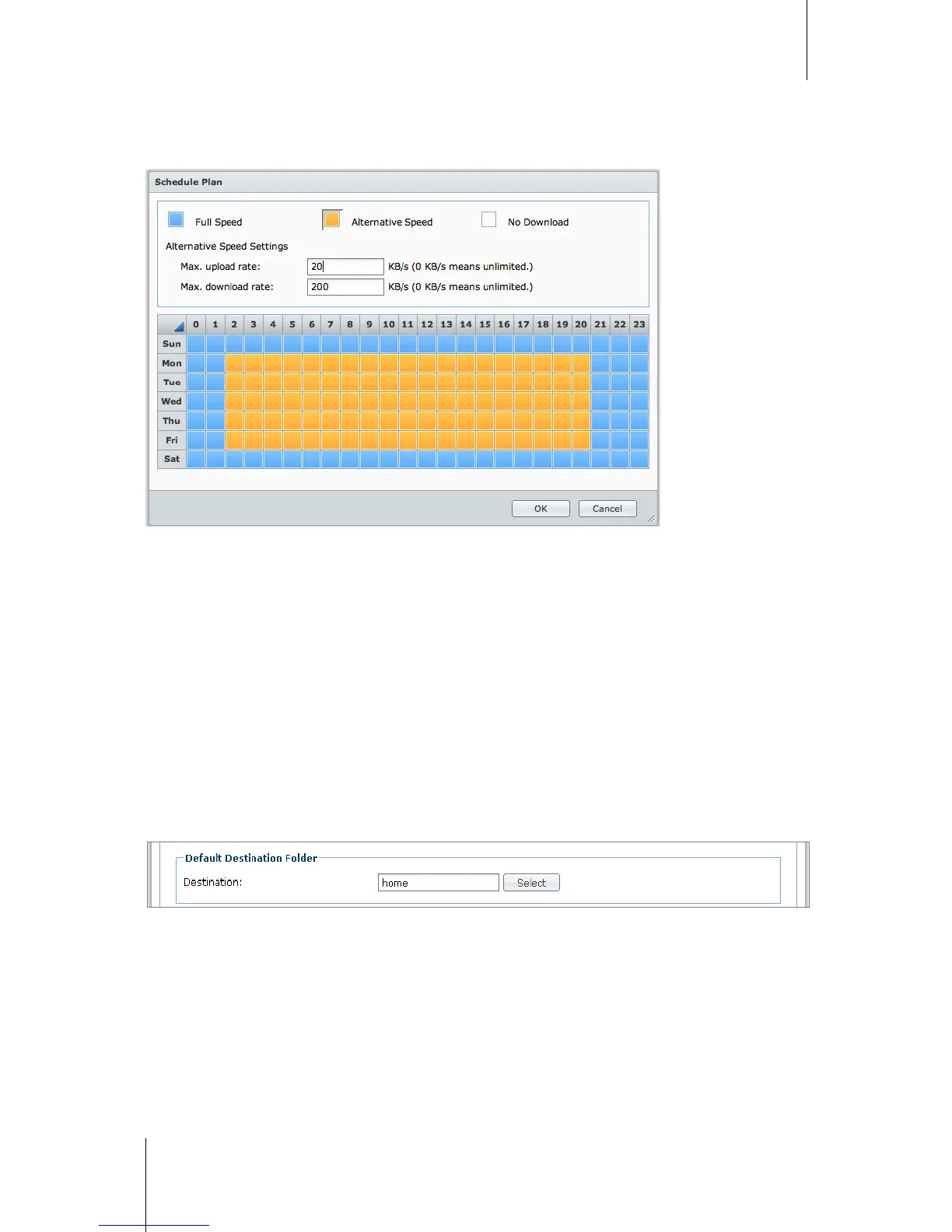
To set advanced schedule:
1 Tick Advanced schedule.
2 Click Schedule Plan and do the following:
a If you want to limit download tasks to alternative speeds during certain periods of a week, enter the
maximum download or upload rates in the Alternative Speed Settings section. ("0" means unlimited.)
b Choose any of the following and click on the grid to limit download tasks' time or speeds to certain period of
a week:
No Download: Do not download or upload files.
Default Speed: Download or upload files at the default maximum speeds.
Alternative Speed: Download or upload files at the maximum speeds you specified in the Alternative
Speed Settings section.
3 Click OK.
Default Destination Folder
Do the following to set the download destination folder for BT/HTTP/FTP/NZB.
1 Click Select and choose a folder.
2 Click Select.
3 Click OK.






 To Next Page