Synology DiskStation User's Guide
Based on DSM 3.1
161 Chapter 13: Download Files with Download Station
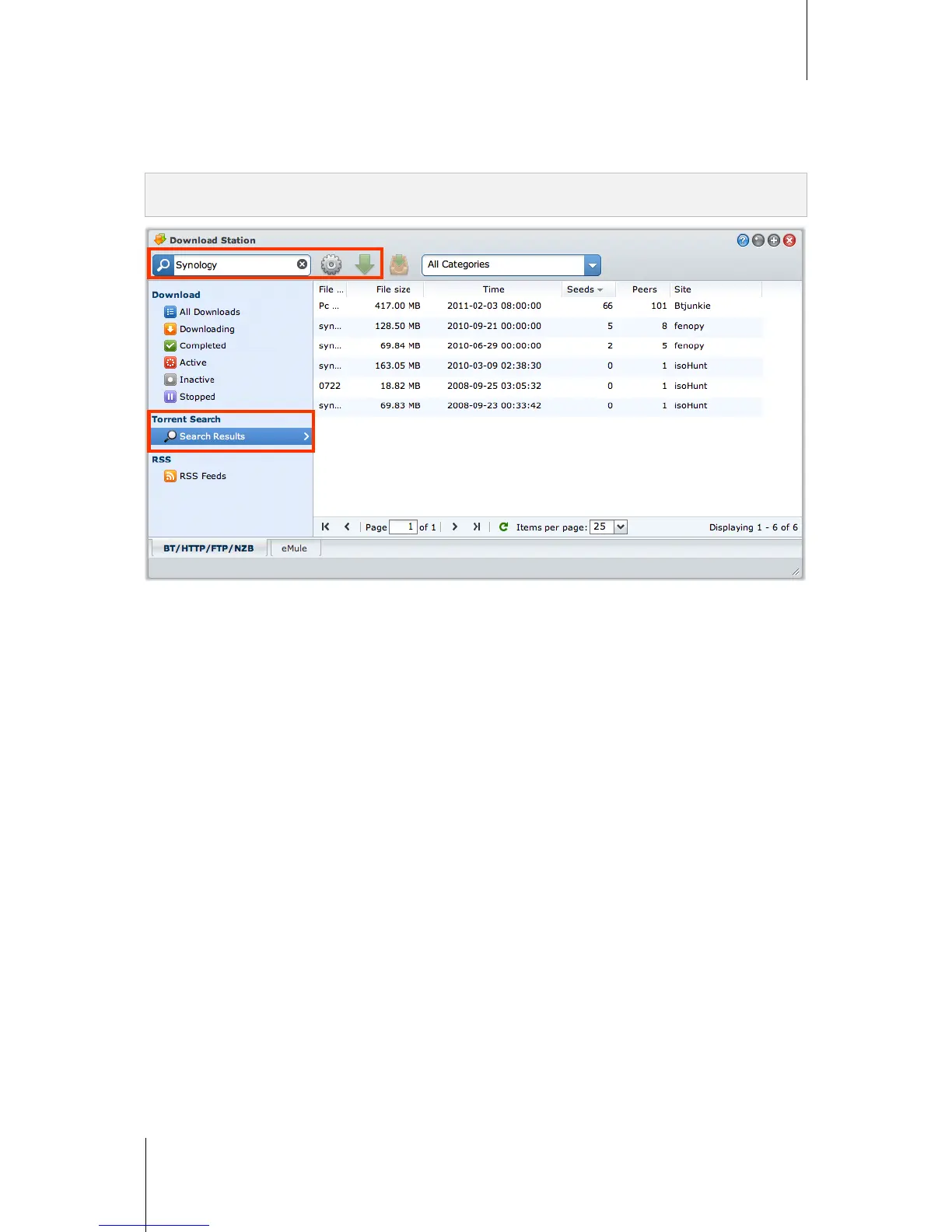
Create via Torrent Search
You can search for torrent files with BitTorrent search engines to help you find your favorite downloads more
easily.
Note: Before you use the Search function, make sure you have enabled at least one search engine at Setting >
Torrent Search. See "Torrent Search" on Page 158 for more information.
To create download tasks via torrent search:
1 Enter a keyword in the search field at the top-left corner of BT/HTTP/FTP/NZB, and press "Enter" on your
keyboard to start searching.
2 Click Search on the left panel. The search result of available files will be listed in the main area.
3 Make your selections, and then click any of the following buttons to create download tasks:
Download immediately: Download the selected files to the default destination folder you specified at
Setting > General. See "Default Destination Folder" on Page 157 for more information.
Download to: Change destination folder and modifies the torrent's URL or authentication (if required). Click
Create to create the download task.






 To Next Page