Synology DiskStation User's Guide
Based on DSM 3.1
164 Chapter 13: Download Files with Download Station
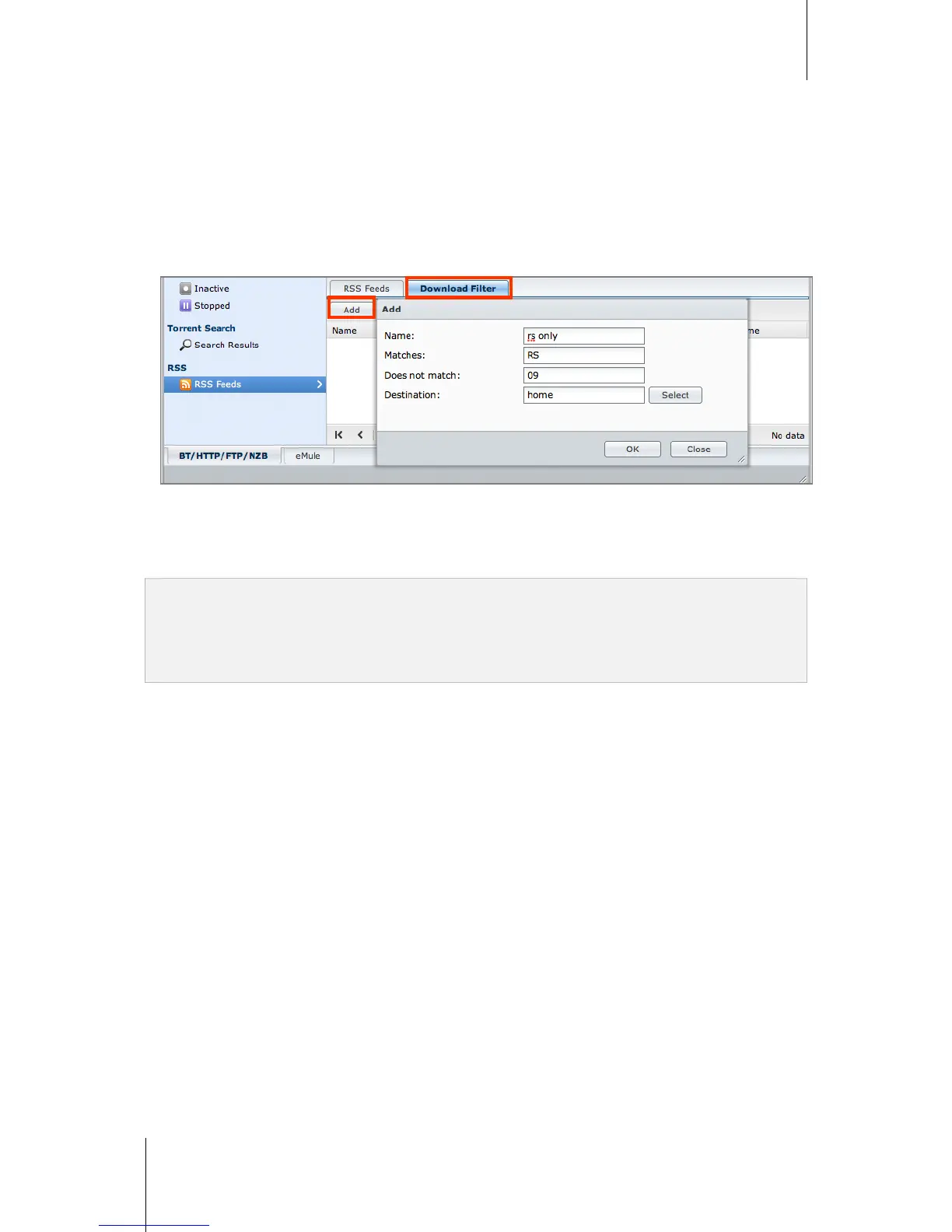
To create download tasks by setting download filter:
1 Click RSS Feeds on the left panel, and then select the RSS file containing feeds you want to download.
2 Under the Download Filter tab, click Add.
3 In the window that appears, enter the following information and click OK to create a filter:
Name: The name of the filter
Matches: The keyword for searching RSS feeds with matching names
Does not match: The keyword for excluding RSS feeds with matching names
Destination: The destination folder for the downloaded RSS feeds
4 You will see the new filter under the Download Filter tab. Click Edit or Delete if you want to edit or delete the
filter.
5 When the list of RSS feeds is updated, Download Station will automatically create download tasks for newly-
added RSS feeds matching the criteria set in Download Filter.
Note:
If you leave Matches and Does not match blank, Download Station will create download tasks for all newly-added
RSS feeds.
Download Filter only works for newly-added feeds. Original RSS feeds on the list can only be downloaded using
the Download button below the RSS Feeds tab.






 To Next Page