Synology DiskStation User's Guide
Based on DSM 3.1
191 Chapter 14: Safeguard Your Environment with Surveillance Station
To export an archive:
1 Click Add.
2 Name the archive and select a destination. Click Next.
3 Select the cameras which events are to be exported. Click Next.
4 Select the date and time range of the events to be exported. Click Finish to export.
To delete an archive:
Choose the archives you want to remove, and click Delete. (Press and hold Shift or Ctrl while making multiple
selections.)
This action will only remove the archive from the list. The original event files and the exported archives will not be
deleted.
Mount Events
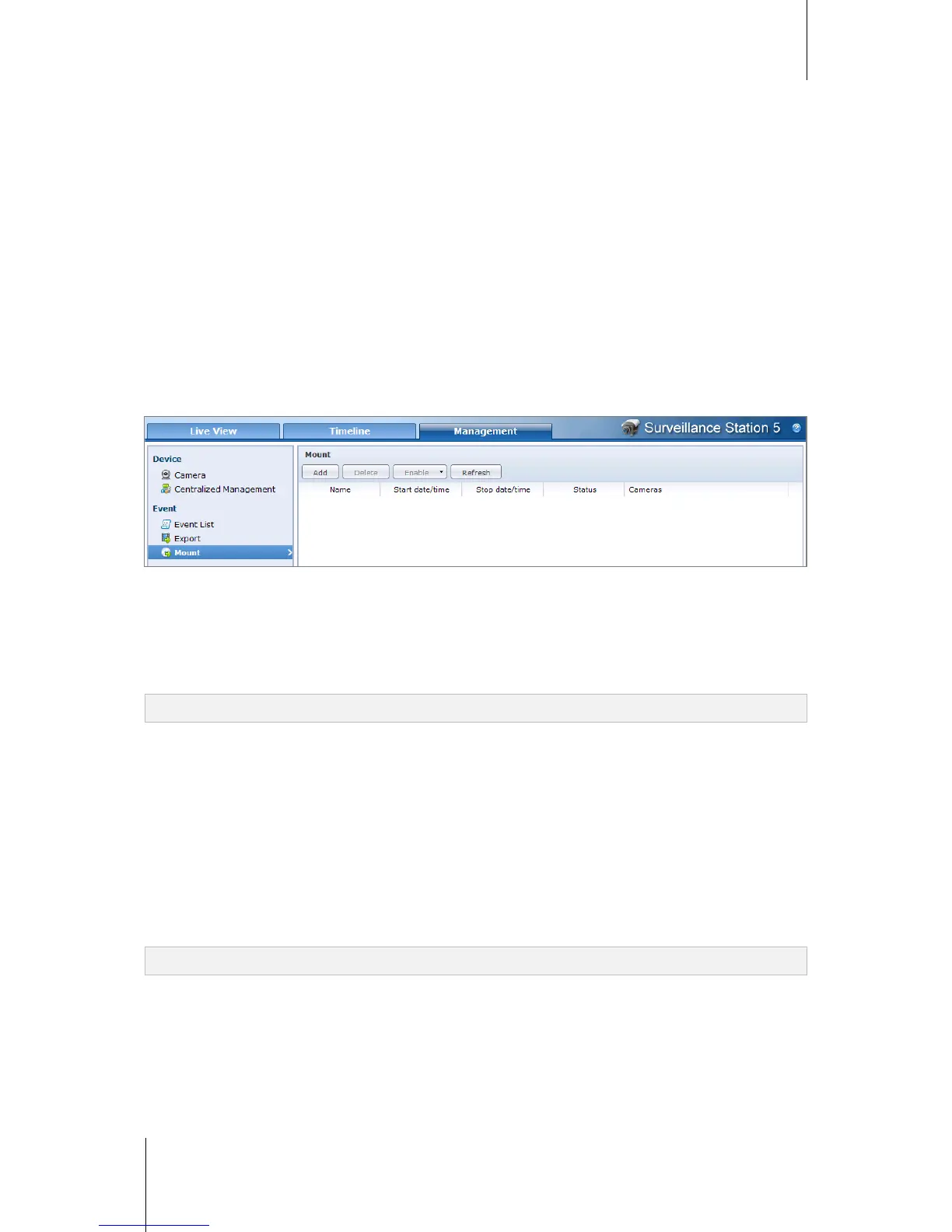
Go to Event > Mount under Management to mount exported events. You can mount exported archives onto
Surveillance Station. The events in the mounted archive can be played in Event Management and Timeline
page.
To mount an archive:
1 Click Add.
2 Select a source from the Source drop-down menu.
The source can be any shared folder or an external storage device via USB or eSATA interface.
3 The system will list out all the exported archives stored in the source. Select the archives, click OK to mount.
Note: The same archive cannot be mounted twice.
To delete a mounted archive:
Choose the archives you want to remove, and click Delete. (Press and hold Shift or Ctrl while making multiple
selections.)
This action will only remove the archive from the list. The original event files and the exported archives will not be
deleted.
To enable/disable mounted archives:
1 Select the archive you would like to enable/disable. (Press and hold Shift or Ctrl while making multiple
selections.)
2 Click on the Enable button on the top of the page.
3 Select Enable or Disable.
Note: The Source drop-down menu in Management and Timeline page will not display disabled archives.






 To Next Page