18
TROUBLESHOOTING
Incorrect operations are often mistaken for trouble and malfunctions. If you think that there is something wrong with this
component, check the points below. Sometimes the trouble may lie in another component. Investigate the other components
and electrical appliances being used. For information regarding computer settings, consult the TAD website (http
://tad-labs.
com). If the trouble cannot be rectified even after exercising the checks listed below, ask your dealer.
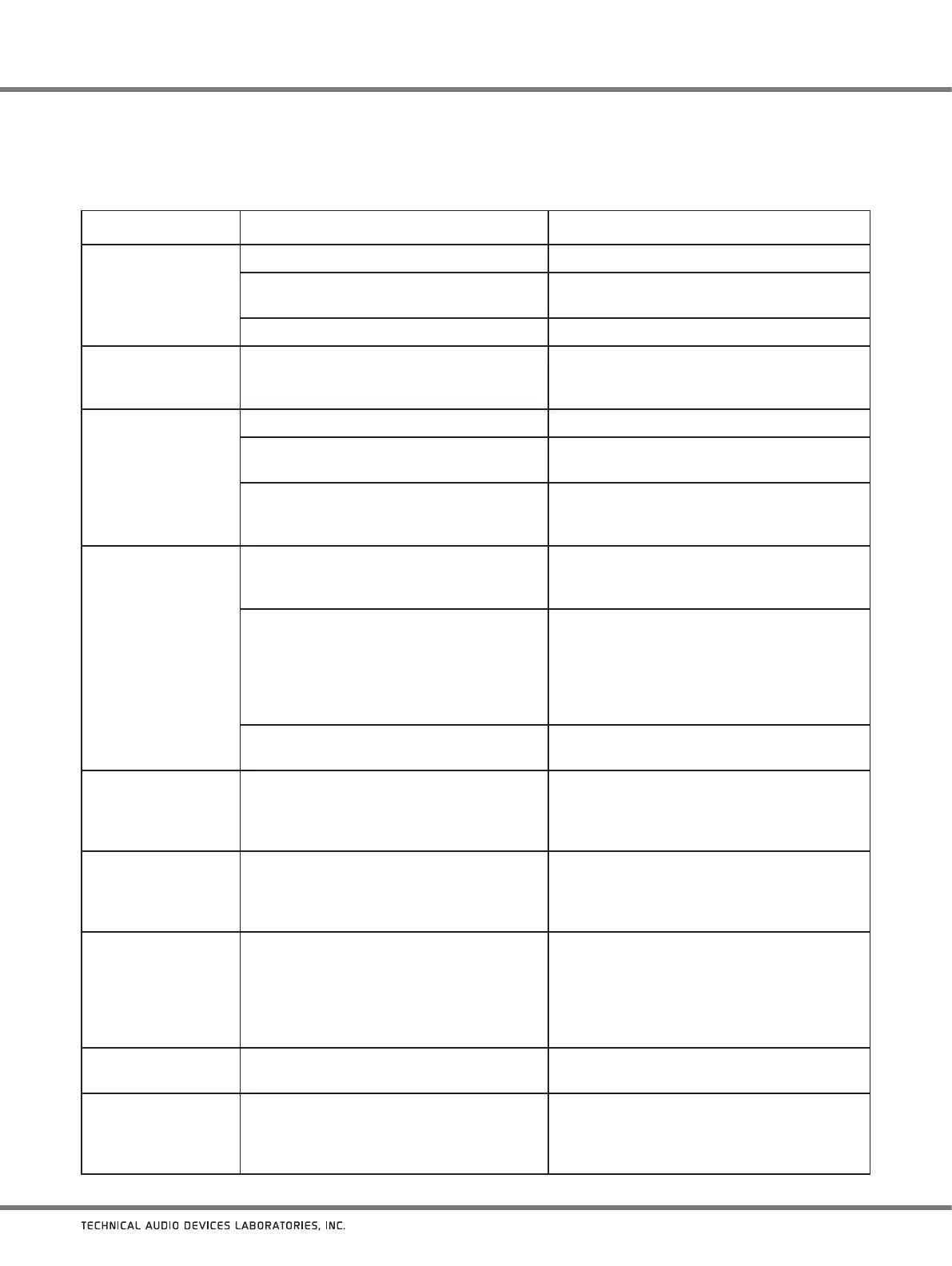
Symptom Possible cause Remedy
No sound is produced
even when input is
correctly set.
Input connector is not connected correctly. Check the connection.
The mute mode has been set (the “0” indicator
is flashing).
Press the
MUTE
button on the main unit or
remote control to cancel the mute mode.
Sound is too low. Adjust the volume.
Noise is audible even
when no input is
selected.
Noise is present in the power source itself. Check your computer’s power wiring; are too
many plugs connected to the same power outlet?
No sound is produced
for digital input.
Digital connection is not correct. Check the digital connection.
On a CD
player equipped with digital output
level adjustment, the output level is set too low.
Adjust the player’s digital output level to an
appropriate level.
The file format is not supported by the
computer’s digital playback software.
If the output device is set to a non-PCM audio
signal format
(Dolby Digital, DTS, etc.), set it to
PCM.
No sound is produced
for USB input.
The computer is set to a different input
component.
The computer’s mute function is ON.
Check the computer’s sound settings.
Connections are wrong.
The unit is not detected by the computer.
After
the unit is connected to the computer,
if the unit’s input is switched to USB, the
computer’s sound setting may switch to a
different input component. In this case, reselect
TAD-USB1 or TAD-USB2D as the input.
Check the connections again.
The file format, OS, or playback software
is not
supported.
Confirm that the OS, software, and file sampling
rate are supported (page 16).
The USB input’s
sampling rate is always
the same.
Depending on the computer’s setting, the
sampling rate may remain the same even
when playback files have different sampling
rates.
Check the computer settings.
Computer
sounds
(other than music
sounds) are audible
from the USB input.
Depending on computer settings, the
computer’s boot-up beeps or error sounds may
be audible from the unit.
Check the computer settings.
When input is set to
something other than
USB, the unit can’t
play music files on the
computer’
s playback
software.
When not set to USB input, the computer
doesn’t recognize the unit.
Switch to USB input, and reset the computer’s
sound setting to TAD-USB1 or TAD-USB2D.
Power can’t be turned
off.
The 12 V trigger input connector’s signal is at
“H” value.
Turn off the
power to the device generating the
12 V trigger output.
The power turns off by
itself.
If the ECO (power-saving) mode is turned ON,
the unit will automatically enter standby mode
if no operation is performed on the unit for 30
minutes.
Set the ECO (power-saving) mode to OFF (page
17).



 To Next Page
 Loading...