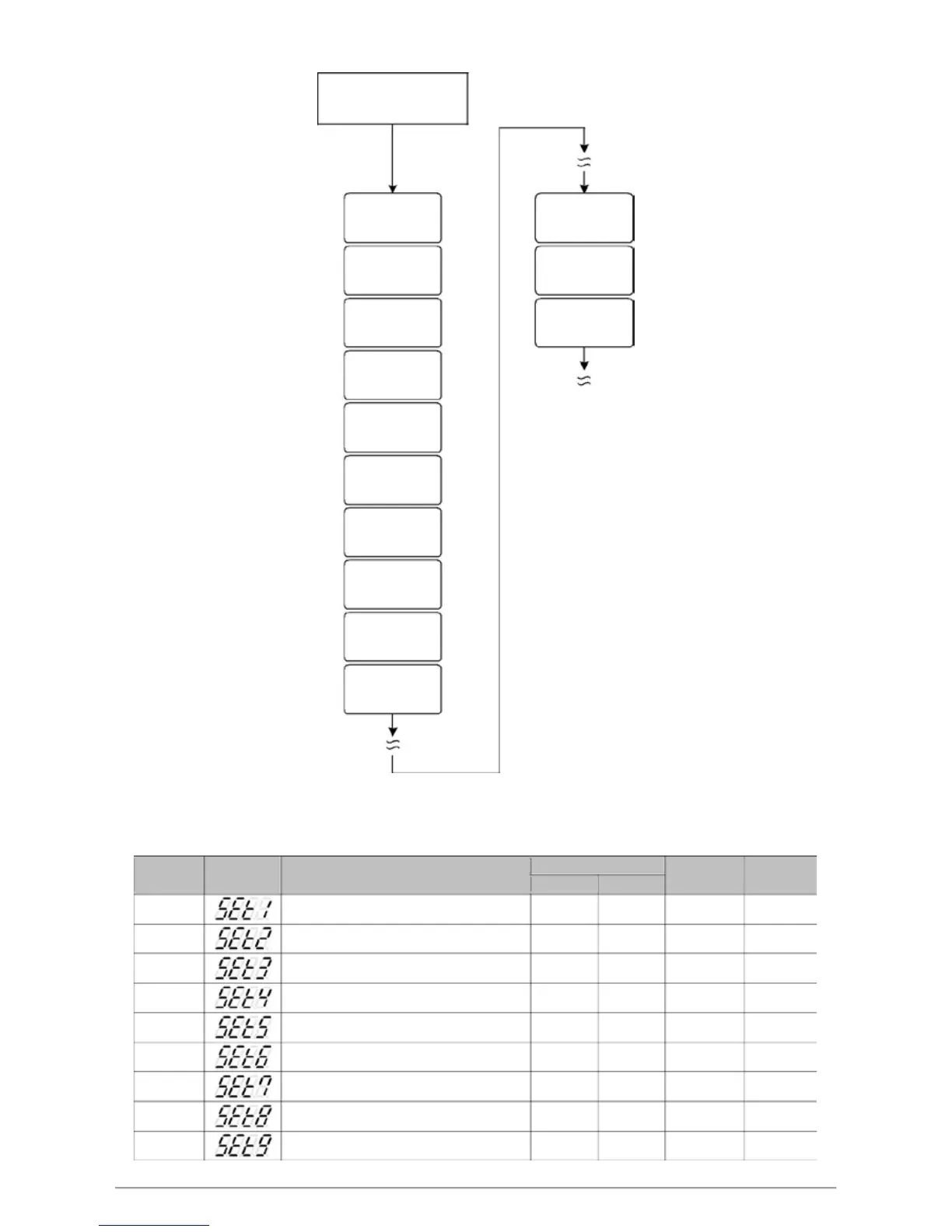
10.10 Level 4 (Setting Level) All Parameters Display
Level 4
Press SET key
SET0
SET1
INP2
Parameters
sub input type selection
Hide/Display
SET2 OUTY
evird erawdraH sretemaraP
noitceles yalpsiD/ediH
SET3 PROG
noitcnuf margorP sretemaraP
Hide/Display
enable
SET4
SET1
Parameters
Hide/Display
SET5
Parameters
Hide/Display
SET6
Parameters
Hide/Display
SET7
Parameters
Hide/Display
SET8
Parameters
Hide/Display
SET9
Parameters
Hide/Display
SET0
Parameters
Hide/Display
INP2
※ If no key is pressed within 60 seconds, it will automatically return to LEVEL 1 (user level) and display PV/SV
10.11 LEVEL_4 Parameter
tnetnoC lobmyS retemaraP
Range
Default
Hide/
MAX MIN
Display
SET1
--- 00001111 yalpsiD/ediH sretemaraP
---
--- --- 0000 1111 yalpsiD/ediH sretemaraP 2TES
--- --- 0000 1111 yalpsiD/ediH sretemaraP 3TES
--- --- 0000 1111 yalpsiD/ediH sretemaraP 4TES
--- --- 0000 1111 yalpsiD/ediH sretemaraP 5TES
--- --- 0000 1111 yalpsiD/ediH sretemaraP 6TES
--- --- 0000 1111 yalpsiD/ediH sretemaraP 7TES
--- --- 0000 1111 yalpsiD/ediH sret
emaraP 8TES
--- --- 0000 1111 yalpsiD/ediH sretemaraP 9TES
FY/FU operation manual 28


 To Next Page
 Loading...