1-16
Changing procedure of the frame
From cap frame to border frame
1.
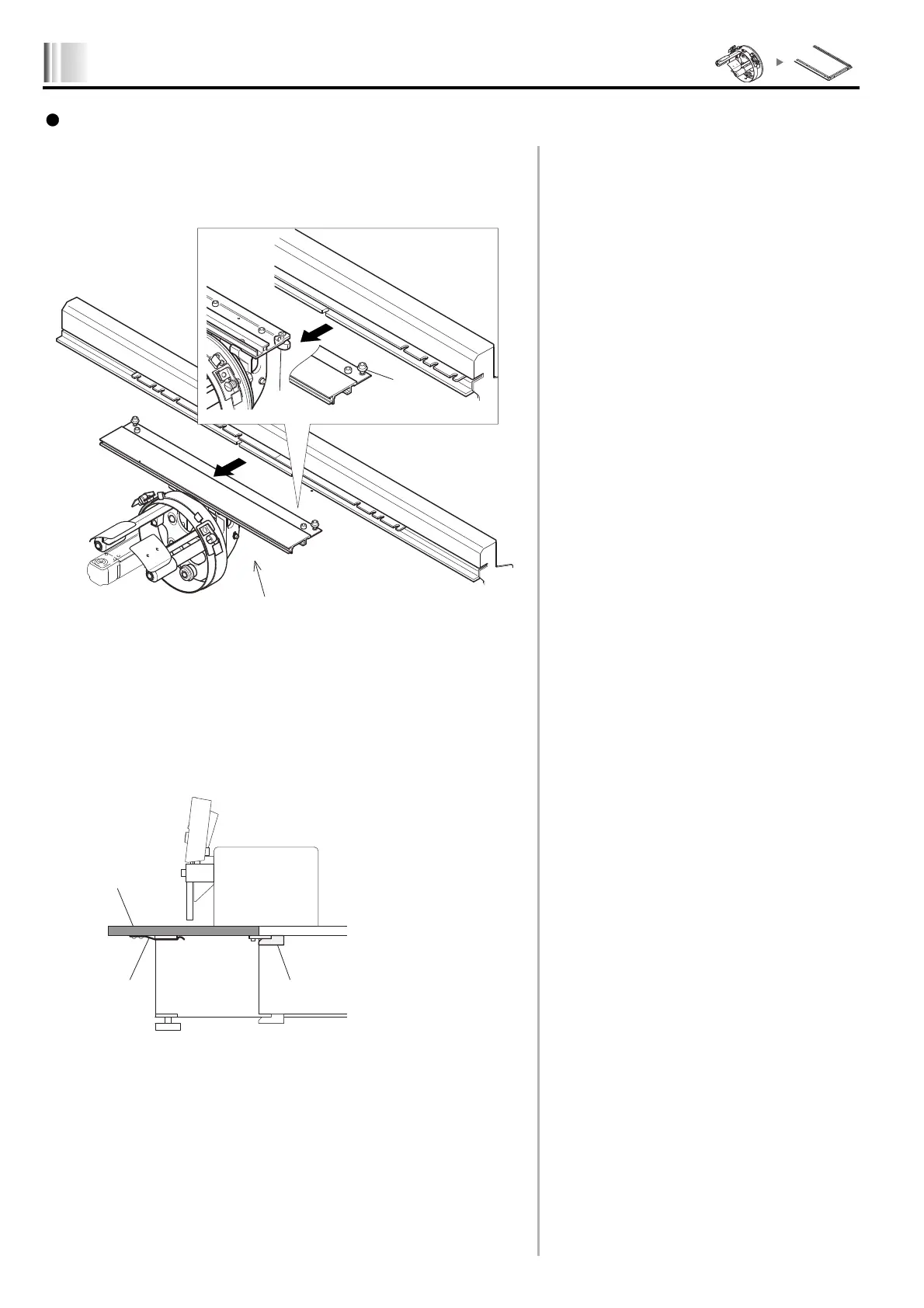
Detaching of cap frame unit
1.
Loosen the screws (1) and (2) to detach the cap frame unit (3).
2. Switching of table position
In case of TFMX-C ..................................................................................
1.
Pull the table (1) to the front to take out, and attach the table to the position of border
frame spec. (A).
Push the table (1) into the position and fix it using the
table spring (2) and table stopper (3).
23
1
A
KY01



 To Next Page