Changing procedure of the frame
1-19
1
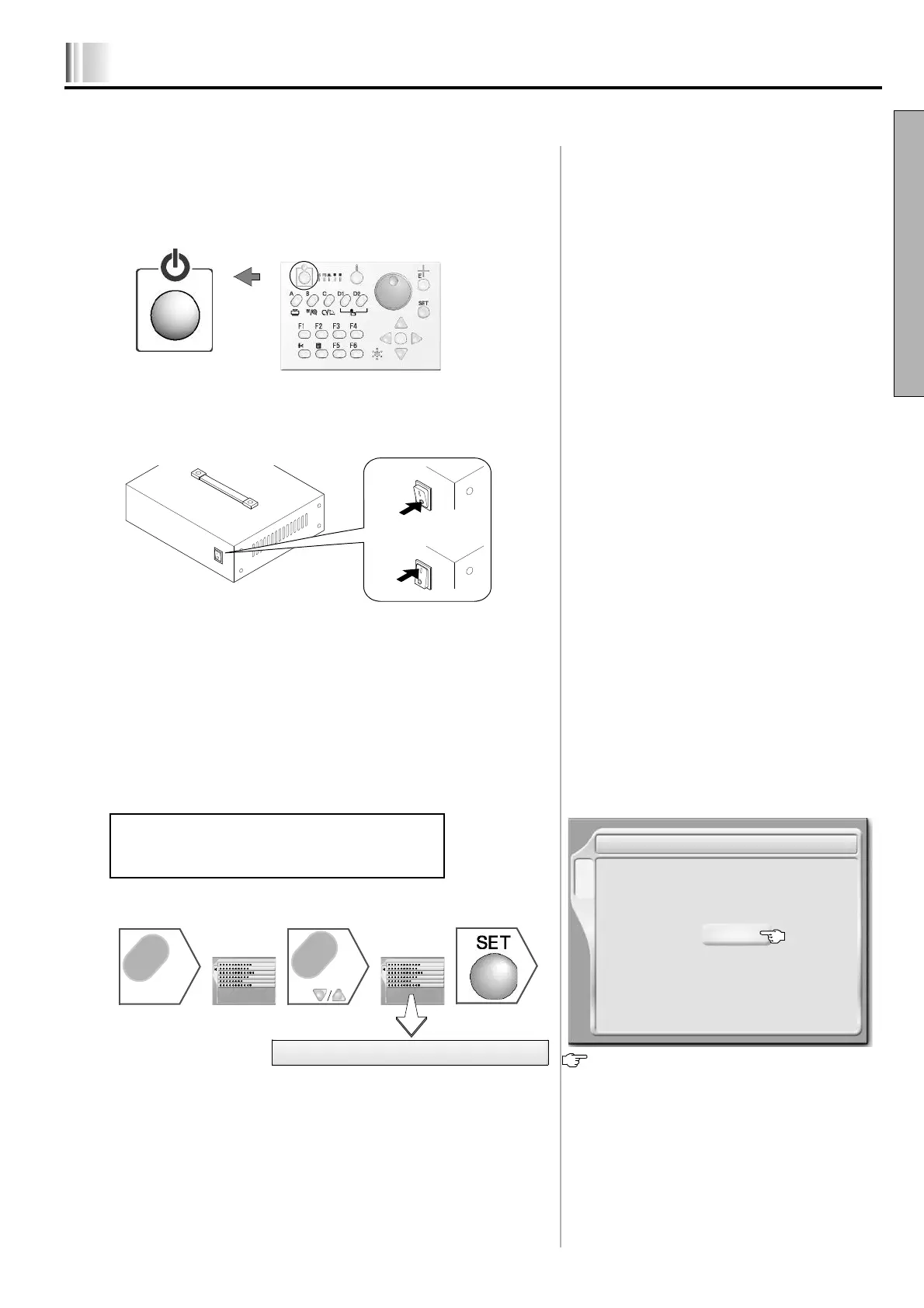
3.Turn ON the power switch, or release sleep
mode
In case of TFMX-C/TEMX-C....................................................................
Turn ON the power, or release sleep mode.
In case of TEJTII-C .................................................................................
Turn ON the power.
4.Change of setting on the operation panel
Change to drive mode that is suitable for the frame to use.
In case of TEJTII-C .................................................................. to p.1-21
In case of TFMX-C/TEMX-C.......................................... Following works
1. Change of frame type
1. To call the screen ....................................................................................
After the setting, the power will be turned OFF/ON
automatically.
Sleep mode key
Press for two or more seconds.
7 Frame Type
Frame Type
Border
The frame type that is currently selected will be
displayed.
Border frame, cap frame, cylindrical frame, tubular goods
frame,
B (Border frame, auto clamp frame),
T (Tubular goods frame, auto clamp frame)
C
List screenList screen
C
Press
C
7 Frame Type
or
LX03



 To Next Page