10
TASCAM Model 24
2 – Names and Functions of Parts
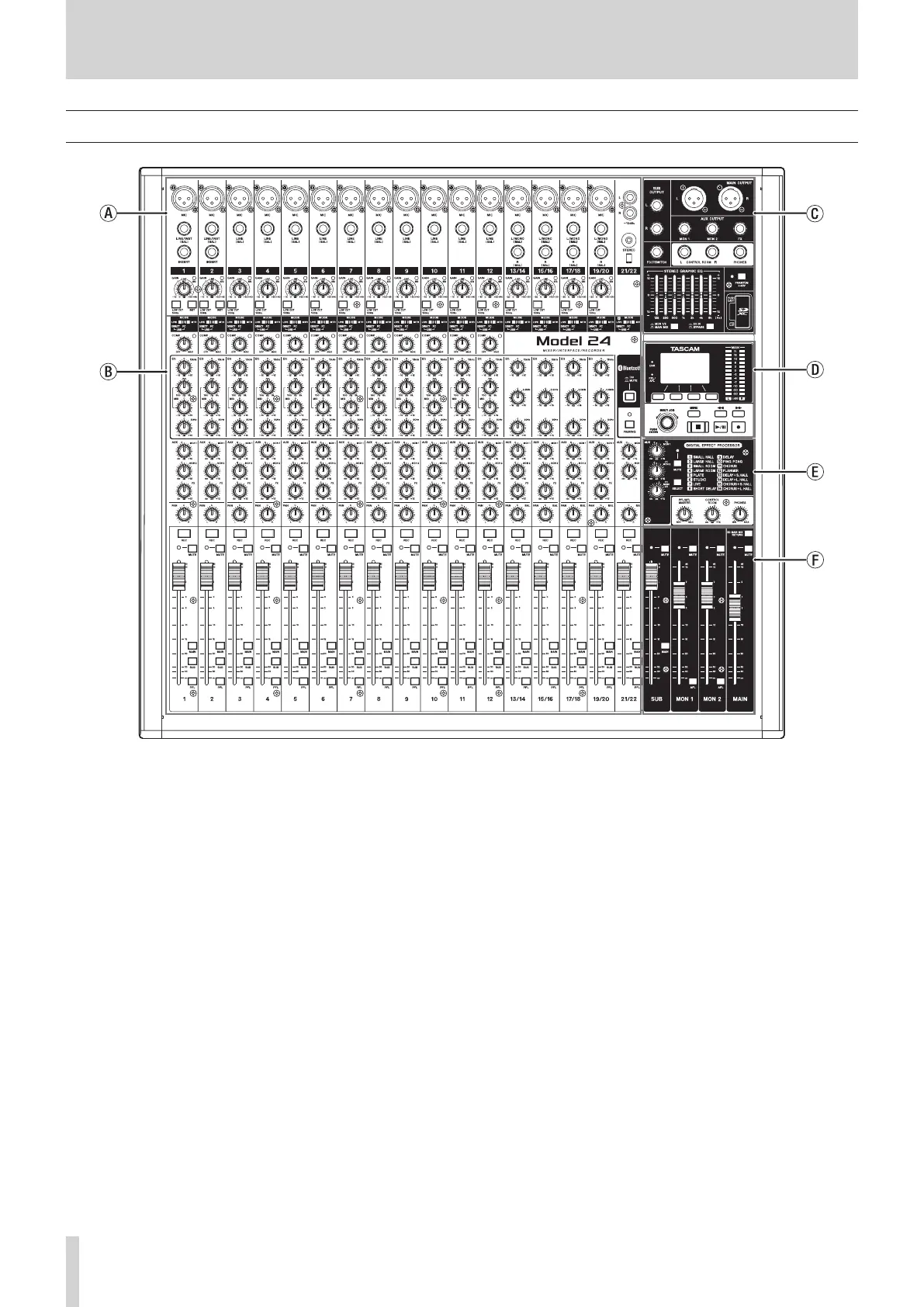
Top panel
a Analog input jack section
Use this section to connect the input jacks for each channel and to
adjust the input levels.
b Input channel mixing section
Use this section to choose input sources for each channel, adjust
compressors and equalizers, and set levels sent to each bus (MAIN
MIX L/R, PFL/AFL L/R, MONITOR OUT 1/2, FX, SUB L/R).
c Analog output jack section
Use this section to connect the output jacks and adjust the output
equalizer.
d Screen operation section
Use this section to operate the meter, home and MENU screens shown
on the display.
e Built-in effects operation section
Operate the built-in effects and adjust the output levels for each out-
put in this section.
f Analog output adjustment section
Adjust the output levels from the MAIN OUTPUT, SUB OUTPUT, MON
1 and MON 2 jacks in this section.



 To Next Page