4
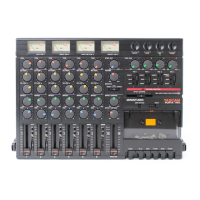
TASCAM Model 24
Contents
Precautions for safe use ................................................................2
1 – Introduction ............................................................................. 6
Features ......................................................................................................................6
Included items ..........................................................................................................6
Conventions used in this manual ...................................................................... 6
Trademarks ................................................................................................................ 7
Precautions for placement and use .................................................................. 7
Notes about power supplies ...............................................................................7
Beware of condensation ....................................................................................... 7
Cleaning the unit ..................................................................................................... 7
About SD cards.........................................................................................................8
Precautions for use ............................................................................................ 8
SD card write protection .................................................................................8
Note about formatting ..................................................................................... 8
Notes about power supplies ...............................................................................8
Bluetooth
® ......................................................................................................................................................................................................9
Profiles .................................................................................................................... 9
Codecs .................................................................................................................... 9
Content protection ............................................................................................ 9
Transmission security .......................................................................................9
User registration ......................................................................................................9
アアアアアアアア ....................................................................................................................9
2 – Names and Functions of Parts ................................................ 10
Top panel ................................................................................................................. 10
Analog input jack section ............................................................................ 11
Input channel mixing section ..................................................................... 12
Analog output jack section ......................................................................... 13
Screen operation section ............................................................................. 14
Built-in effects operation section .............................................................. 14
Analog output adjustment section .......................................................... 15
Rear panel ............................................................................................................... 15
Home Screen.......................................................................................................... 16
Meters Screen ........................................................................................................ 16
Meter Screen details ...................................................................................... 17
Menu structure...................................................................................................... 17
Basic MENU screen operations ........................................................................ 18
Menu operation procedures ....................................................................... 18
3 – Preparation ............................................................................19
Connecting other equipment.......................................................................... 19
Connecting microphones ............................................................................ 20
Guitar ................................................................................................................... 20
Connecting electronic devices and other audio equipment .......... 20
Connecting monitor speakers .................................................................... 20
Connecting headphones ............................................................................. 20
Computer connections ................................................................................. 20
Connecting with Bluetooth devices ......................................................... 20
Inserting and removing SD cards ................................................................... 21
Inserting SD cards ........................................................................................... 21
Removing SD cards ........................................................................................ 21
SD card write protection switches ............................................................ 21
Turning the power on and off.......................................................................... 21
Setting the built-in clock date and time ...................................................... 22
Adjusting the display .......................................................................................... 22
Adjusting the display contrast ................................................................... 22
Adjusting the display brightness .............................................................. 22
Preparing an SD card for use ............................................................................ 22
4 – Managing Songs ....................................................................23
Viewing the song list ........................................................................................... 23
Song Operation..................................................................................................... 23
Creating a New Song .......................................................................................... 23
Loading Songs ....................................................................................................... 24
Viewing song information ................................................................................ 24
Deleting songs ...................................................................................................... 24
Protecting/unprotecting songs ...................................................................... 25
Editing song names ............................................................................................. 25
Editing text ........................................................................................................ 25
5 – Basic recording.......................................................................26
Selecting the input source ................................................................................ 26
Setting the MODE switch .................................................................................. 26
Setting phantom power .................................................................................... 26
Monitoring .............................................................................................................. 27
SIG indicators and level meters ....................................................................... 27
Recording ................................................................................................................ 27
Undoing operations ............................................................................................ 28
Undoing the previous operation ............................................................... 28
Using the built-in effects ................................................................................... 28
Setting the built-in effect ............................................................................. 28
6 – Recorder functions .................................................................30
Locate function ..................................................................................................... 30
Changing the playback position ............................................................... 30
Using the direct locate function to locate.............................................. 30
Repeat playback function ................................................................................. 30
Punch in/out function ........................................................................................ 30
Using the footswitch to punch in/out ..................................................... 30
Setting up the footswitch ............................................................................ 31
Setting the footswitch polarity .................................................................. 31
Automatic punch in/out function ................................................................. 31
Setting the punch in/out points ................................................................ 31
Setting a pre roll point .................................................................................. 32
Rehearsing punching in and out ............................................................... 32
Using automatic punching in and out .................................................... 32
7 – Track editing ..........................................................................33
Clearing tracks ....................................................................................................... 33
Importing tracks ................................................................................................... 33
8 – Settings and Information .......................................................34
Viewing information ........................................................................................... 34
CARD Screen ..................................................................................................... 34
SONG Screen ..................................................................................................... 34
FIRMWARE Screen ........................................................................................... 34
Setting the song name format ........................................................................ 34
Setting the WORD item ................................................................................. 34
Restoring factory default settings .................................................................. 35
Formatting SD cards ............................................................................................ 35
Playing WAV files on SD cards
(SD PLAY mode) .................................................................................................... 36
9 –Using a computer to transfer data ..........................................37
Connecting with a Computer .......................................................................... 37
Disconnecting .................................................................................................. 37
Loading WAV files from a computer .............................................................. 38
10 – USB audio interface functions .............................................39
Installing the dedicated software
(Windows only) ..................................................................................................... 39
Installing the Windows dedicated software .......................................... 39
Uninstalling the Windows dedicated software .................................... 40
Opening the Settings Panel (Windows only) ............................................. 40
Windows Settings Panel overview ................................................................. 40
11 – Messages .............................................................................. 41
12 – Troubleshooting ..................................................................43
13 – Specifications ....................................................................... 44
General ..................................................................................................................... 44
Inputs and outputs .............................................................................................. 44
Analog audio input and output ratings .................................................. 44
Control input/output ..................................................................................... 44
Computer system requirements ..................................................................... 45


 To Next Page
 Loading...