18
TASCAM Model 24
2 – Names and Functions of Parts
Basic MENU screen operations
After using the MENU button to open the MENU Screen, it can be oper-
ated in the following manner.
This is an overview of basic operations. Function button assignments
differ according to the screen shown on the display.
Selecting items (moving vertically on a page):
Turn the MULTI JOG dial.
Confirming a selected item:
Press the MULTI JOG dial (ENTER button function).
Opening a submenu from a page:
Press the MULTI JOG dial.
Going back one step in a menu:
Press the F1 button.
Returning to the Home Screen from a MENU Screen:
Press the F1 button.
Menu operation procedures
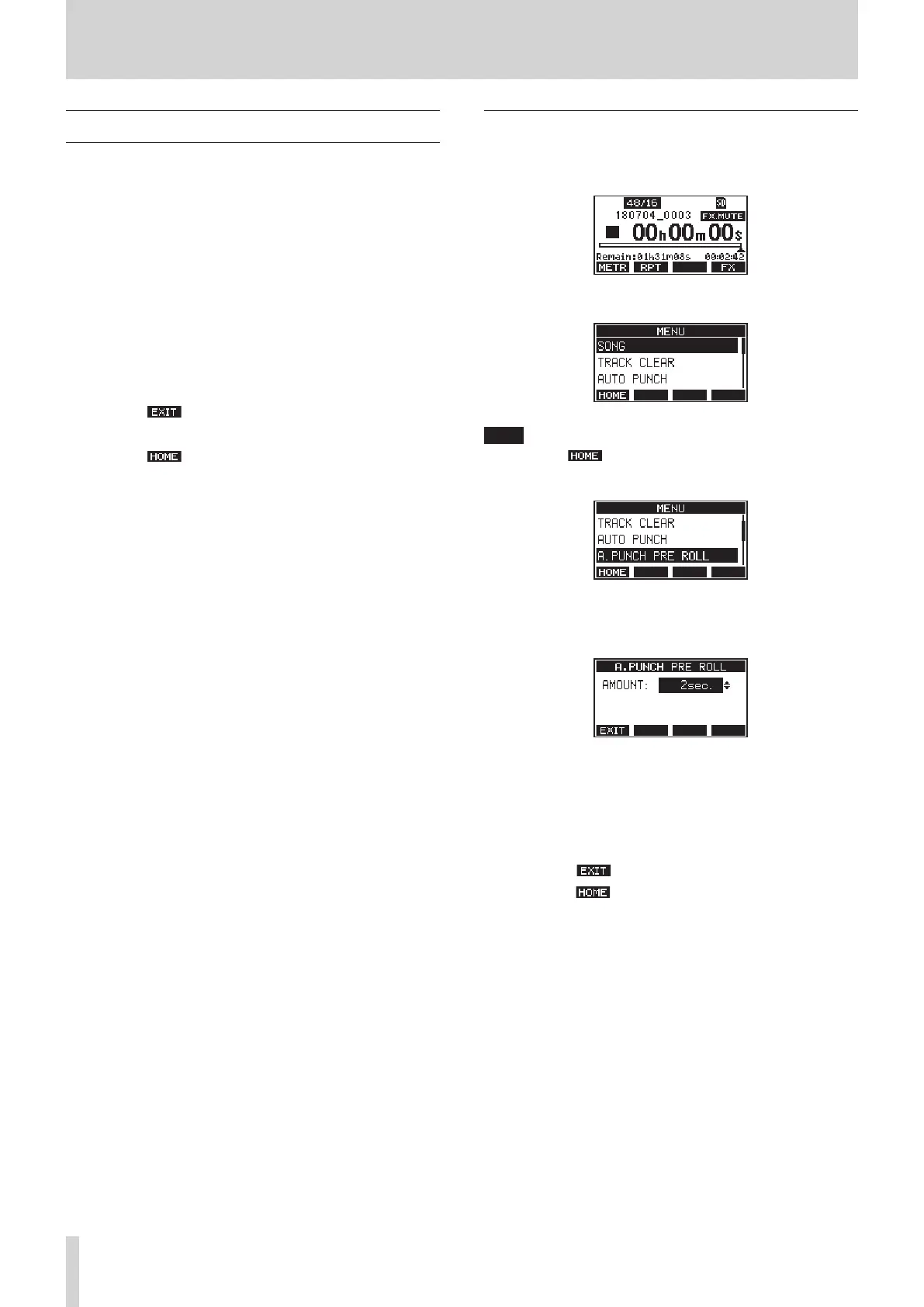
This explanation uses an example of setting the pre-roll point.
1.
Press the MENU button to open the Home Screen.
2.
Press the MENU button to open the MENU Screen.
NOTE
Press the F1
button to return to the Home Screen.
3.
Turn the MULTI JOG dial to select the menu item.
A.PUNCH PRE ROLL selected
4.
Press the MULTI JOG dial to open the settings screen.
A.PUNCH PRE ROLL Screen open
5.
Turn the MULTI JOG dial to change the setting.
6.
To set another item on the same screen, press the MULTI JOG dial
to move the cursor to the next setting.
7.
Repeat steps 5 to 6 as necessary to set other items.
8.
Press the F1 button to return to the MENU Screen.
9.
Press the F1 button to return to the Home Screen.



 To Next Page