3.2.3. Select LAN Remote Mode
Selecting the LAN mode will allow programming over the Ethernet cable. Any settings and measurements may
be done from a remote computer using the power supply’s built-in web pages or using SCPI programming.
To select the LAN mode:
A. Switch the supply AC power off
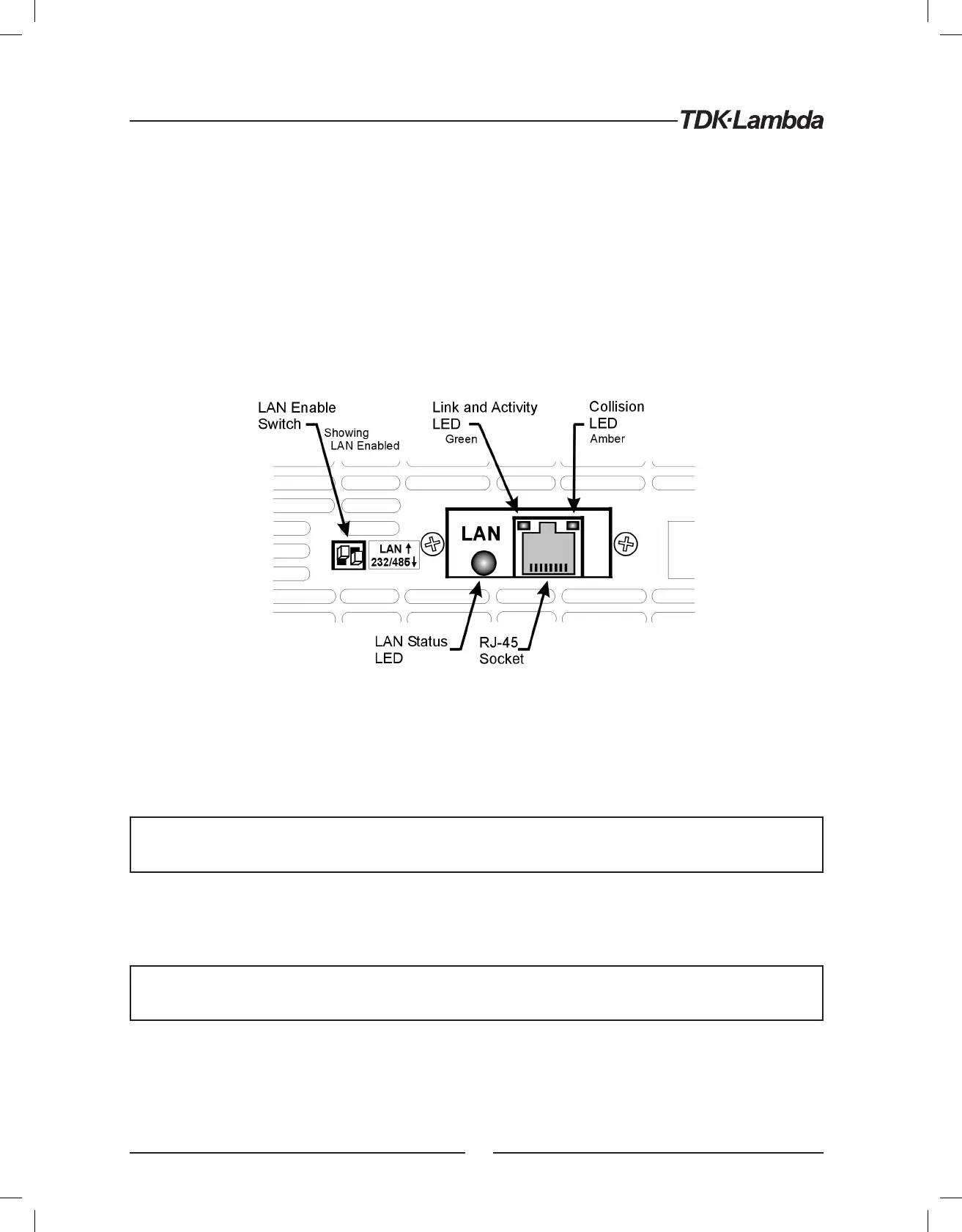
B. Set the LAN card switch pin1 to UP (see Figure 3)
C. Switch the supply AC power on. The front panel will show “Lan” at startup
3.3. LAN Option Rear Panel View
The power supply rear panel, with the LAN option installed, is shown below.
Figure 3. Rear Panel LAN Features
3.3.1. LAN Enable Switch:
This two-pole DIP switch allows you to select the LAN or the RS-232/485 mode. The switch on the left is
the only one used.
The supply’s AC power must be OFF to change this switch. The change is only detected during the
supply’s power-up sequence
- SWITCH UP: select the LAN mode. The power supply shows “Lan” at power-up. The rear panel J3-IN port
for RS-232/485 does not operate. The J3-OUT port may be used to start a multi-drop chain of supplies
(see section 12)
When using the LAN, always set the supply to RS-232 mode by setting rear panel SW6 bit 6 to
DOWN. See section 12.2 for details
- SWITCH DOWN: select the RS-232/485 mode. The power supply does not show “Lan” at power-up.
The rear panel J3 ports for RS-232 and RS-485 do operate. The power supply may be used in a chain of
multi-drop supplies (see section 12). See the Technical Manual for the Genesys™ Power Supply for the
description of the RS-232/485 mode
12













 To Next Page