4. CONNECT TO NETWORK
4.1. LAN Cable
The LAN cable must be supplied by the customer. It may be a standard straight “patch” CAT-5 (or better)
network cable or it may be a “crossover” cable where the pins are reversed on one end. The cable type is
auto-detected by the power supply.
The serial link cable (0.5 m long) provided with the Genesys™ power supply cannot
be used for a LAN connection.
4.2. Types of Networks
There are basically two types of networks that are discussed here:
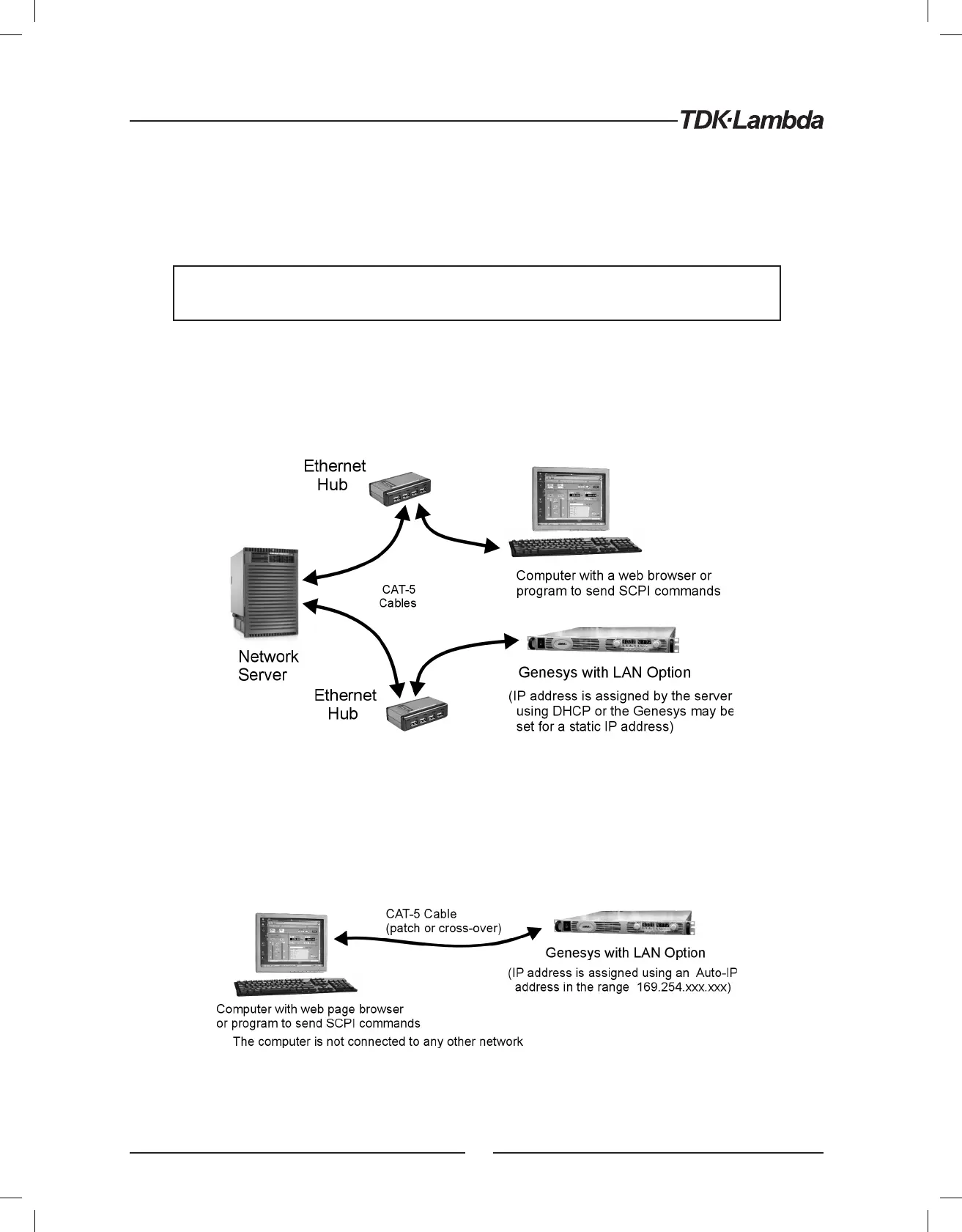
1. NETWORK WITH A SERVER: this is the typical local area network with a server computer and network
administrator to keep it running. The server will download the IP address and other settings to the power supply
Figure 4. Server Network Connection Diagram
2. PEER-TO-PEER NETWORK: this is typically the situation when you connect the Genesys™ supply directly to
a computer that is not a network server. The power supply will configure its own IP address and other settings
Figure 5. Peer-to-Peer Connection Diagram
14













 To Next Page