12. RS-485 MULTI-DROP COMMANDS
12.1. Introduction
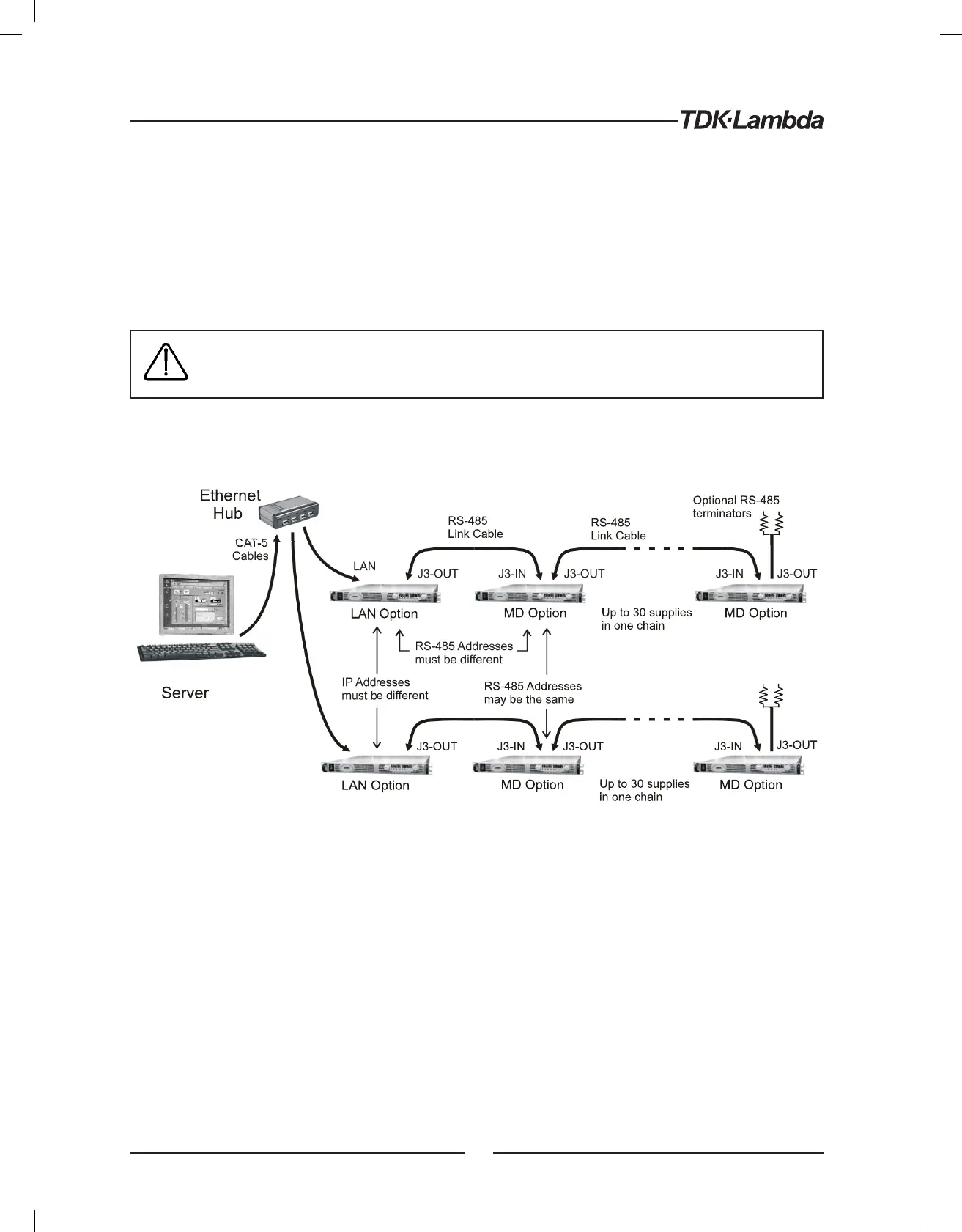
The Genesys™ power supply LAN option allows you to control up to 29 other supplies which do not have
the LAN option installed. All are controlled through one IP address from the supply with the LAN option
This is called the Multi-drop configuration. The Ethernet cable goes to the LAN supply. All the other supplies
are connected using a RS-485 Serial Link Cable between the J3-OUT to J3-IN sockets. The multi-drop feature
adds the ability to operate all the linked power supplies with one global command.
CAUTION when using multiple LAN controllers with Multi-drop. Only one power supply
may be “selected” at a time. One controller may change the selected address and the other
may not be aware that a new address is active.
NOTE: The RS-485 power supplies must be Multi-drop enabled See section 12.3.1 below
Figure 8. Configuring a Multi-drop System of Supplies
12.2. Configure the LAN Supply
The LAN power supply, at the head of the multi-drop chain, is called the Master supply.
12.2.1. To Set Up the Master Power Supply:
A. Connect the LAN to a computer as described in section 4
B. Enable the LAN option with it’s rear panel switch. See Figure 3
C. Set the supply into RS-232 mode by setting rear-panel SW1 bit 6 to DOWN
D. Connect a RS-485 Link cable from the rear J3-OUT jack to the next supply’s J3-IN
E. Switch AC power on the supply
F. Set the supply’s RS-485 address as described below
54













 To Next Page