6.6. LAN Page
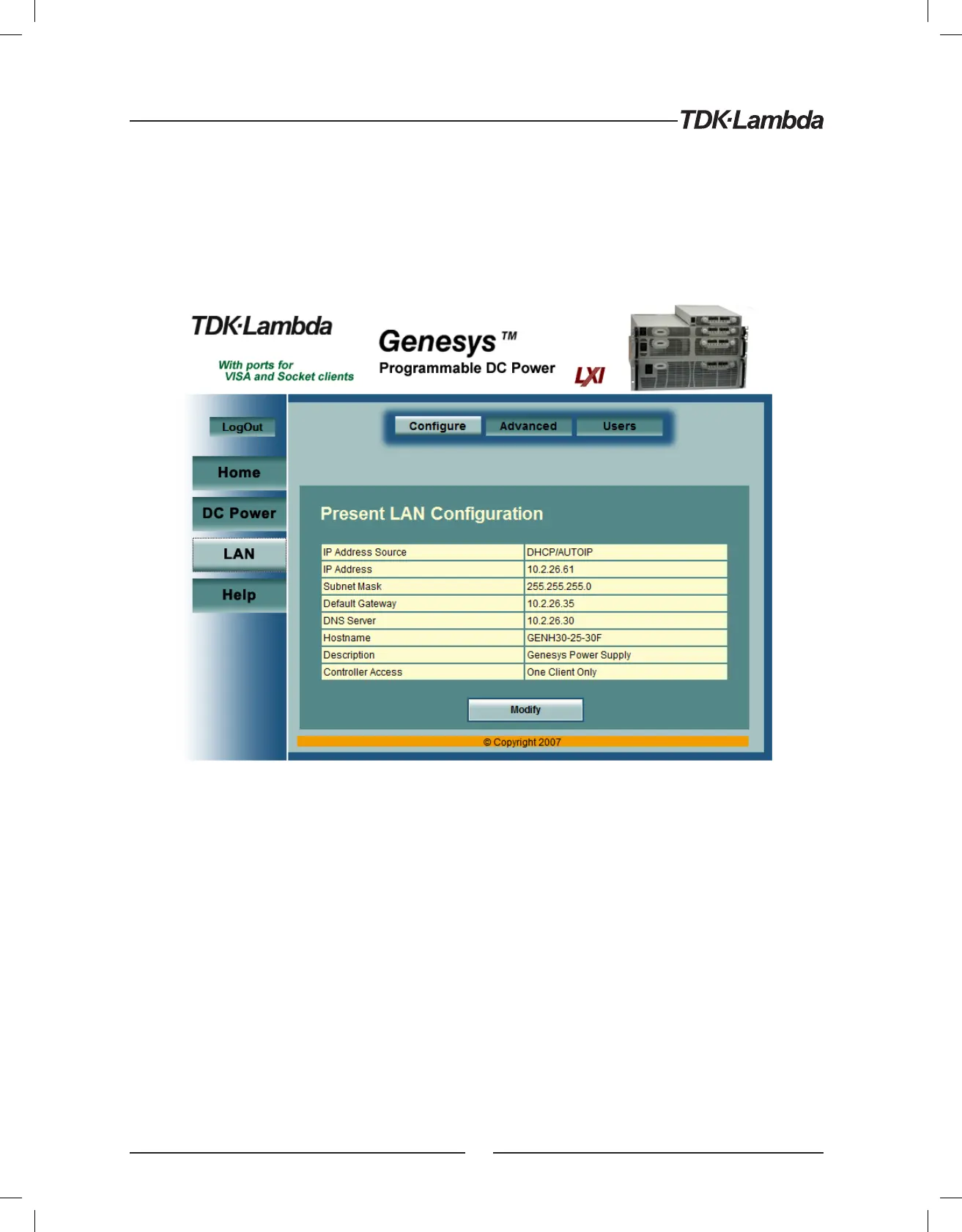
When the “LAN” tab is clicked, the following web page opens. This page, and it’s sub-pages, allow you to
view and configure the power supply’s LAN settings
6.6.1. LAN ➞ Configure Page
When the “LAN” tab is selected, the “Configure” panel opens:
The following settings are shown on the “LAN ➞ Configure” web page:
IP Address Source: Displays the way the IP address was selected. Options are DHCP/Auto-IP and Static IP
IP Address: Displays the IP address assigned to the power supply through either DHCP, Auto-IP or Static
IP sources
Subnet Mask: Displays the subnet mask assigned to the power supply through either DHCP, Auto-IP or
Static IP
Default Gateway: Address of the network router to allow the power supply to communicate outside of
the local subnet
DNS Server: Address of the server running the Domain Naming Service. This is used for hostname addressing
Hostname: The power supply hostname may be used instead of the IP address to create a communication
link. The default hostname is derived from the model and serial number (see the hostname in section 4.5)
or it may be changed in the “LAN ➞ Configure ➞ Modify” web page
26













 To Next Page