EasyManua.ls Logo

Teac AG-V3050 - Manual Tuning; Preset Tuning

Teac AG-V3050
55 pages
Print Icon
To Next Page IconTo Next Page
To Previous Page IconTo Previous Page
Loading...
Manual
Tuning
Preset
Tuning
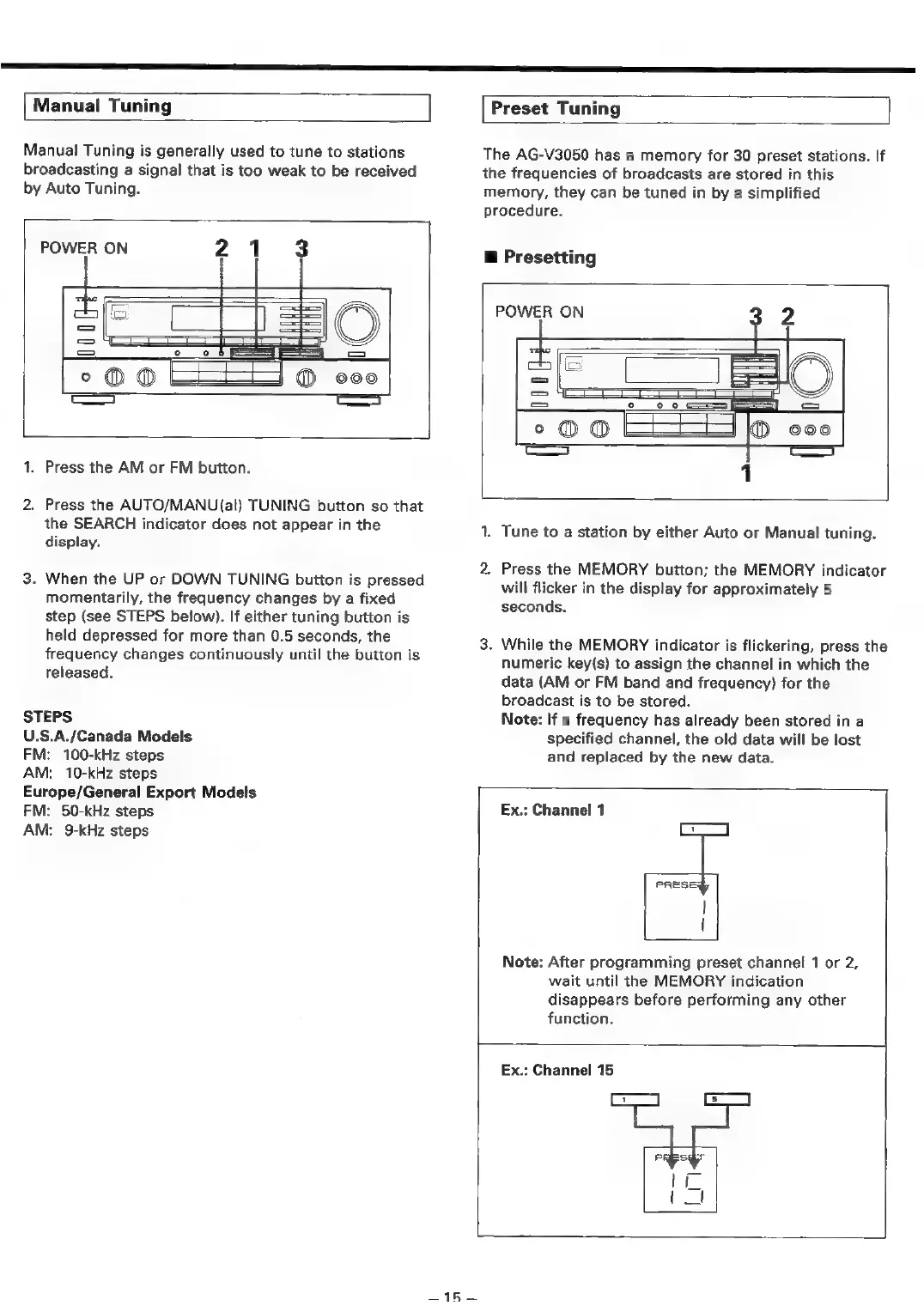
Manual
Tuning
is
generally
used
to
tune
to
stations
broadcasting
a
signal
that
is
too
weak
to
be
received
by
Auto
Tuning.
POWER
ON
21
3
rest
=
=
=
°O0
1.
Press
the
AM
or
FM
button.
2.
Press
the
AUTO/MANU(al)
TUNING
button
so
that
the
SEARCH
indicator
does
not
appear
in
the
display.
3.
When
the
UP
or
DOWN
TUNING
button
is
pressed
momentarily,
the
frequency
changes
by
a
fixed
step
(see
STEPS
below).
If
either
tuning
button
is
held
depressed
for
more
than
0.5
seconds,
the
frequency
changes
continuously
until
the
button
is
released.
STEPS
U.S.A./Canada
Models
FM:
100-kHz
steps
AM:
10-kHz
steps
Europe/General
Export
Models
FM:
50-kHz
steps
AM:
9-kHz
steps
The
AG-V3050
has
a
memory
for
30
preset
stations.
If
the
frequencies
of
broadcasts
are
stored
in
this
memory,
they
can
be
tuned
in
by
a
simplified
procedure.
@
Presetting
POWER
ON
32
2
iD
=
=
a
°@O®O
=
1.
Tune
to
a
station
by
either
Auto
or
Manual
tuning.
2.
Press
the
MEMORY
button;
the
MEMORY
indicator
will
flicker
in
the
display
for
approximately
5
seconds.
3.
While
the
MEMORY
indicator
is
flickering,
press
the
numeric
key(s)
to
assign
the
channel
in
which
the
data
(AM
or
FM
band
and
frequency)
for
the
broadcast
is
to
be
stored.
Note:
If
a
frequency
has
already
been
stored
in
a
specified
channel,
the
old
data
will
be
lost
and
replaced
by
the
new
data.
Ex.:
Channel
1
]
PRESE;
|
|
Note:
After
programming
preset
channel
1
or
2,
wait
until
the
MEMORY
indication
disappears
before
performing
any
other
function.
Ex.:
Channel
15
Lrl€
—15—

Table of Contents

Related product manuals