EasyManua.ls Logo

Teac AG-V3050 - Playing Tapes

Teac AG-V3050
55 pages
Print Icon
To Next Page IconTo Next Page
To Previous Page IconTo Previous Page
Loading...
Ex.:
Channel
20
Ex.:
Channel
30
0730.
PRRRPET
alr
I
Li
4.
To
release
the
memory
function
while
the
MEMORY
indicator
flickers
in
the
display,
press
the
UP
or
DOWN
TUNING
button.
@
Recalling
Frequencies
Press
the
numeric
key(s)
corresponding
to
the
channel
number
to
tune
directly
to
a
broadcast.
Note:
After
recalling
preset
channel
1
or
2,
wait
until
the
stored
band
and
frequency
number
appear
in
the
display
before
performing
any
other
function.
m@
Using
the
Memory
Scan
function
When
the
M.SCAN
button
(®)
is
pressed,
the
preset
channels
in
which
data
(bands
and
frequencies)
have
been
stored
are
scanned
at
five-second
intervals
in
numerical
order
of
preset
channels.
When
you
hear
a
broadcast
you
want
to
listen
to,
release
the
Memory
Scan
function
by
pressing
the
M.SCAN
button
again.
POWER
ON
2
CD
Player
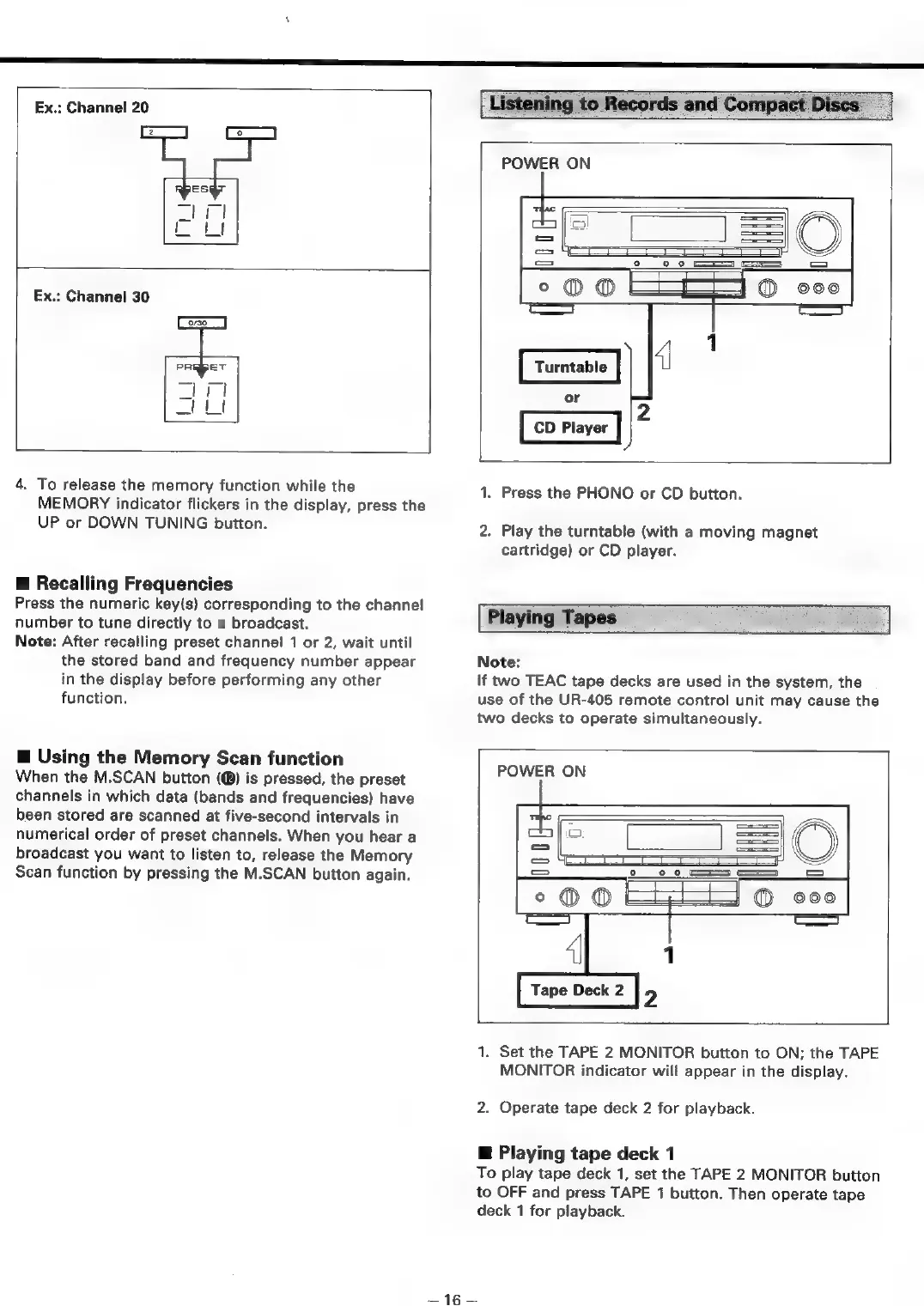
1.
Press
the
PHONO
or
CD
button.
2.
Play
the
turntable
(with
a
moving
magnet
cartridge)
or
CD
player.
Playing
Tapes
:
Note:
If
two
TEAC
tape
decks
are
used
in
the
system,
the
use
of
the
UR-405
remote
control
unit
may
cause
the
two
decks
to
operate
simultaneously.
e
POWER
ON
:
=O
=
==]
\
=
=
°@
Oo
®©
ooo
=
4|
1
Tape
Deck
2
2
1.
Set
the
TAPE
2
MONITOR
button
to
ON;
the
TAPE
MONITOR
indicator
will
appear
in
the
display.
2.
Operate
tape
deck
2
for
playback.
@
Playing
tape
deck
1
To
play
tape
deck
1,
set
the
TAPE
2
MONITOR
button
to
OFF
and
press
TAPE
1
button.
Then
operate
tape
deck
1
for
playback.
=e

Table of Contents

Related product manuals