24
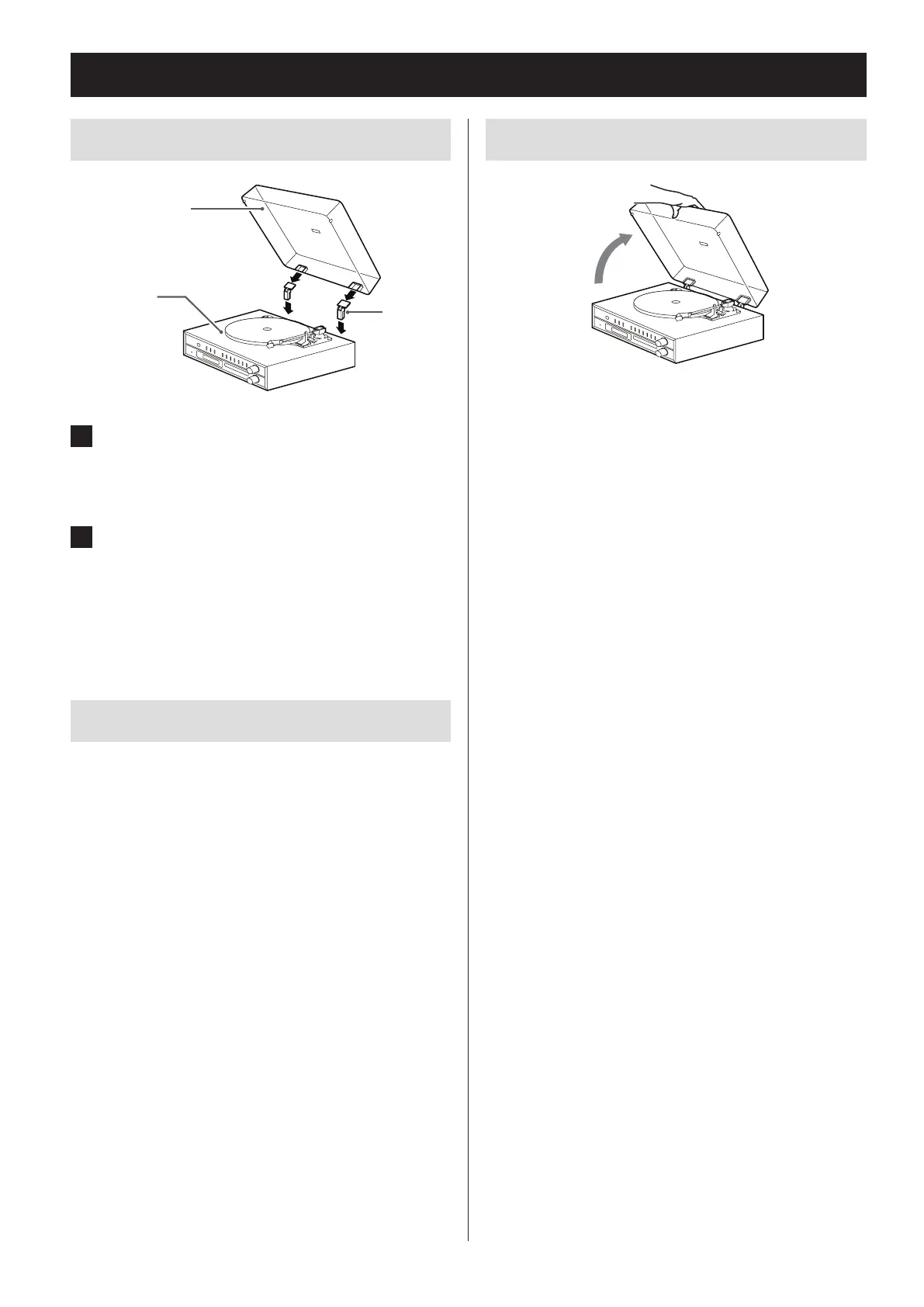
Turntable cover
Attaching the turntable cover
Hinge
Main unit
Turntable cover
1 Insert the hinges completely into the
hinge holders at the left and right ends
of the back of the main unit.
2 Align the tops of the hinges with the
turntable cover hinge holders and
insert them.
Removing the turntable cover
Hold both edges of the turntable cover and lift it slowly
to remove it along with the hinges from the unit. Then,
remove the hinges from the turntable cover.
Opening and closing the turntable cover
Open
Opening
Hold the front edge of the turntable cover and gently
lift it open completely until it stops.
The turntable cover will stay open in this position.
Closing
Gently lower the turntable cover until it is closed.
V
Be careful not to pinch your hand, for exam-
ple, when opening and closing the turntable
cover.


 To Next Page