38
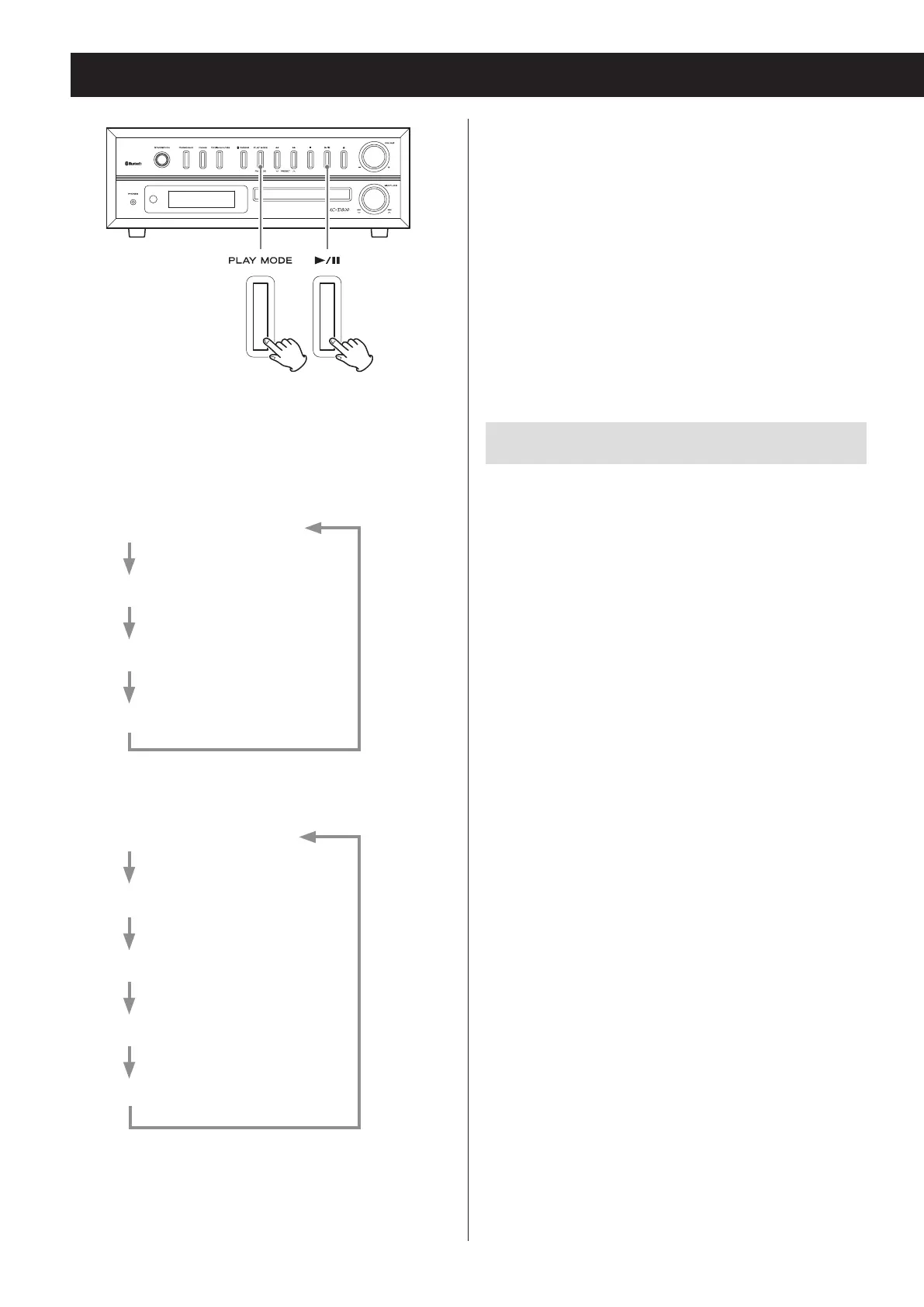
o You can also change the playback mode by pressing
the PLAY MODE button during playback.
o Any of the following operations will end repeat or
shuffle playback mode.
• The stop (8) button is pressed
• The unit enters standby mode
• The PHONO/AUX, FM/AM or CD/Bluetooth/USB
button is pressed, changing the source
• The disc tray is opened
Repeat playback
REPEAT (single track/file repeat)
During playback, press the PLAY MODE button once
to repeat playback of the currently playing track/file.
“REPEAT” appears on the display.
o If you turn the main unit's skip (. // )
knob or press the remote control's skip/search
(.m/,/) buttons and select another
track/file, that track/file will be played repeatedly.
o When stopped, press the PLAY MODE button and
then use the main unit's skip (.// ) knob or
remote control's skip/search (.m/,/)
buttons to select a track/file. Press the play/pause
(y/9) button to start single repeat playback.
o During programmed playback, the track/file being
played will be played repeatedly.
REPEAT ALL (all track/file repeat)
Press the PLAY MODE button twice (or three times for
MP3/WMA files).
“REPEAT ALL” appears on the display and repeat play-
back of all tracks/files starts.
o During programmed playback, the programmed
tracks/files will be played repeatedly.
Repeat and shuffle playback (CD/USB)
Z
e
When the CD/USB function is active, press the PLAY
MODE button to cycle through the following playback
modes.
Audio CD (CD function)
REPEAT (single track repeat)
REPEAT ALL (all track repeat)
SHUFFLE*
OFF (normal playback)
MP3/WMA files (CD/USB function)
REPEAT (single file repeat)
REPEAT FOLDER
REPEAT ALL (all file repeat)
SHUFFLE*
OFF (normal playback)
Press the play/pause (y/9) button when the mode
you want to select appears to start playback.
*If shuffle is selected, playback starts automatically.


 To Next Page