50
Preset tuning
You can store FM and AM stations into preset numbers
1 to 20 respectively.
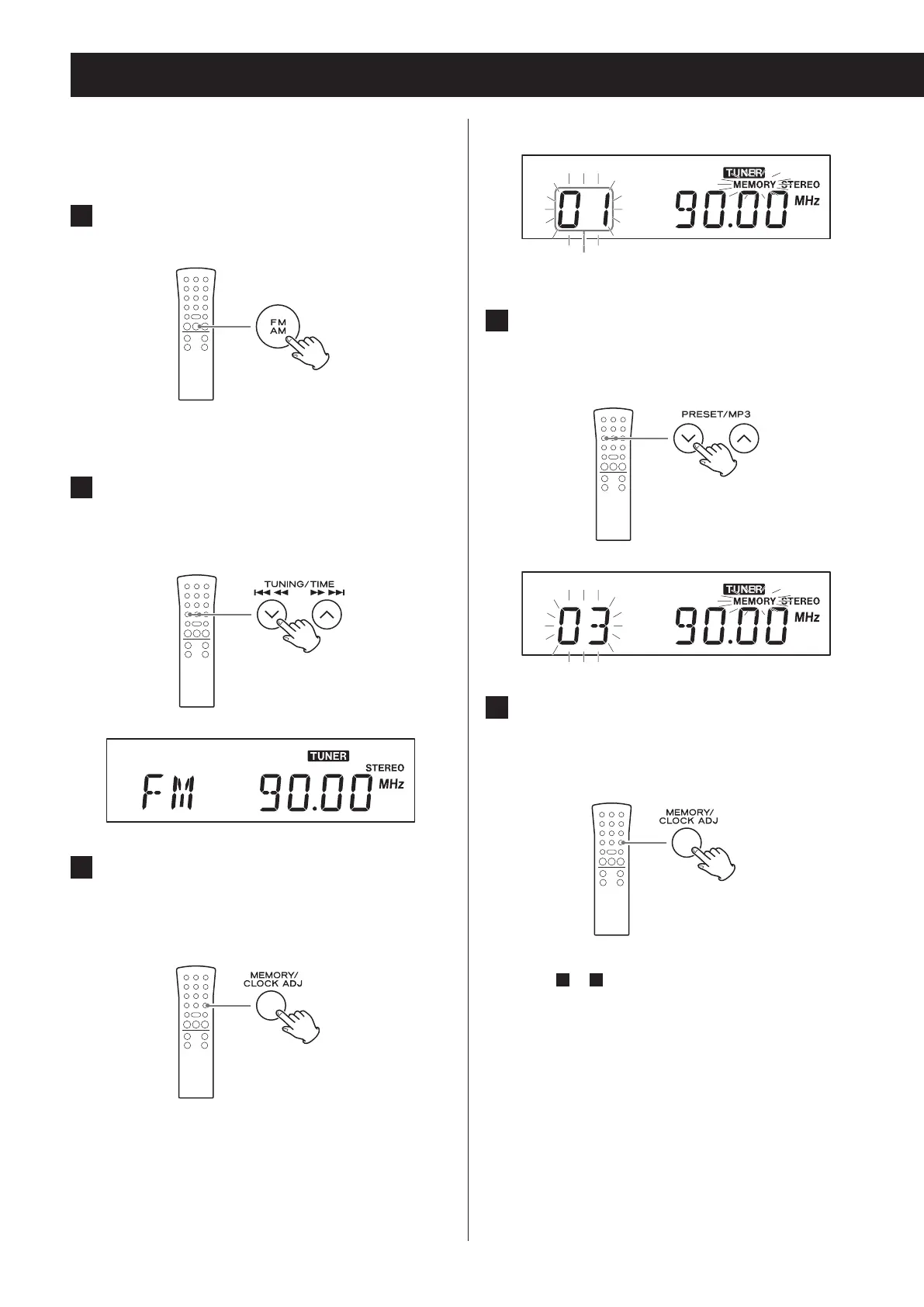
1 Press the FM/AM button to select FM or
AM band.
Each time you press the FM/AM button, the unit will
switch between FM and AM broadcast reception.
2 Use the TUNING (j/k ) buttons to
search for the radio station that you
want to save as a preset.
3 After selecting a radio station, press
the MEMORY button.
The preset number and the MEMORY indicator blink
on the display.
Display example
Preset number
4 Use the PRESET buttons to select the
preset number that you want to use to
store that radio station.
5 Press the MEMORY button.
The radio station will be stored, and the preset
number and the MEMORY indicator will stop blink-
ing and continue to appear on the display.
To save more radio station presets, repeat proce-
dures
1
to
5
.


 To Next Page