48
Automatic station selection
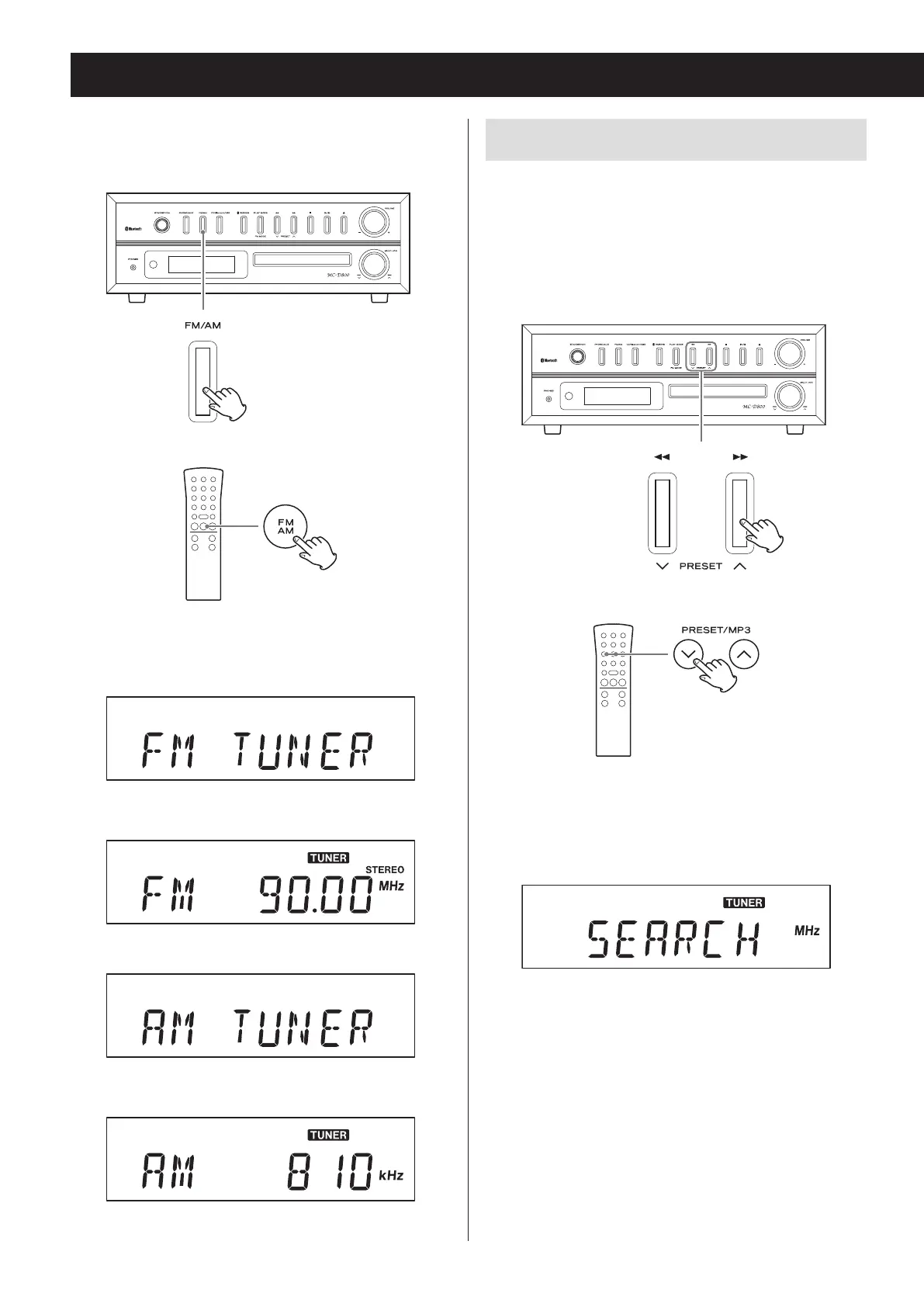
Press a j/k button repeatedly until the frequency
begins to change. After the frequency starts chang-
ing, stop pressing the button to start automatic station
selection.
When using the main unit
Z
When using the remote control
o “SEARCH” appears on the display until the station is
found.
Display example
o When a radio station is received, automatic station
selection ends.
o To cancel automatic station selection, press a j/k
button again.
o If the reception is poor or the antenna is discon-
nected, “PLEASE CHECK ANTENNA” scrolls across on
the display. Check the antenna position and connec-
tion and then try the operation again.
Listening to the radio
Press the FM/AM button to select FM or AM band.
When using the main unit
Z
When using the remote control
Each time you press the FM/AM button, the unit will
switch between FM and AM broadcast reception.
FM radio reception example
c
AM radio reception example
c


 To Next Page