4. PROGRAMMING OPERATIONS EO1-11155
4.18 Foreign Currency Exchange Rate Setting
4-59
4.18 Foreign Currency Exchange Rate Setting
The rate of each foreign currency (corresponding to the [CUR1] to [CUR5] keys) are set in this operation.
By setting a rate on each Foreign Currency Key, reading the sale total and tendering in the foreign currency value
will be possible for sale finalization.
Any time outside a sale
Mode Lock: SET
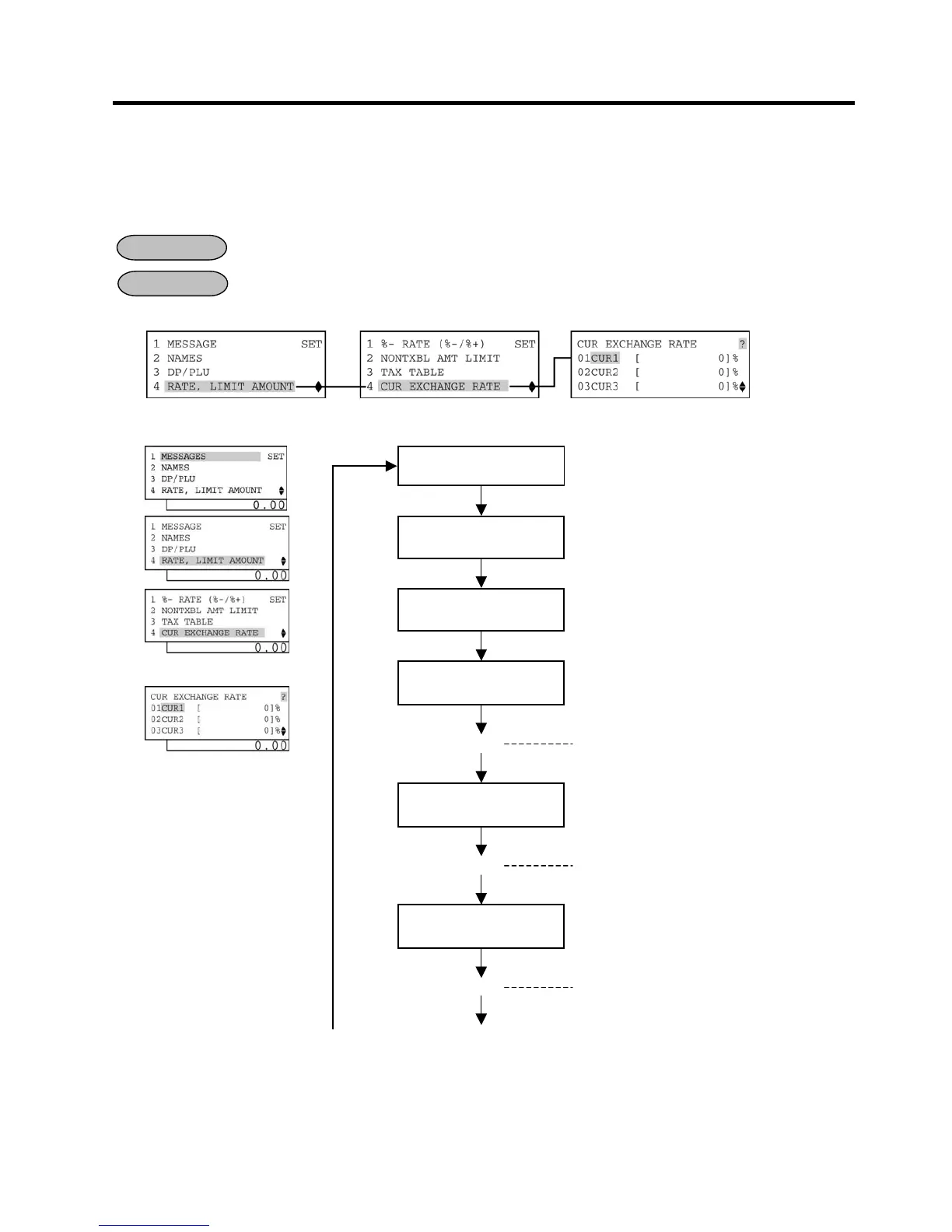
1) Menu Tree
2) Operation Flowchart
OPERATION
Main Menu
“4 CUR EXCHANGE
ECR is being outside a sale and in
.
Or Depress [4].
Depress
.
Or Depress [4].
Input the rate of [CUR1]
0.000001 to 9999.999999 (%):
Use the [.]
key if decimal portion is contained.
(See NOTE below.)
The exchange rate of the
entered and printed.
[Enter]
0.000001 to 9999.999999 (%):
Use the [.]
key if decimal portion is contained.
(See NOTE below.)
The exchange rate of the
entered and printed.
[Enter]
0.000001 to 9999.999999 (%):
Use the [.]
key if decimal portion is contained.
(See NOTE below.)
The exchange rate of the
entered and printed.
[Enter]
(B)
-- continued on the next page --


 To Next Page
 Loading...




