EXCITE/EXCITE+ LINE - ASSEMBLY KIT VISIO/VISIOWEB-UNITY3.0
Installation Manual UNITY 3.0- Rev. 1.0
e-mail: support@technogym.com
Pag. 37
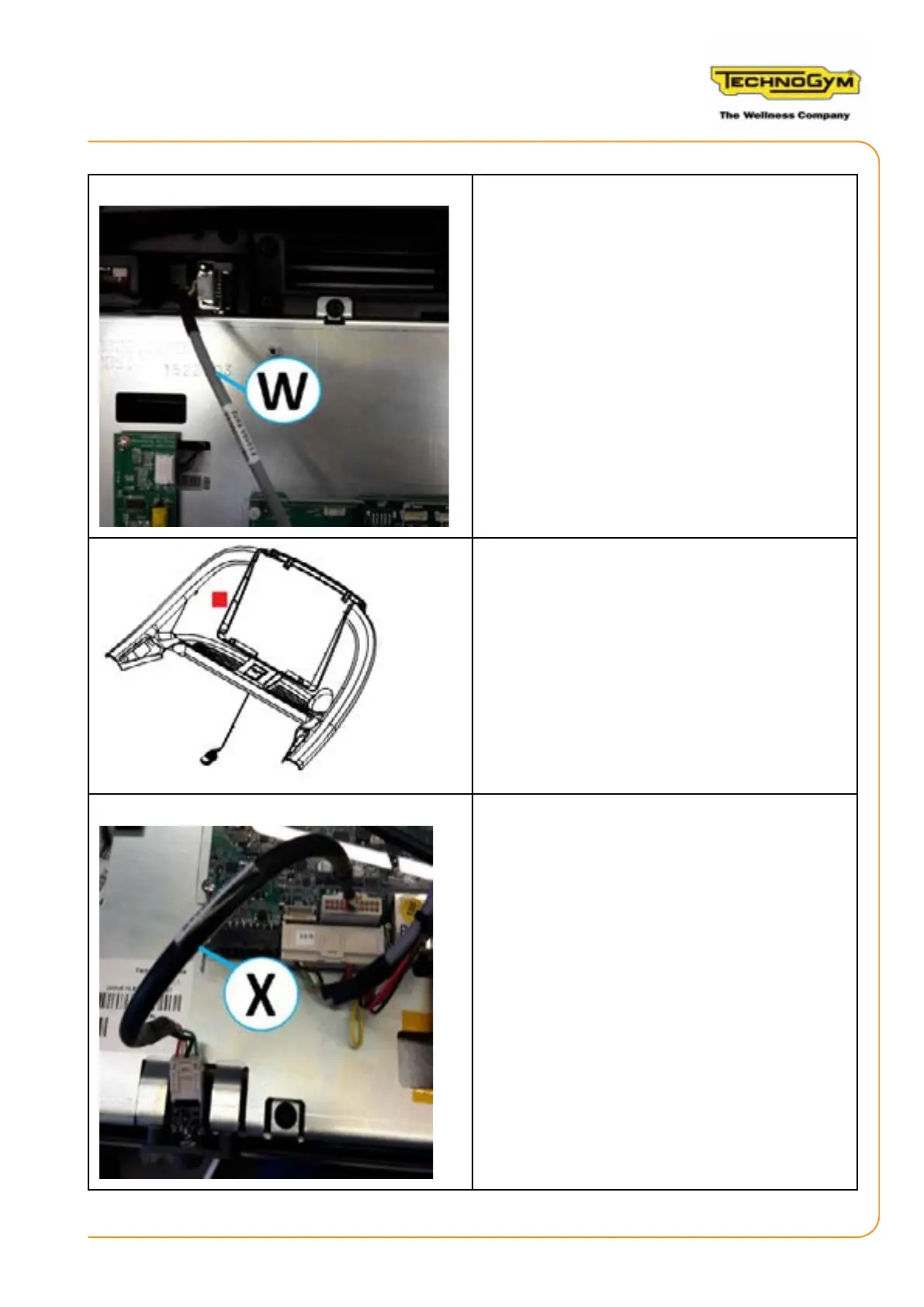
16.Ensure that the connector of the peripherals
USB/NFC cable (W) 0WCU0809xx is connected
to the User USB board.
17.Aach the NFC board in the internal por-
tion of the upper part of the dashboard, at the
left side of the display (see the red square in the
gure). Position the sponge provided in the kit
under the NFC board. Aach the NFC sticker,
supplied in the kit, to the upper part of the da-
shboard, in correspondence of the NFC board.
18.Ensure that the headphones/MIC cable (X)
0WCU0862 is connected to the 22-pole connec-
tor (CN54 Audio) of the CPU board and to the
headphones board.













 To Next Page