RUN PERSONAL: Service & maintenance manual - rev. 3.1
Page 7.2
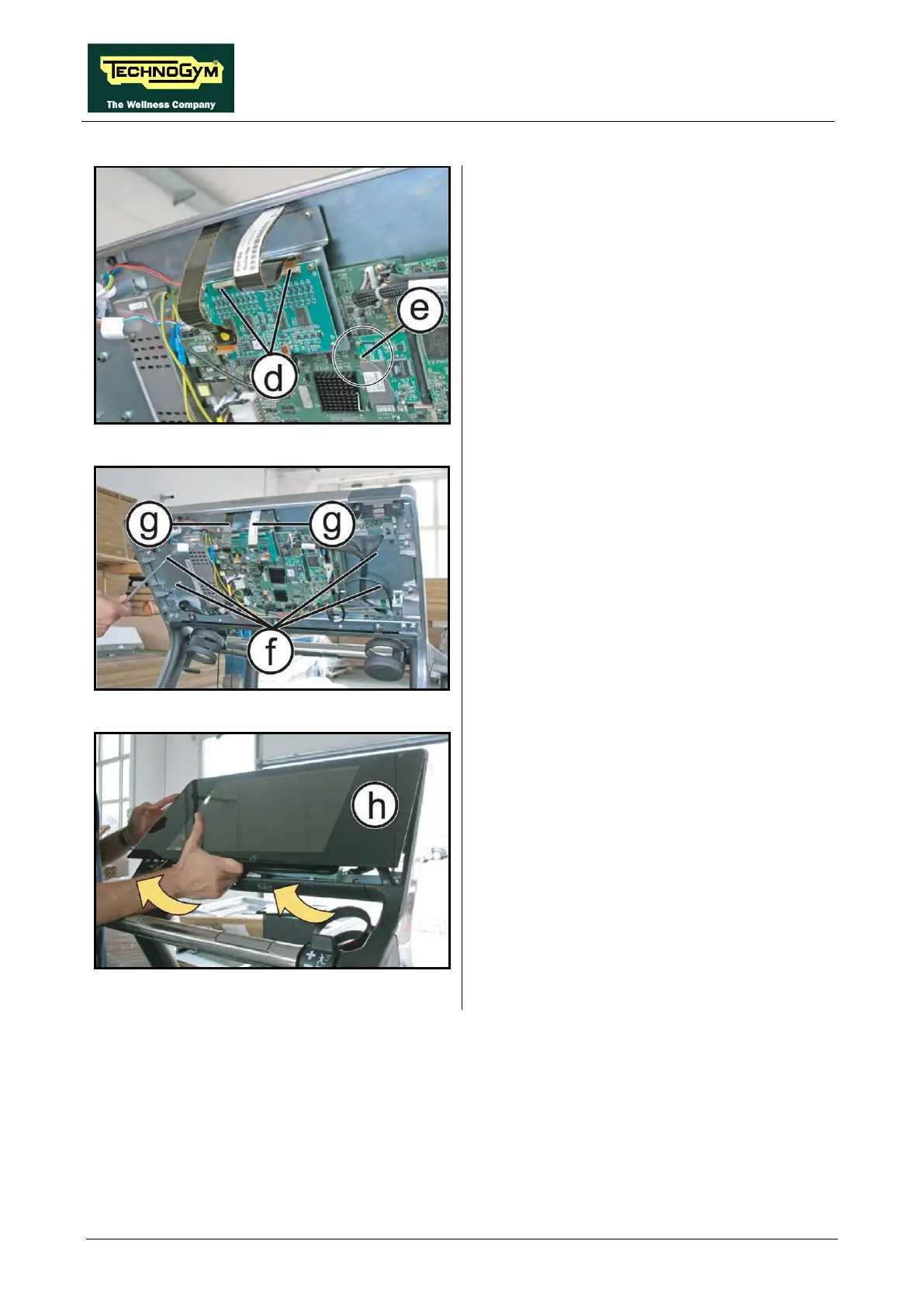
Figure 7.1-4
5. Unplug the 2 flat cables (d)
up the connector tab.
6. Unplug the wireless antenna connector (e)
indicated in the figure.
Figure 7.1-5
7. Back off the 4 screws (f)
Screen with a 5mm wrench.
8. Pull out the 2 flat cables (g)
through the
corresponding slots in the Display plate
support.
Figure 7.1-6
9. Remove the Touch Screen (h)
by carefully
lifting it up as indicated by the arrows in the
figure.
To reassemble the Touch Screen, follow the
above steps in reverse order.












 To Next Page