21
3. Operation & Setting
6
This window appears after scanning a satellite. Press the [OK] button to
proceed to the next satellite scan or to finish a scan. (The Satellite Search
menu is in the Main Menu of (6)
Setup
(2)
Satellite Installation & TP Edit
(5)Automatic Satellite Search)
Now you can enjoy your TV & Radio programs.
2221
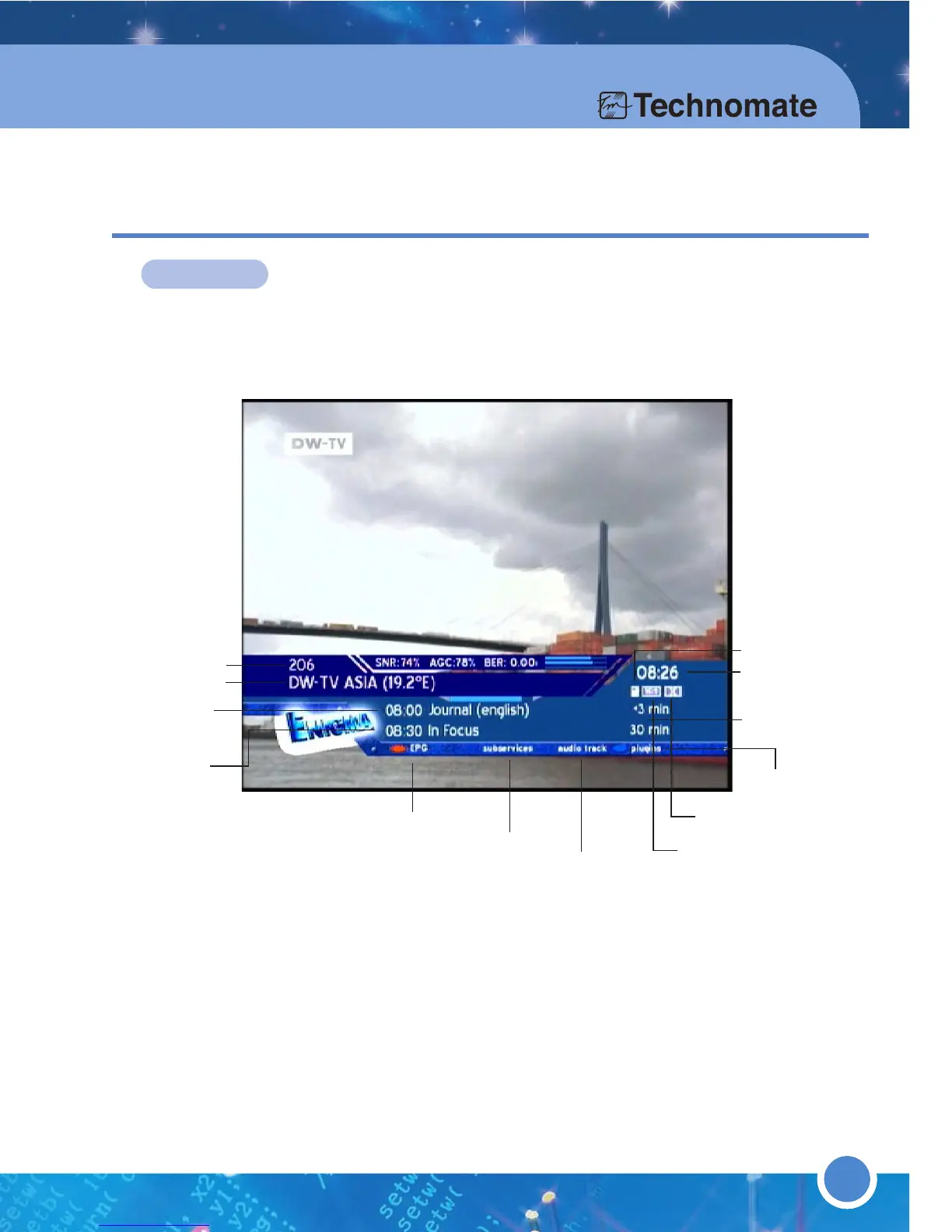
INFO-BAR
The Info-Bar appears and disappears by pressing the [OK] button in viewing mode.
The Info-Bar displays all the necessary information about the selected service.
If
Scrambled is orange, the transmitted Service is encrypted.
If
Aspect Ratio is orange, the Service is transmitted in 16:9 ; the usual Aspect
Ratio is 4:3.
If
Dolby Digital Program is orange, the Service is transmitted with Dolby Digital
Audio stream.
3.2 INFO-BAR
Current program
EPG available
Subservice available
Actual Time
Start time of
current program
Upcoming
Program
Aspect ratio
Audio
Overall Time
Dolby digital
Note If your LNB is not a C-Band LNB, then leave the tick/check
in the Checkbox of no circ polariz.
Channel program
Encryption type
Plugins



 To Next Page