34
3. Operation & Setting
33
The Satellites menu shows all configured satellites. You can either add
channels/services from the
Provider List or from the Services List. Select
your option by pressing the [OK] button.
Now choose your desired channels/services by navigating to them and
pressing the [OK] button to select/confirm your favorite channel. All selected
channels/services will appear red. To deselect a channel/service, press the
[OK] button on it again.
To finish your selection, press the [EXIT] button.
You will return to the
Fav.List Edit menu.
To check/confirm the selected channels/services, press the [MENU] button to
go to the
Main Menu. Go to - (6)Setup
(1)
Fav.List Edit
(3)
Edit Fav.
and go to your created channels.
select services Type - TV, Radio or File, and then select a service.
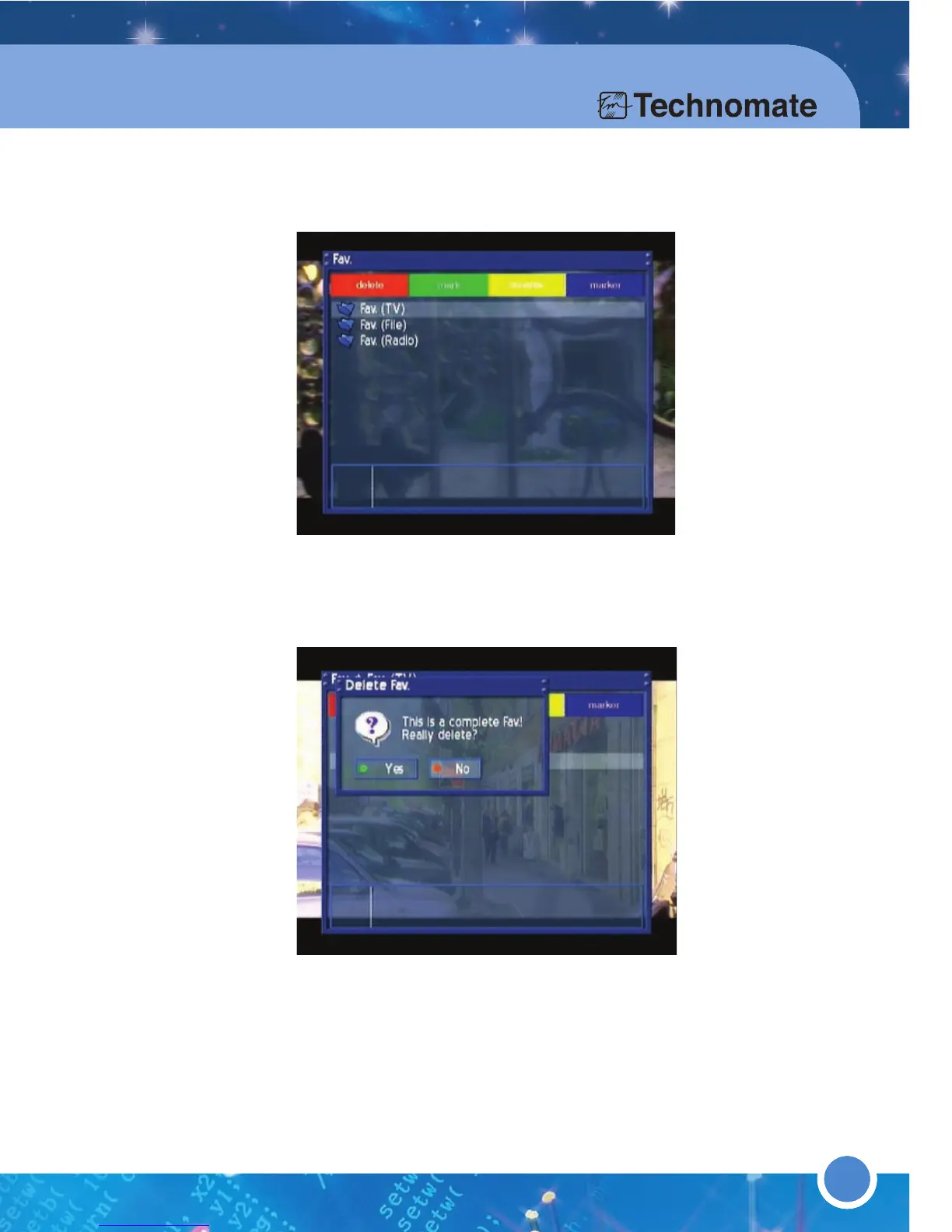
* Edit Fav. (Favorite Group)
Press the [MENU] button to go to the Main Menu. Go to - (6)Setup
(1)
Fav.List Edit
(3)Edit Fav. and select a channel to edit/rename a
channel/service, press the [
YELLOW] button. Press [OK] button to save.
Press the [RED] button to delete the selected channel.
Press the [GREEN] button to highlight a channel and move it up/down in
the list. Press the [
GREEN] button again to confirm/release.
Press the [YELLOW] button to rename a selected channel.
Press the [BULE] button to set a marker between two channels. A marker is
used to separate
channel. You can create as many markers as you want.
Press the [EXIT] button to Exit.



 To Next Page