40
3. Operation & Setting
39
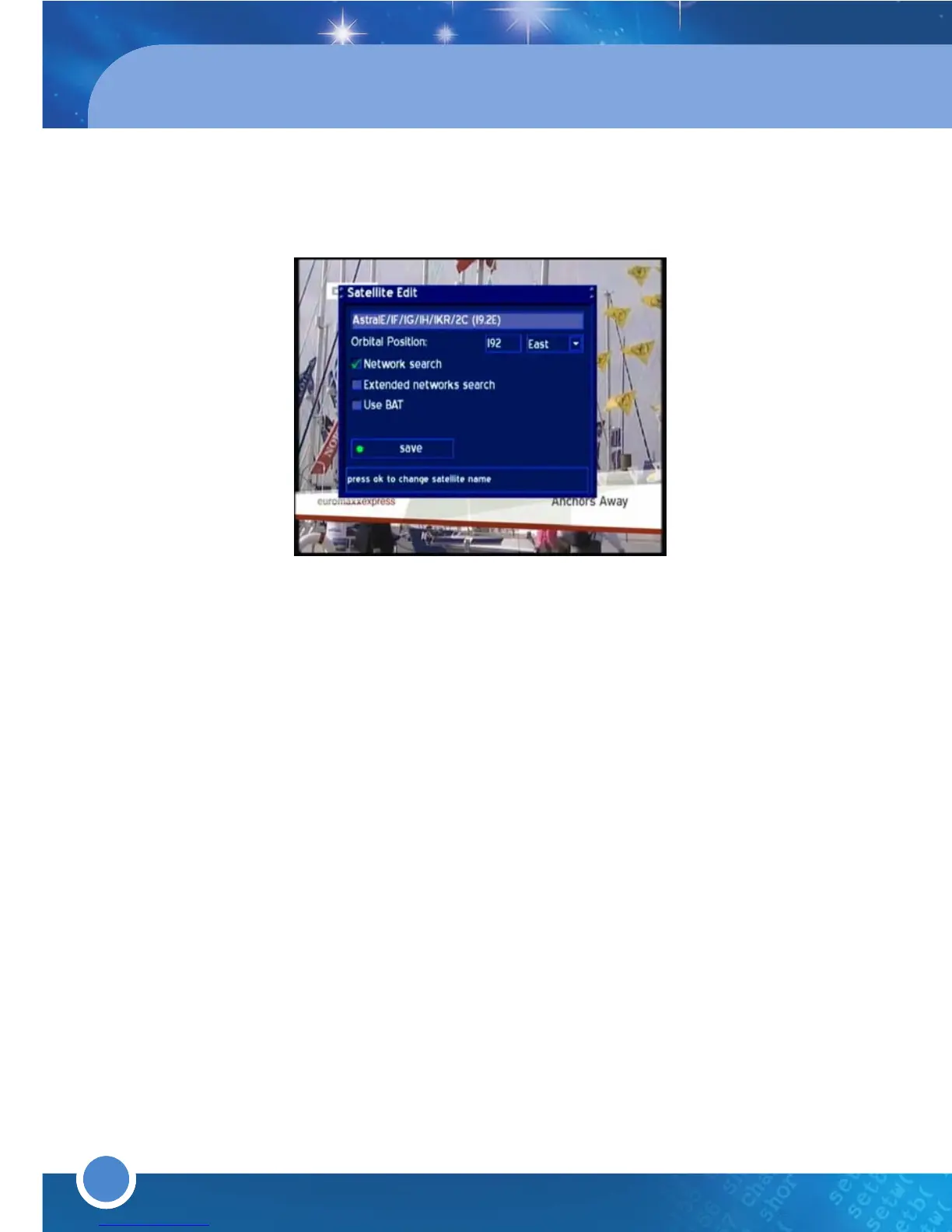
Network search: The NIT contains the Information about the Satellites and
the TV/Radio Programs.
(NIT=Network Information Table)
Extended network search: Set a check to scan the NIT from other
Transponders
Skip known Networks: Unchecking this decreases the sat scan. The NIT
will not be used.
Use BAT: Bouquet Tables of the Provider will be used (if available).
(BAT=Bouquet Association Table)
Press the [
GREEN] button to save.
SYSTEM SETTING
* A/V Settings
Press the [MENU] button to go to the Main Menu. Go to - (6)Setup
(3)System Settings (2)A/V Settings.
Use the [LEFT/RIGHT] or the [OK] button to change or set the values.
Color Format
CVBS
(FBAS),
RGB
(Red, Green, Blue separated),
SVideo
(Color and
Brightness separated) and
YP
b
P
r (Component output e.g. for Projectors).
Aspect Ratio
4:3 letterbox
(standard), (16:9 programs will have black beams at the top
and bottom on a 4:3 TV)
4:3 panscan(16:9 programs will be zoomed in on 4:3 TV’s, therefore parts
of the picture on the left and right side will be cut off)
16:9(programs transmitted in 16:9 will be displayed automatically in 16:9 ;
on 4:3 TV’s, the picture will be reduced in height)



 To Next Page