32
3. Operation & Setting
31
SETUP
Fav.List Edit
* CREATE NEW FAVORITE CHANNEL GROUP
Fav.List Edit is used to save your favorite channels/services from the Service
List in to one simple favorite list.
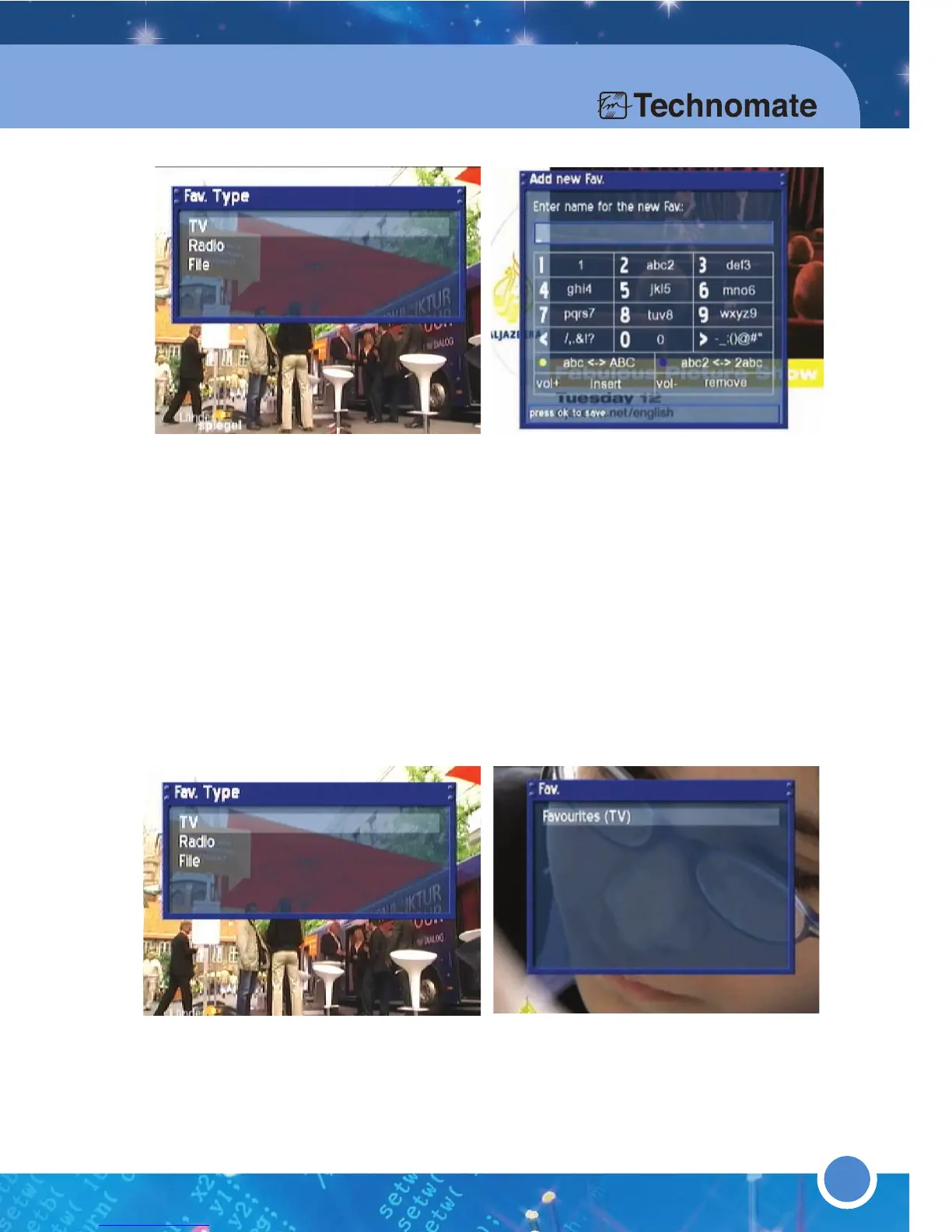
You can add: TV,Radio or File group. Press the [MENU] button to go to the Service
Menu. Refer to “
3.3 Menus (6)Setup (1) Fav.List Edit” for
further information.
Chooose a channel that you want to create from: TV, Radio or File. Enter a
name with the [NUMERIC KEYS] on your Remote Control.
■ Press the [YELLOW] button for lower or uppercase letters.
■ Press the [BLUE] button for numbers or letters to begin first.
■ Press the [VOL +] button to insert a letter or space.
■ Press the [VOL -] button to delete a letter or space.
■ Press the [OK] button to save. The system will guide you back to the menu.
To check/confirm the created channel press the [MENU] button to go to the
Main Menu. Go to - (6)Setup (1)Fav.List Edit (3)Edit Fav.
* ADD CHANNEL SERVICES TO A FAVORITE LIST
Press the [MENU] button to go to the Main Menu. Go to - (6) Setup
(1) Fav.List Edit (2) Add services to Fav.



 To Next Page