42
3. Operation & Setting
41
TV SYSTEM
Choose from: PAL, PAL+PAL60, Multinorm and NTSC. Select the TV
System your TV supports. We recommend Multinorm.
DISABLE WSS ON 4:3
Press the [OK] button on Disable WSS on 4:3 to disable zooming in on
16:9 TV’s during 4:3 transmissions. A check/tick will appear in the checkbox.
AC3 DEFAULT OUTPUT
Press the [OK] button on AC3 default output(a check/tick will appear in the
checkbox). If a program transmits an AC3 Audio-Track (e.g. Dolby Digital),
the receiver will automatically output an AC3 Audio-Track. The AC3 Signal
will only be available at the optical socket.
The receiver does not have a built-in Dolby Digital Decoder, therefore the
AC3 signals are not available at the analogue socket. As a result, an external
Dolby Digital Amplifier is required to adjust the Volume.
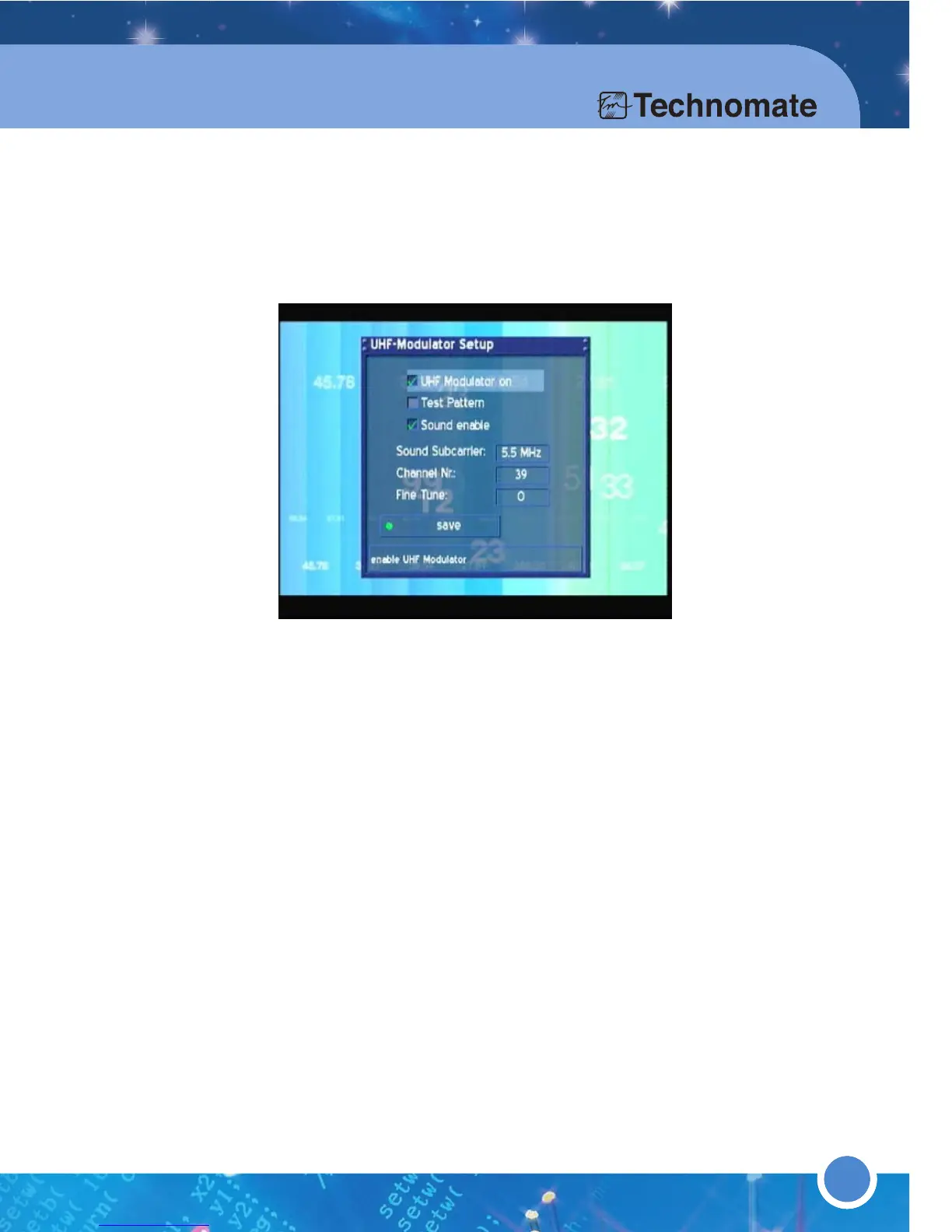
* UHF MODULATOR
Press the [MENU] button to go to the Main Menu. Go to - (6)Setup
(3)System Settings (3)UHF Modulator.
Connect a coaxial cable from the TV to the UHF-Output of the TM-500/600.
Start scan on your TV. The UHF Modulator of the TM-500/600 is set to
Channel 39 by default. To change the Channel Number, go to Channel Nr
and use the [LEFT/RIGHT] Navigation buttons.
Press the [
GREEN] button to save.



 To Next Page