36
3. Operation & Setting
35
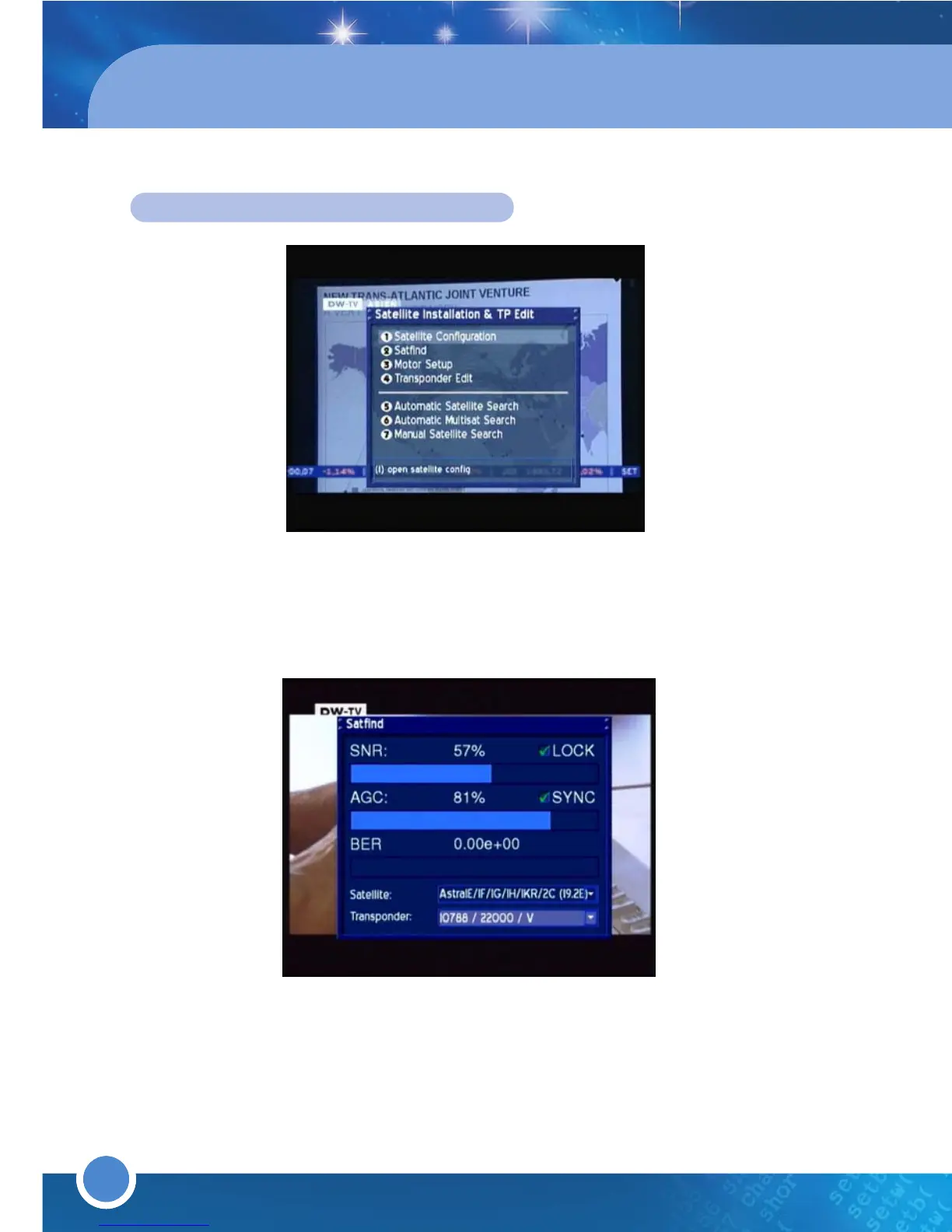
SATELLITE INSTALLATION & TP EDIT
* SATELLITE CONFIGURATION
To set up your satellite configuration, refer to “3.1 Getting started”.
*
SATFIND
Press the [MENU] button to go to the Main Menu. Go to - (6)Setup
(2)
Satellite Installation & TP Edit
(2)Satfind.
This menu allows you to clear see the SNR, AGC and BER. Choose a satellite
and transponder from the dropdown list.
Adjust the dish towards the desired satellite until you have a high value on the
Signal strength AGC and on the Signal quality SNR indicator.
BER should always indicate a value of zero if the Satellite is locked and
synced.
SNR: Signal to Noise Ratio. This Indicator shows the Signal Strength.
AGC
: Automatic Gain Control. This Indicator shows the Signal Quality.
BER: Bit Error Rate. This Indicator shows the Signal Errors Rate.
* AUTOMATIC SATELLITE SEARCH
Go to Automatic MultiSat Search (press the [MENU] button to go to the
Main Menu). Go to - (6)
Setup (2)Satellite Installation & TP Edit
(5)Automatic Satellite Search and select the satellite that you want to
scan from the dropdown list. Press the [
GREEN] button to scan.
* AUTOMATIC MULTISAT SEARCH
To scan more than one satellite all at once, go to Automatic Multisat Search
(press the [MENU] button to go to the Main Menu. Go to - (6)
Setup
(2)
Satellite Installation & TP Edit
(6)
Automatic Multisat Search



 To Next Page