3837
and select the satellites that you want to scan from the list by pressing the
[OK] button. By pressing the [OK] button more than once, you can select
your searching method (All or Only Free). Press the [
GREEN] button to start
scanning.
* MANUAL SATELLITE SEARCH
Press the [MENU] button to go to the Main Menu. Go to - (6)Setup
(2)Satellite Installation & TP Edit (7)Manual Satellite Search.
Press the [
OK] button on Satellite to open a dropdown list. Select a satellite
and press the [
OK] button.
Enter the Transponder values in the fields. Press the [
GREEN] button to start
scanning.
3. Operation & Setting
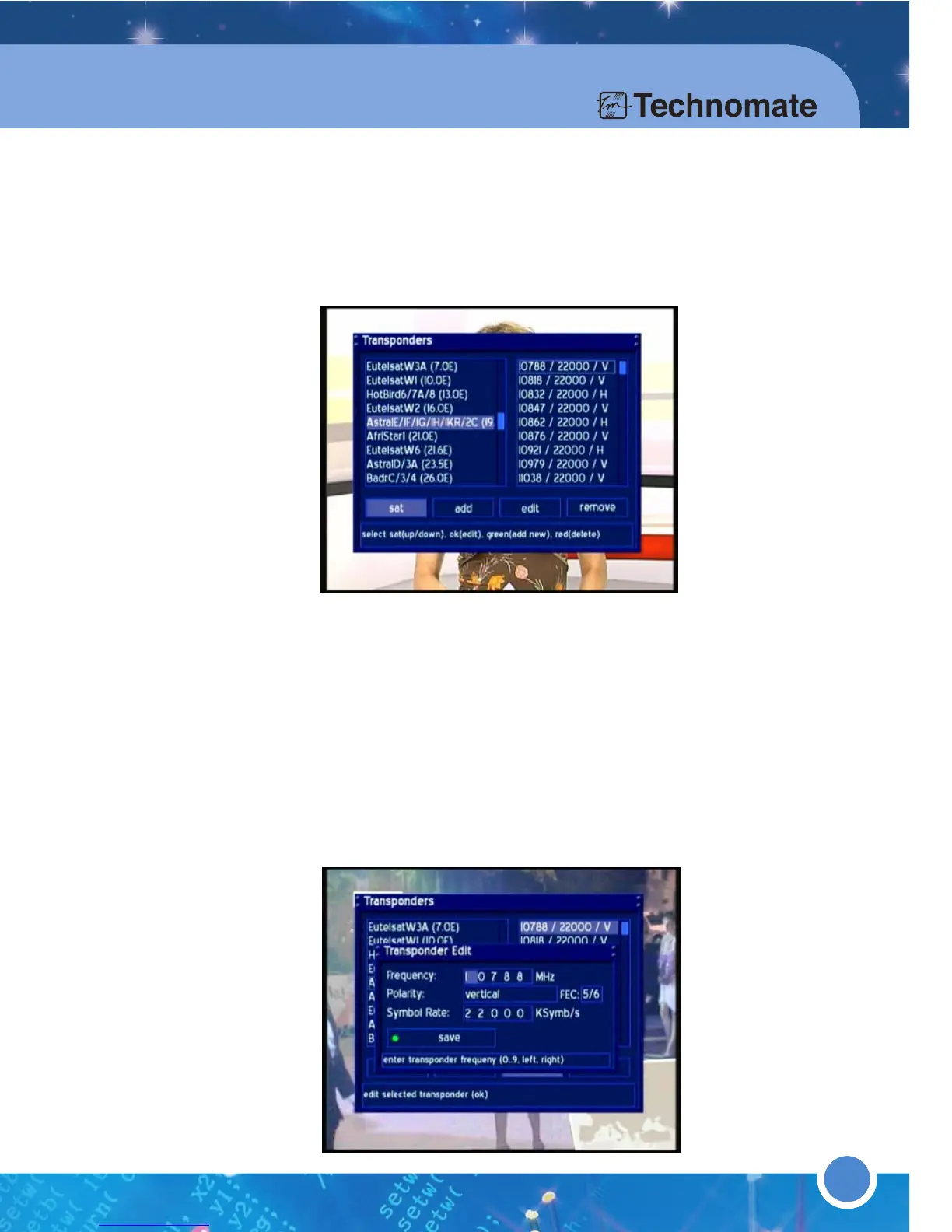
* TRANSPONDER EDIT
Press the [MENU] button to go to the Main Menu. Go to - (6)Setup
(2)Satellite Installation & TP Edit (4) Transponder Edit. To Add,
Edit or Remove a Satellite, use the [LEFT/RIGHT] Navigation buttons.
Press the [OK] button on a satellite - edit the satellite.
Use the [LEFT/RIGHT] Navigation buttons to go to the add menu- add a
new Satellite to the selected satellite.
Use the [LEFT/RIGHT] Navigation buttons to go to the edit menu- edit the
Satellite Values of the selected satellite.
Use the [LEFT/RIGHT] Navigation buttons to go to the remove menu-
remove/delete a Satellite from the selected satellite.
Press the [GREEN] button to add a new satellite.
Press the [RED] button to delete a satellite.



 To Next Page