48
3. Operation & Setting
47
* TUXTEXT CONFIGURATIONS MENU
Press the [MENU] button whilst in the Teletext menu to enter the TuxText
configuration menu.
(1) Teletext Selection:
Use the [LEFT/RIGHT] Navigation buttons to choose another Teletext
provider from the current channel/service and press the [OK] button to view.
Screen Format:
(2) Standard mode 16:9
Press the [OK] button to turn ON the TuxText (Teletext) in 16:9 Aspect
Ratio. Default is OFF.
(3) Text/TV mode 16:9
Press the [OK] button to turn ON the TuxText (Teletext) in 16:9 Aspect
Ratio if the PIG-Mode is activated by the [VOLUME UP/DOWN] button.
Default is OFF.
(4) Brightness
Use the [LEFT/RIGHT] Navigation buttons to increase/decrease the
Brightness.
(5) Transparency
Use the [LEFT/RIGHT] Navigation buttons to increase/decrease the
Transparency.
(6) National Characterset
This is used to display the Teletext pages with the correct
characters/letters of your location. Press the [OK] button to turn ON/OFF.
Default is ON (enabled). If OFF (disabled), use the [LEFT/RIGHT]
Navigation-Buttons to choose your Characterset.
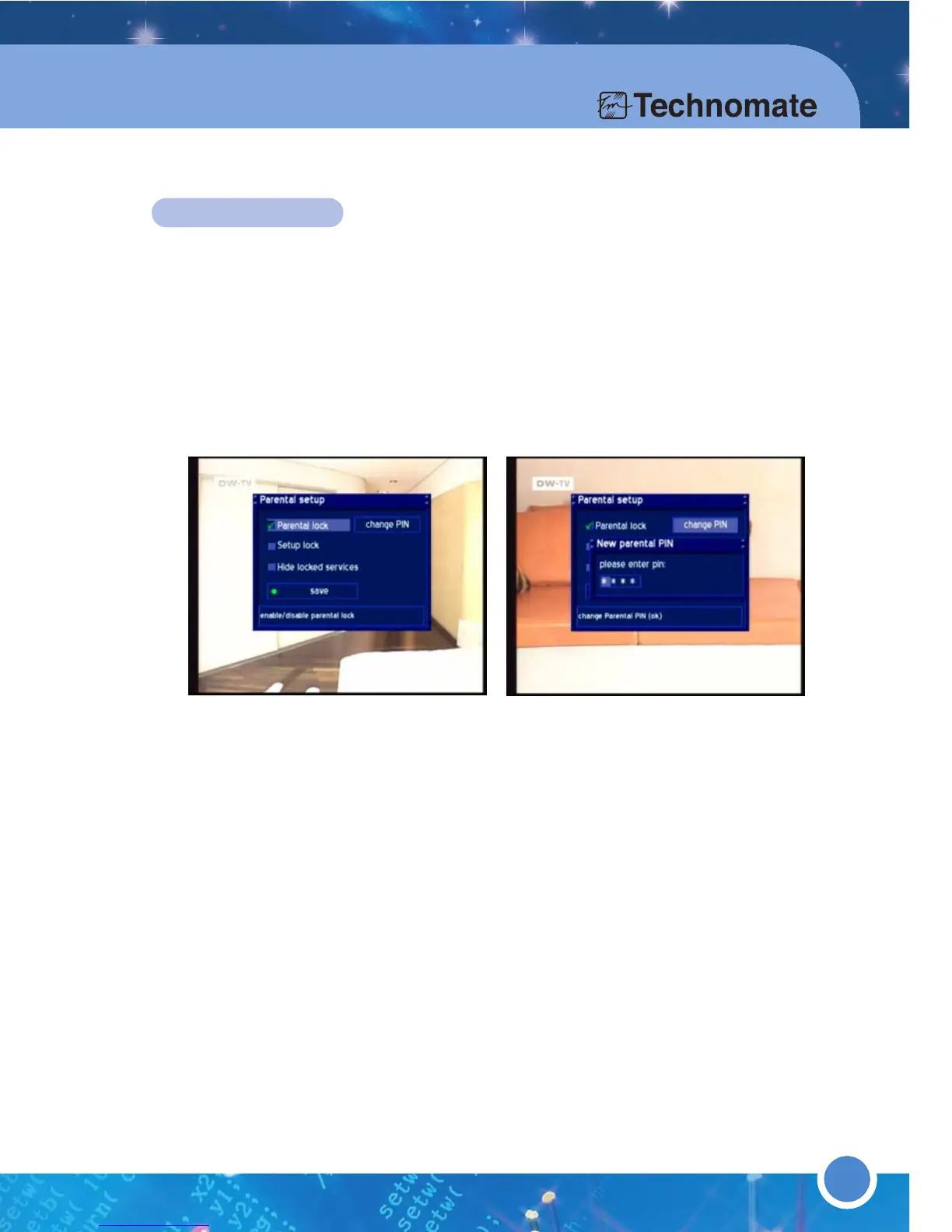
PARENTAL LOCK
Press the [MENU] button to go to the Main Menu. Go to - (6)Setup
(4)Parental Lock
Parental lock: To lock (password protect) channels/services of your
choice (in the Service list).
Setup lock: To lock (password protect) the Menu (6)Setup.
The Parental setup requires a four digit code of your choice (PIN) for
Parental lock and Setup lock.
To enable Parental lock, go to
Parental lock and press the [OK] button
(A check/tick will appear in the checkbox). Then go to
change PIN and press
[OK] button and enter a PIN of your choice. Re-enter the PIN to confirm.
If you do not want to view locked channels/services in the
Service List, press
[OK] button on
Hide locked services.
To disable Parental lock, press [OK] button on
Parental lock
and enter the PIN
to verify.
Press [GREEN] or [OK] button to save.
The same method applies for
Setup lock.
Once you have set up
Parental lock, you can lock/unlock any
channel/service in the
Service List. Go to Service List and press the [MENU]
button to enter the
Service Menu. There is now a new lock option.



 To Next Page