Tips:
Once the preset alarm time is reached, the radio turns on and stays on for as
long as the alarm duration (01 – 60 minutes) was set. To turn off the device
during the alarm playtime, quick press the [ POWER/SLEEP ] button twice.
If you wish to change the radio frequency during the alarm playtime, quick
press [ POWER/SLEEP ]. This will deactivate the alarm after which you can
adjust the frequency.
If you wish to choose other audio tracks during the alarm playtime, quick
press [ POWER/SLEEP ]. This will deactivate the alarm after which you can
use the audio player normally.
Snooze Function
When the alarm goes off, press [ SNOOZE ● DISPLAY ● ] to temporarily
turn off the alarm. The alarm will go off again after 5 minutes. To disable this
feature while still snoozing, quick press [ POWER/SLEEP ].
Setting the Sleep Timer
Use this feature to listen to the radio or audio player and let the device
automatically power off after a specified time.
1) Turn the device off.
2) Press and hold [ POWER/SLEEP ] to enter the sleep timer setting.
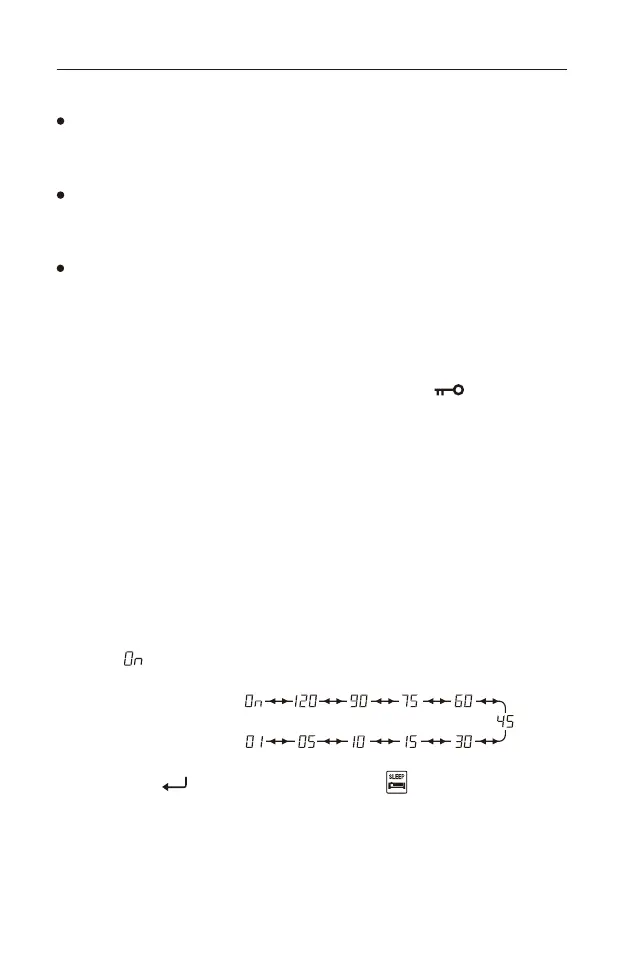
3) Rotate the [ TUNING ] knob to select a power-off timer of 1 - 120 minutes, or
select “ ” to deactivate the sleep timer.
4) Quick press [ ] to confirm. The sleep timer “ ” icon is shown on the
display.
24
Sleep timer range



 To Next Page