4. DOS ASPI DRIVERS & UTILITIES
DC-395 Series User’s Manual
2626
Please Key in the PathName where MSCDEX.EXE Resides
C:\DC3x5
ENTER ---- Accept the Pathname
ESC ---- Abort Install MSCDEX.EXE
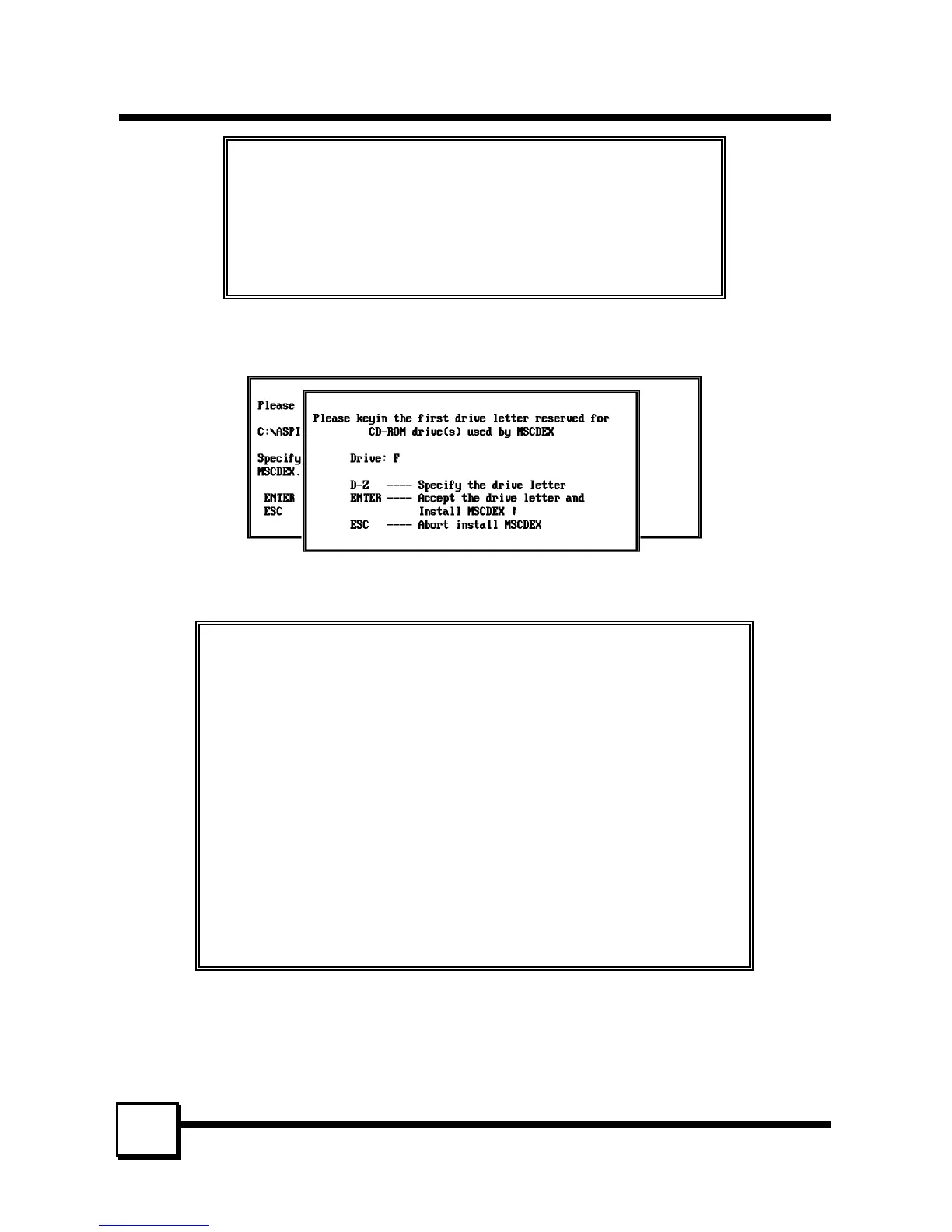
7. You would then assign the first drive letter to be reserved for the CD-ROM drive(s). In
this case, Drive: F is reserved for the first CD-ROM drive:
8. After confirmation, the installation program will modify both the CONFIG.SYS and
AUTOEXEC.BAT files.
This installation program will modify system CONFIG.SYS
by adding the following lines:
DEVICE=C:\DC3x5\T3x5ASPI.SYS
DEVICE=C:\DC3x5\TRMDISK.SYS
DEVICE=C:\DC3x5\TRMCD.EXE /D:CDROM0
Installation also modifies AUTOEXEC.BAT by adding the following lines:
C:\DC3x5\MSCDEX /D:CDROM0 /L:F /M:12
Press ENTER to make change to CONFIG.SYS and AUTOEXEC.BAT
and Exit Installation Program !
Press ESC to Abort Change and Exit Installation Program !
9. After this, re-boot the system. The installed drivers will then be loaded.



 To Next Page