Changing service
To change service press the number key(s) on the remote control keypad that correspond
to the number of the desired station. The info banner will reappear and the figure you have
just keyed in will appear in the upper-right corner of the screen.
The service number can be incremented or decremented by one unit via the keys.
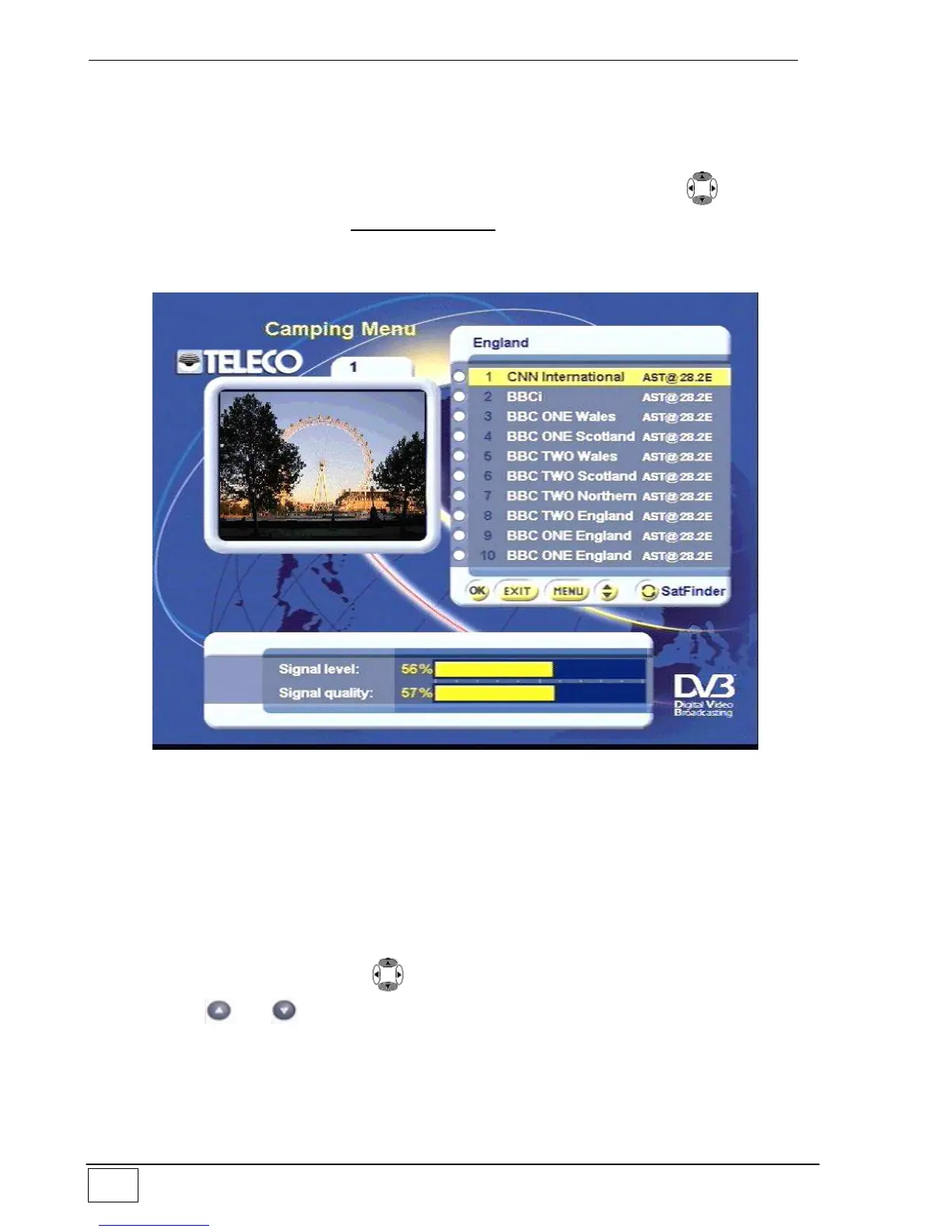
Alternatively you can use the CAMPING MENU: this gives immediate access to a
complete list of available services. You can access this function by pressing the OK key on
the remote control or selecting the appropriate item in the main menu (MENU key) :
Figure 4 – Camping menu
The current program is shown in the window at left. Two other fields appear: the top-right
field is used to select the desired service while the field at the bottom of the screen
provides information on the strength/quality of the received signal. To select a service from
the list use the following keys:
To select tv or radio service lists, press the TV/Radio key.
To change the service list (to shift, for example, from one favourites list to another)
use the FAV key.
On the arrow cursor, use the keys to switch to another service on the list.
Via the and arrows, you can change the service list by ten positions at a
time.
To enjoy the service, once it has been selected, press the OK key.
To exit without enjoying any service, press the EXIT key.
To access the main menu, press the MENU key.



 To Next Page