Select an item using the keys and confirm your choice by pressing the OK key. To
leave the menu press the EXIT key.
LNB configuration
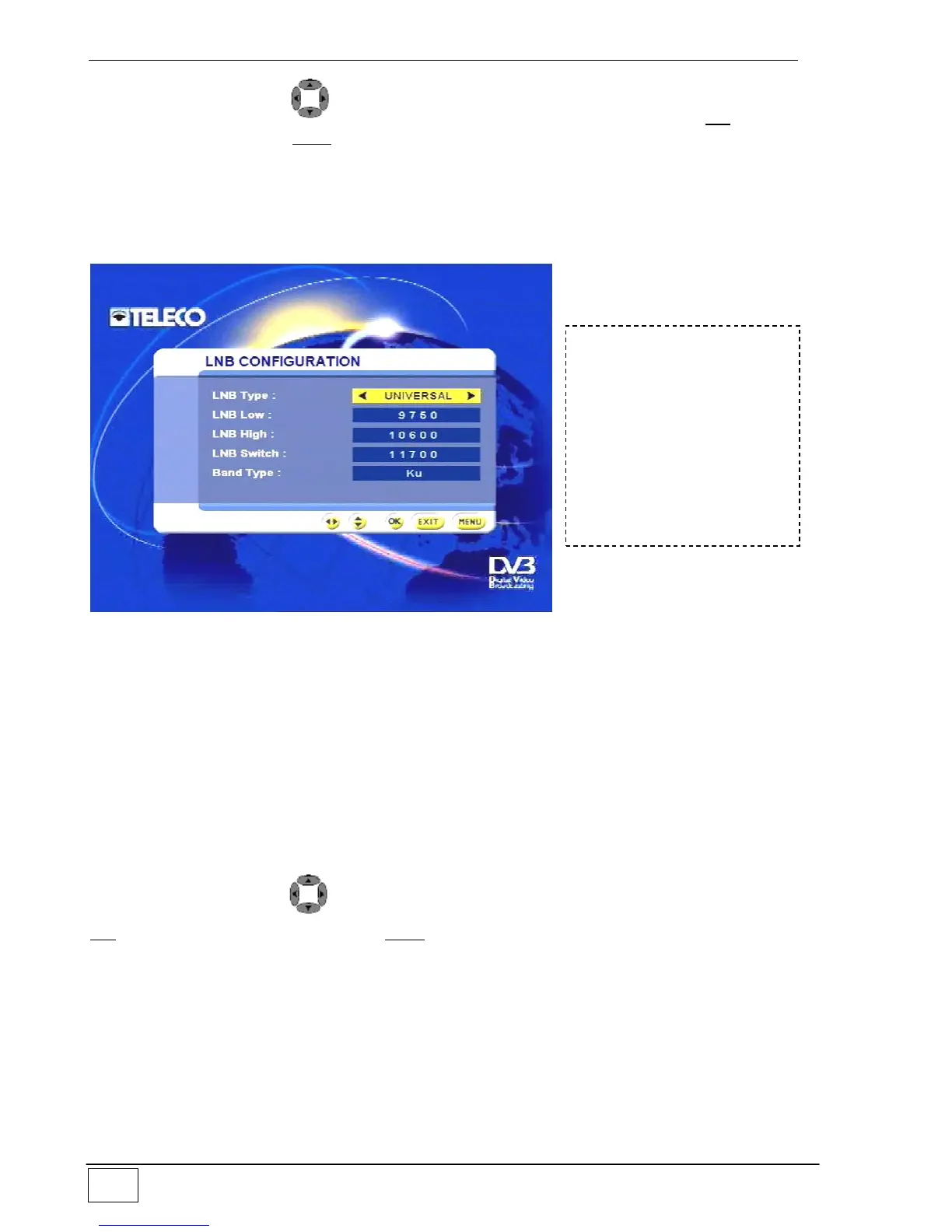
This sub-menu provides the technical specifications of the LNB converter on your satellite
dish:
Figure 23 - LNB configuration
The available fields are:
Type of LNB (name of defined LNB)
low LNB (i.e. local oscillator frequency used in low band)
high LNB (i.e. local oscillator frequency used in high band)
Switching frequency (i.e. the frequency with which you decide to switch from low to
high band)
Band type (Ku or C).
As a general rule, these fields need not be modified as the LNB converters marketed in
Europe are of the UNIVERSAL type and are defined inside the receiver.
Select an item using the and number keys and confirm your choice by pressing the
OK key. To leave the menu press the EXIT key.
Motor configuration
Use this sub-menu to set the mechanical specifications of any DiSEqC motor connected to
your receiver.
The available options are:
Motor limit options (i.e. maximum excursion of the DiSEqC motor).
Motor position configuration (i.e. assignment of a motor position for each satellite).
To reach this screen page
select the following in
sequence:
- Main Menu
- Installing
- Antenna/satellite
configuration
- LNB Configuring



 To Next Page