Reinstalling your receiver
Introduction
Particularly difficult circumstances may make it necessary to proceed with complete re-
installation of your receiver. For example, this may be necessary when modifications have
been made to receiver configuration and the receiver is subsequently unable to acquire
any services.
WE REMIND YOU that the re-installation procedure restores the factory settings and
causes all services and previous settings to be fully deleted.
Re-installation sequence
To re-initialize your receiver, select the main menu via the MENU key on the remote
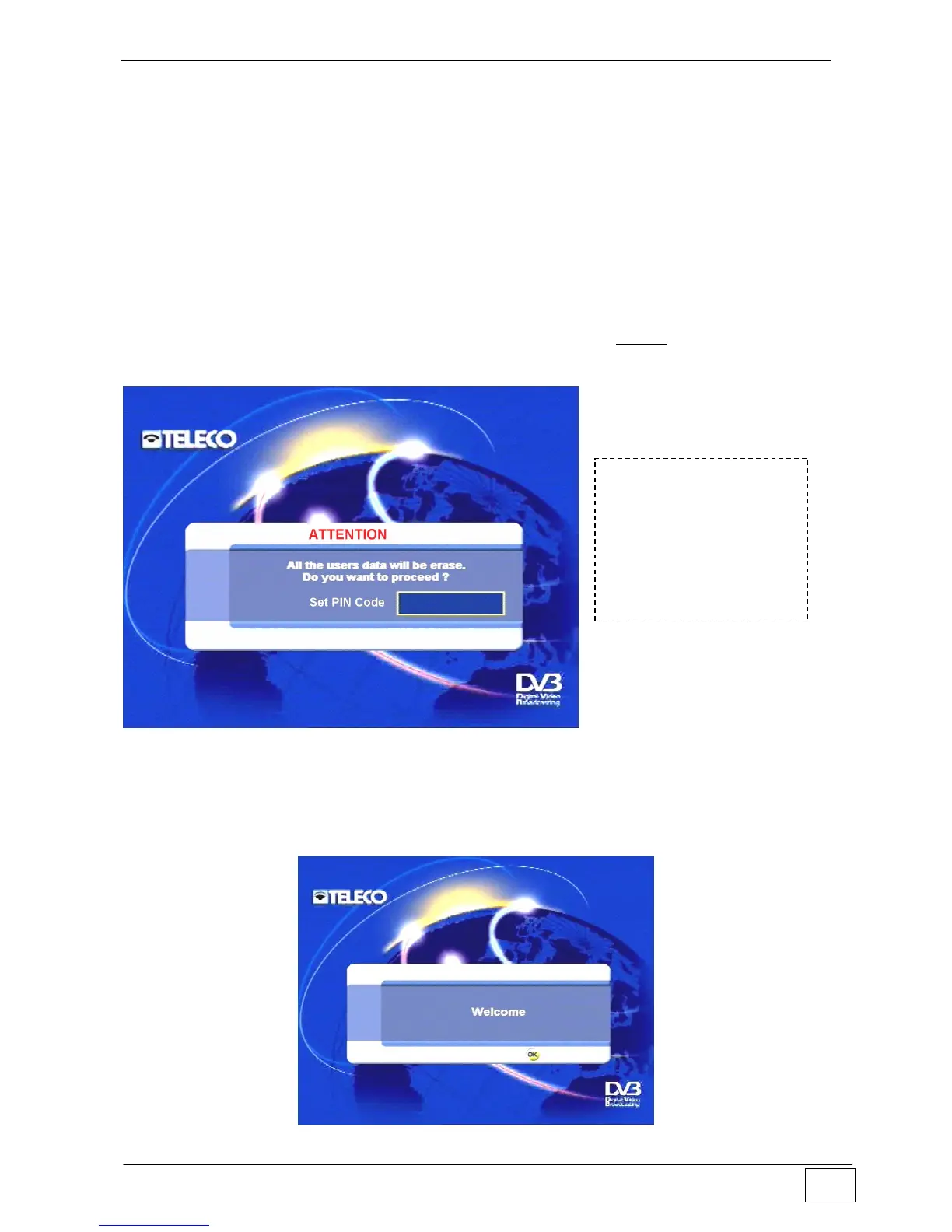
control and choose the ‘Re-installation’ command from the Installation item. The following
screen will appear:
Figure 43 - Confirm reinstallation
To confirm the procedure you must key in the PIN code (as a precaution for any
unintentional re-installation). Note: the PIN code is factory-set to 1234. The memory of the
receiver is fully cleared and the receiver goes off and again on in a few seconds.
A few moments later the following message appears:
Figure 44 - Welcome message
To reach this screen
page select the
following in sequence:
- Main Menu
- Installation
- Reinstallation



 To Next Page