SUPPLEMENTS - СА62 Alarm Control Panel 63
DEFAULT CONFIGURATION 2
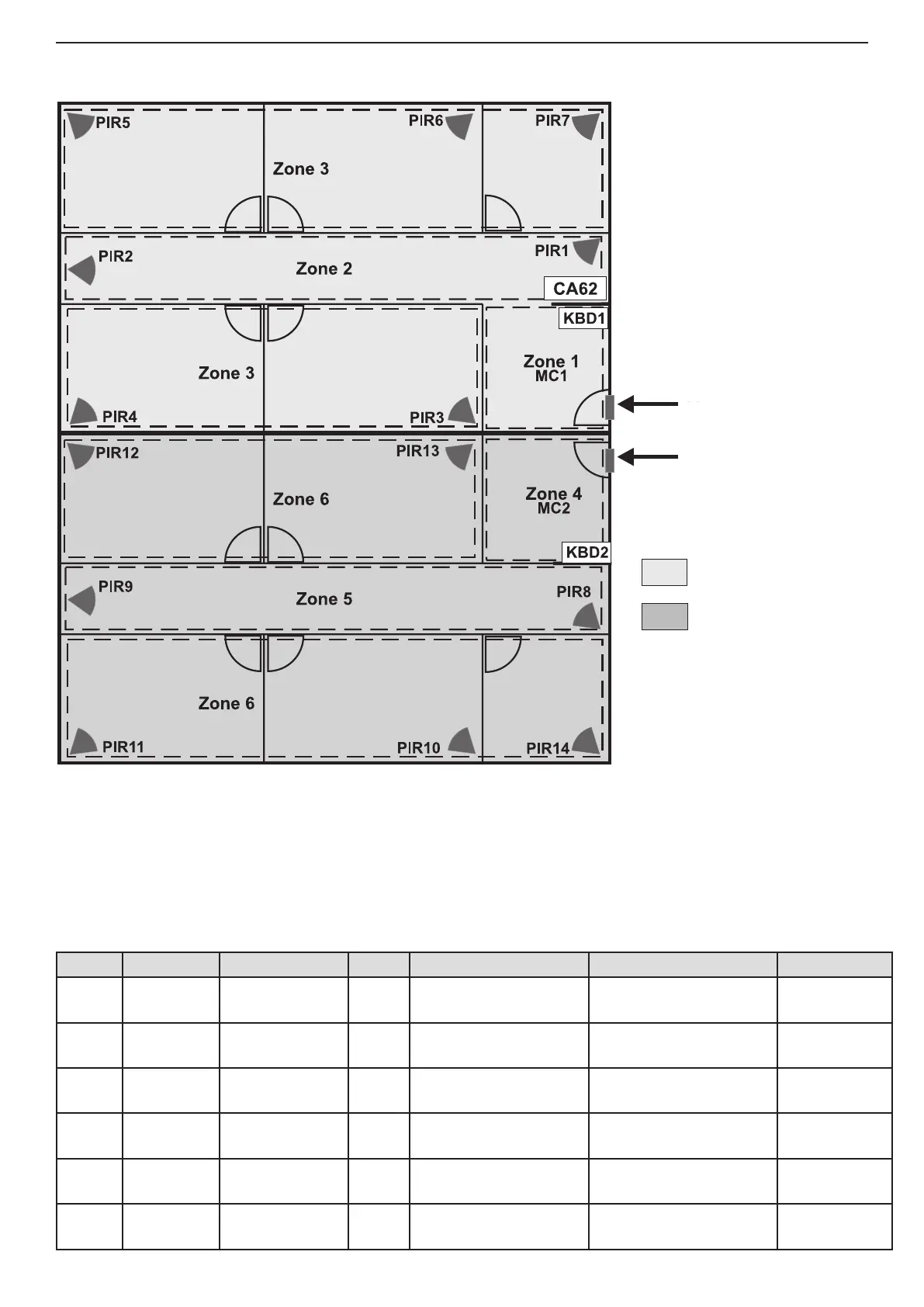
General information for DEFAULT CONFIGURATION 2:
• Zones - 6
• 2 independent partitions - А and В
• 2 keyboards (suitable models LED61, LED62, LCD62, LCD62B, LCD63)
Short programming table for DEFAULT CONFIGURATION 2:
Zone Type Attributes Part Detectors Room Control
1 Entry/Exit
Bypass
Disarm Enable
A MC1 Central Entrance А KBD1
2 Follow
Bypass, Stay
Disarm Enable
A PIR1, PIR2 Corridor KBD1
3 Instant
Bypass, Stay
Disarm Enable
А
PIR3, PIR4, PIR5,
PIR6, PIR7
Ofces from 1 to 4,
Book-keeping
KBD1
4 Entry/Exit
Bypass, Stay
Disarm Enable
B МС2 Central Entrance В KBD2
5 Follow
Bypass, Stay
Disarm Enable
B PIR8, PIR9 Corridor KBD2
6 Instant
Bypass, Stay
Disarm Enable
B
PIR10, PIR11, PIR12,
PIR13, PIR14
Ofces from 5 to 8,
Book-keeping
KBD2
Corridor
Corridor
Ofce 1
Ofce 2
Ofce 3
Ofce 4
Book-
Keeping
Ofce 6
Ofce 8
Ofce 5
Ofce 7
Book-
Keeping
Central
Entrance А
Central
Entrance B
Partitions in the system:
- PART А
- PART В
Default codes:
• User 1 - 1111
• Manager - 0000
• Engineer - 7777
PART A
PART B
ENTRANCE PART A
ENTRANCE PART B



 To Next Page