User manual
“DTR - 7142
”
46
This section explains how to install the DTR - 7142 Receiver.
Read the manuals supplied with the equipment for the installation of external devices such as the aerial.
When adding a new device, read the respective part of the manual for installation instructions
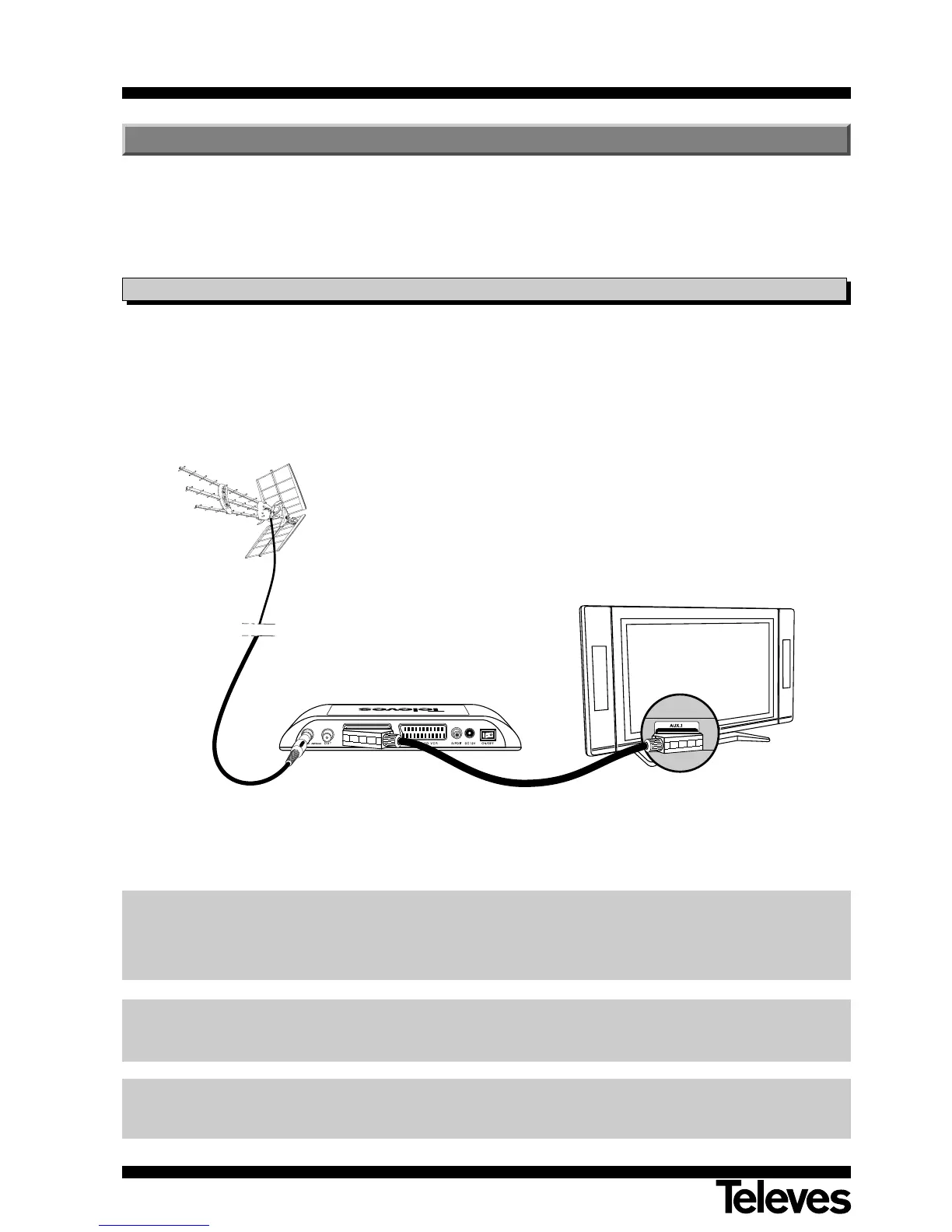
- Connect the aerial to the ANT IN port of the receiver.
- Connect the Adaptor to the TV set using a SACRT.
- Connect the adaptor to the mains power.
4.1.- Connections
DTR 7142
4.- Equipment installation
DO NOT PLUG the Receiver into the network before finalizing all connections
All cables used for Receiver connection should be of the screened type.
Important note:
If you want to connect an external disk (FAT 32) to the receiver, you must do so before connecting the
receiver to the mains (230V~).



 To Next Page