User manual
“DTR - 7142
”
61
ENGLISH
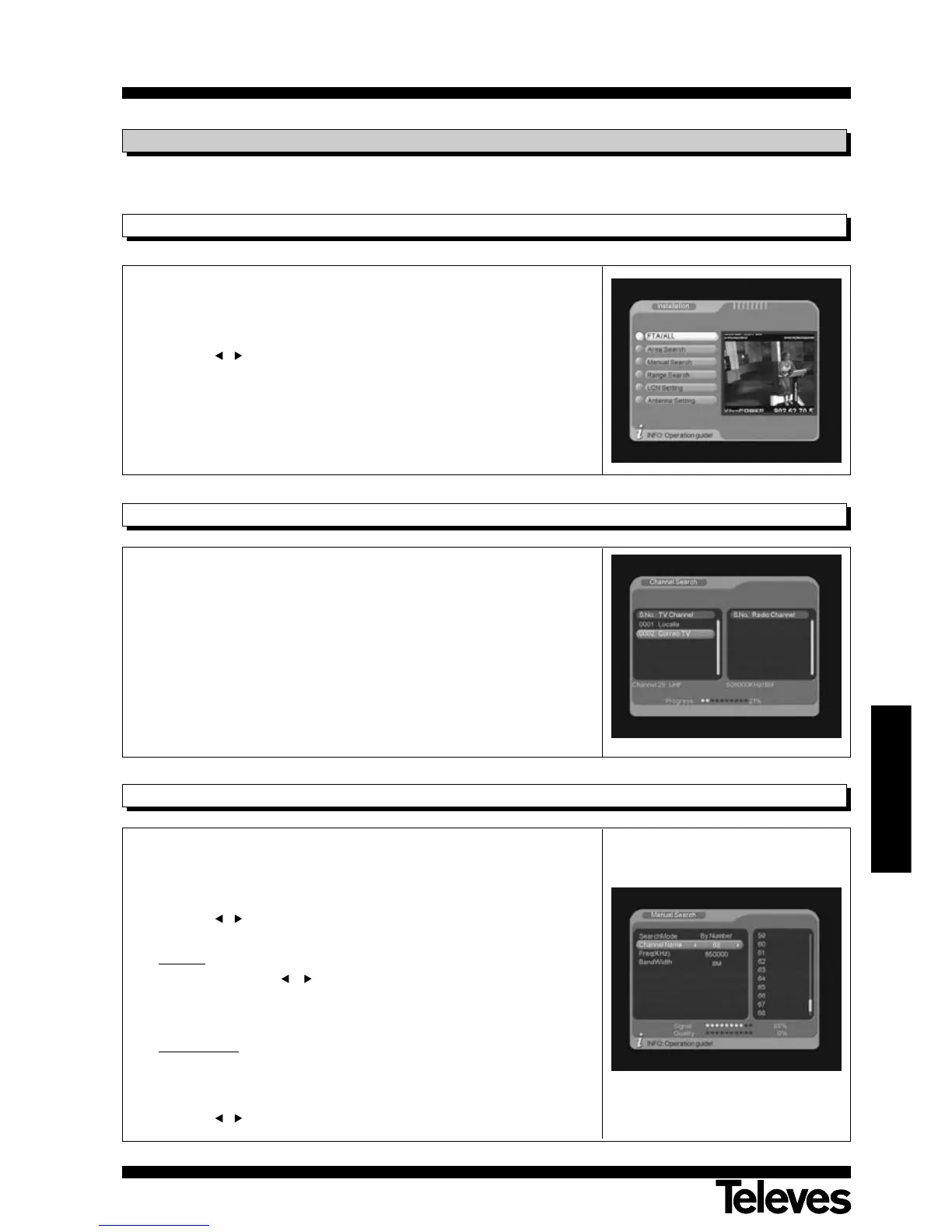
- Select the type of search among All (all of the programs found) or Only
Free (only those being broadcast openly).
- To do so, once you have selected the option “FTA/All” press button OK
to accept. You will then access a sub-menu where you can use the
buttons / to choose whether to carry out the FTA Channel search.
- Press button OK to confirm.
- Select this mode to carry out an automatic search over the whole
receiver input band.
- To do so, once you have selected the option “Automatic Search” press
the button OK to start the search. This will be done over the whole input
bandwidth of your receiver.
- The complete search may take several minutes.
- If you wish to interrupt the search, press EXIT.
12.2.- Installation
12.2.1.- Only FTA/All
12.2.2.- Automatic search
- Select this mode when you want to search for an individual channel.
- For the purpose, once you have selected the option “Manual Search”
press button OK to accept. You will thus access a sub-menu where you
must indicate if the search will be by Number or by Frequency using the
buttons / .
Number
- Using the buttons / select an available channel using the option
“Channel Name”. Note whether the channel you have selected is a
digital one. You will know this easily if the lower “Quality” bar is
showing an acceptable quality percentage level.
By Frequency
- Using the numerical keyboard enter the frequency to be scanned for in
the option “Freq.(KHz)“.
- Select the appropriate “Bandwidth” from among 6, 7 or 8 MHz using
buttons / .
12.2.3.- Manual Search
There are different ways of carrying out the channel search.



 To Next Page