User manual
“DTR - 7142
”
73
ENGLISH
17.- Disk Manager
In this menu you can format the disk or external disk or a Memory Card
(SD/MS/MMC) to enable them to store information.
- Select the “Partition-Format” option in the main menu and press the
OK key.
- Select the disk you want to format using the CH+ / CH- keys and
press OK to confirm.
- A popup window will ask you to confirm (YES or NO) if you want to
format the disk.
Note: All data available in the external disk will be deleted when you do
this function.
18.- Partition-Format
This menu allows you to control the information available in the disk or pen
drive (memory stick) or a Memory Card (SD/MS/MMC).
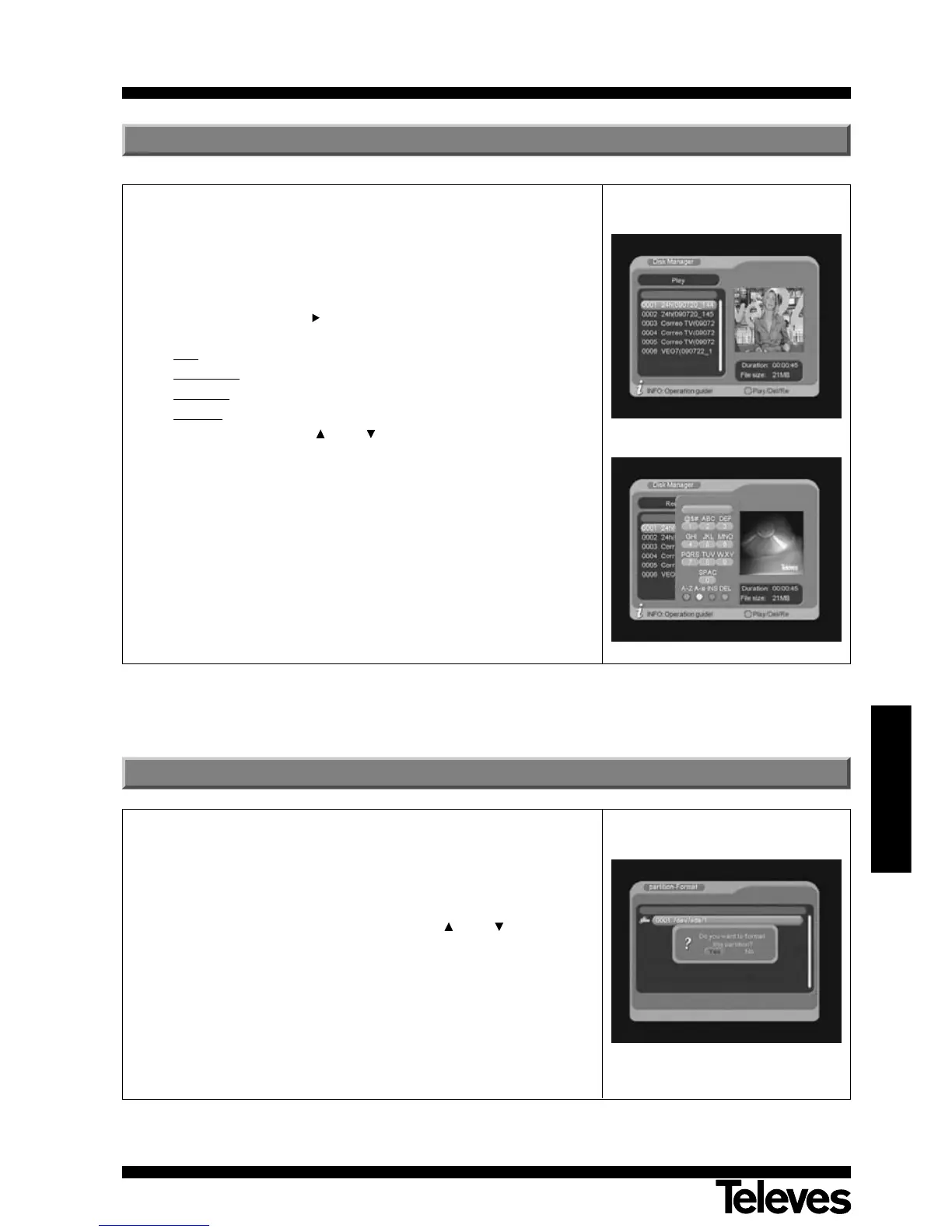
- Select the “Disk manager” option on the main Menu and press OK.
Then, a list with the files saved in the external disk will appear. If there
is not any file, the message “without file” will appear.
- Press the green key ( ) to select the operation you want to do
between:
Play
: plays the selected file,
Delete One
: deletes the selected file,
Delete All
: deletes all files from the list or
Rename
: allows to rename the file using the popup keyboard.
- Select the file using the CH+ / CH- keys and press the OK key to
run the selected option.
- Press the EXIT key to exit this menu.
Note: this function will only affect video files.



 To Next Page