User manual
“DTR - 7142
”
55
ENGLISH
This receiver allows programmes to be recorded in two different ways: in
real time, or by using the “Wakeup Timer” option.
To use this function, you must have an external disk or pen drive in
FAT 32 format or a Memory Card (SD/MS/MMC), which must be
connected before plugging the receiver into the mains.
Important:
For a correct recording, the disk, pendrive or memory card connected to
the receiver must have a storage capacity of minimum 2GB.
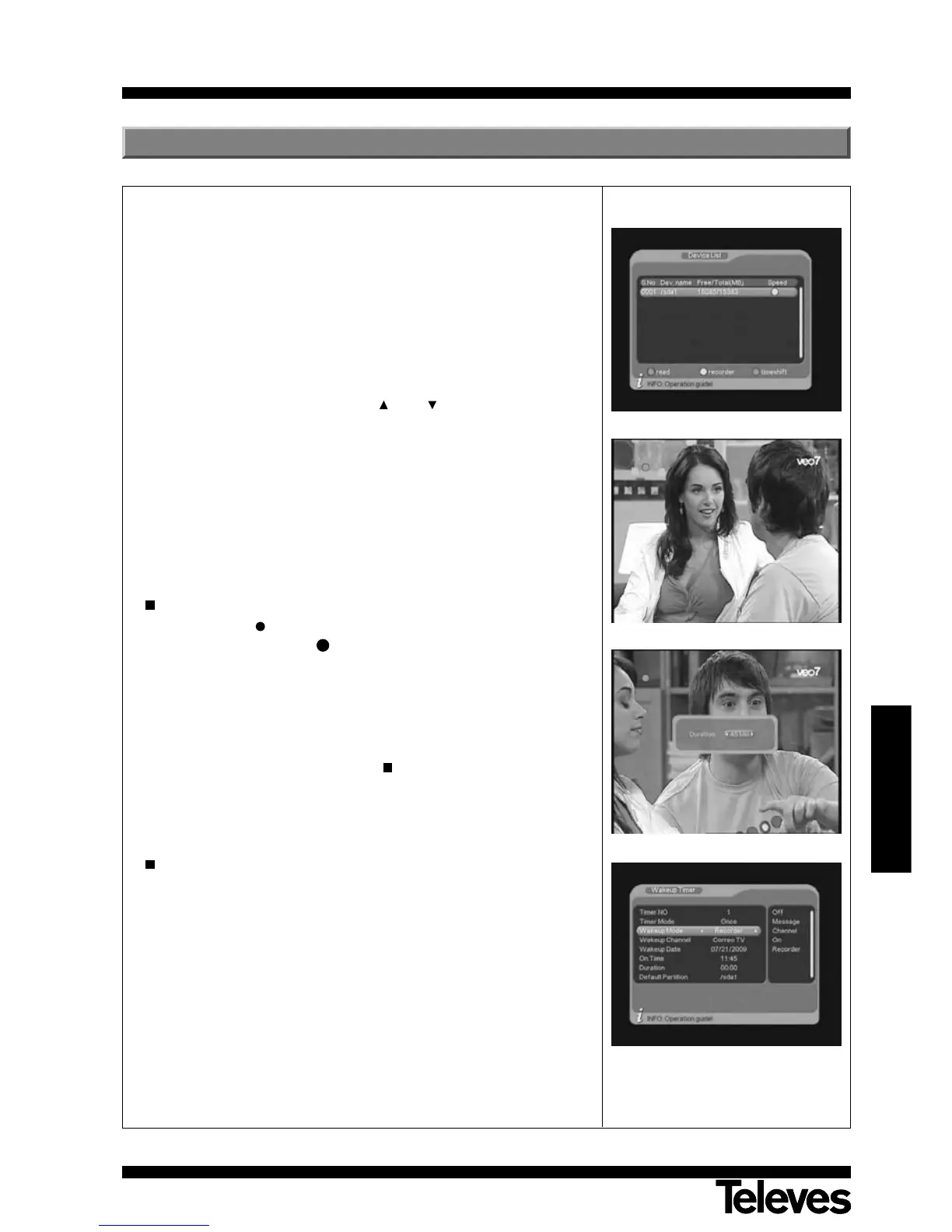
- Before starting the recording, press the DEVICE key to show the list of
devices. Select the device using the CH+ / CH- keys, and then press
OK on the device. A confirmation message will be shown.
- The device will indicate you, using color signals, which functions you
can do in the selected disk. If the “Speed” signal is red you can only
read files. If it is yellow, you can record and if the signal is green, you
can run the TimeShift function.
- Press the EXIT key to exit the device list.
Note: Memory cards (SD/MS/MMC) do not support the TimeShift
function.
Real time recording
- Press the REC key once to record the programme you are currently
watching. The indication “ ” will the shown on the screen, and you will
not be able to access any other programme. If you press this key twice,
you will be able to define how long the recording lasts (15, 30, 45, 60,
75, 90, 105 or 120 minutes), and then confirm using the OK key.
- If the signal level drops or disappears during the recording, the message
“REC PAUSE” will be shown on the screen, and the recording will halt.
Recording will begin again once the signal returns.
- To stop recording, press the TEXT key. A message will be shown
asking you if you want to stop the recording, by selecting YES or NO.
Recording with Wakeup/EPG
- There are two ways of programming a recording, either through the
information of the EPG or directly using the Wakeup option.
- For information on how to create events indicating the start time and
end time for recordings, programme, etc., see section 12.3.5.- Wakeup
Timer Configuration.
Notes: The recordings will be stored in files with a maximum size of 3.8
GB (due to the 4GB limit of the FAT 32 format).
Subtitles will not be available while recording a programme.
9.- Recording programmes



 To Next Page