103
Sidekick
®
Plus Test Set
Ping Test
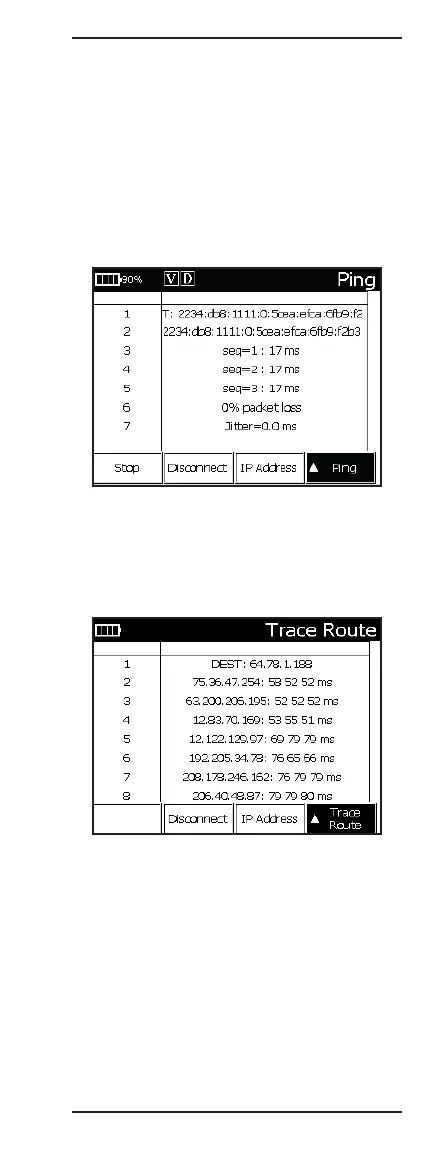
The Ping test will ping the entered address and give the
ping time and percent loss stats. Use the F3 soft-key
“IP Address” to enter either the domain name or the
IP address for the Ping test. The F1 soft-key will either
start or stop the Ping function. The test set will continue
to ping the entered address even when other modem
tests are being performed. If the modem is discon-
nected, the Ping function will need to be restarted. The
Ping function will not be enabled if the modem did not
authenticate.
Traceroute Test
Traceroute will give all of the IP address between the
Sidekick
®
Plus test set and the entered IP address. The
Traceroute function will not be enabled if PPP did not
succeed in logging in.
Trace test starts automatically using the last IP address
used or factory default. To enter a new IP address for
Trace, press F3 IP Address. Enter the IP address of the
destination you wish to trace. Press # (Enter) when
complete, and the unit will automatically start the Trace
test.



 To Next Page