60
Sidekick
®
Plus Test Set
TOOLS MENU – PAGE 2
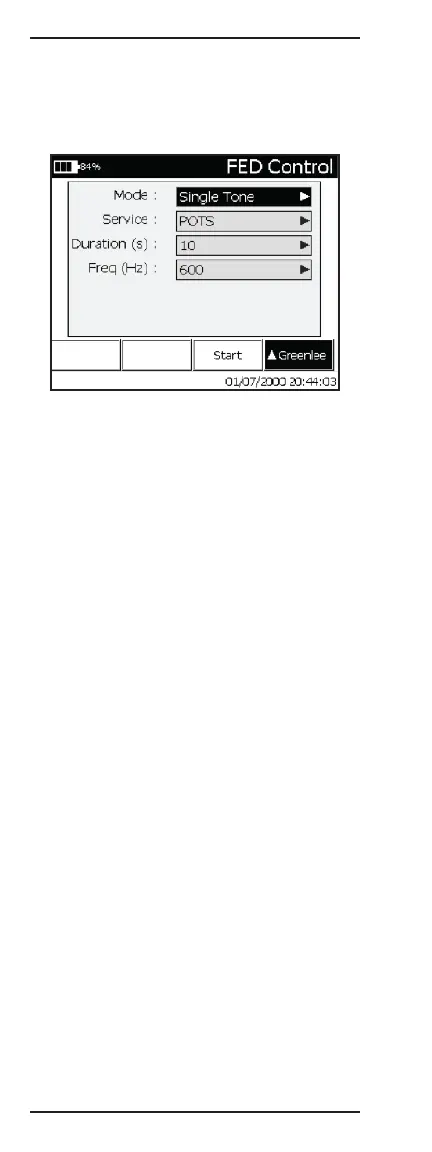
1 FED Control
The FED Control menu provides a means to perform a
single test mode with the aid of the FED.
1. Selecting a FED Type:
• Press F4 to view the available FEDs.
• Type the number in front of the desired FED to
select that FED.
2. Selecting a Test Mode:
• Use the up (2) and down (8) keys to highlight the
field to the right of “Mode”.
• Press (6) to show the available test modes.
• Type the number in front of the desired test mode
to select that test mode.
3. Changing a Test Mode Parameter:
• Use the up (2) and down (8) keys to highlight a
parameter.
• Press (6) to edit the parameter.
• Repeat until all necessary parameters have been
changed.
4. Starting the selected Test Mode:
• Press F3 Start.
• The top banner will show “Powering On...”.
5. Note: Some Test Modes require the Sidekick
®
Plus to be set to the appropriate Test Function to
perform the test; i.e., if the Tip-Ring Short Test
Mode is selected, put the Sidekick
®
Plus in the
Resistance Test Function after the top banner
shows “Test Active”.
6. Available Test Modes:
• Power ON – Turns the FED ON.
• Power OFF – Turns the FED OFF.
• TDR EoP Id – The FED repeatedly places an Open
then Short on the pair to aid in identifying the end
of the pair on the active TDR trace.
• Single Tone – The FED transmits a user-specified
single 0 dBm tone.
• Short Pair – The FED shorts A (TIP) and B (RING).
When in this Test Mode, loop resistance can be
measured.



 To Next Page