99
Sidekick
®
Plus Test Set
Understanding Test Results
Showtime
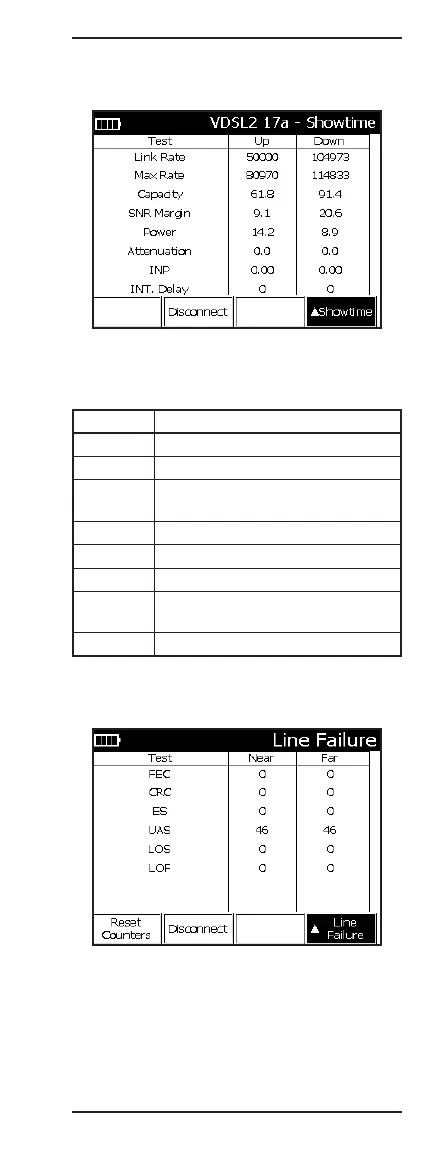
When connected, the title bar indicates the profile used
to make the connection. The physical link characteris-
tics are shown in the Showtime table.
Display Description
Link Rate Actual connection rate
Max Rate Maximum calculated rate
Capacity Percent usage of the DSL connection
(Link Rate / Max Rate) * 100
SNR Margin Signal-to-noise margin of the service
Power Average signal power
Attenuation Average attenuation
INP The level of impulse noise protection
set by the DSLAM
INT. Delay Interleave delay set by the DSLAM
Press up (2) to advance to the Line Failure Monitor.
Line Failure Monitor



 To Next Page