48
Sidekick
®
Plus Test Set
Measuring Circuit Loss
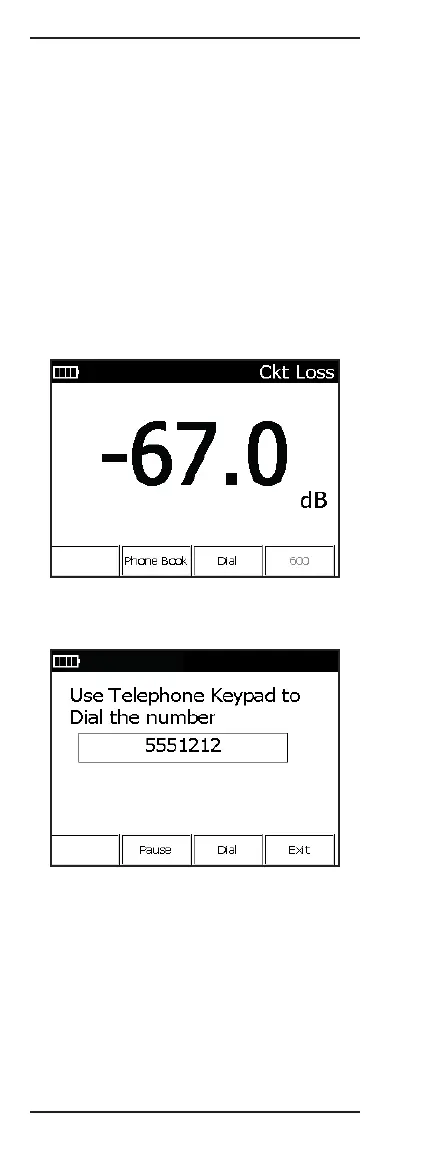
The CKT LOSS selection measures the signal attenu-
ation on the pair from the central office (C.O.) to the
point of test. Values less than 0 dB display as a nega-
tive number.
The test requires a 0 dBm (one milliwatt in 600 ohm),
1004 Hz test tone transmitted from the C.O.
The farther away from the test signal’s injection point,
the more loss because of the increased distance the
signal must travel. Because circuit loss is cumulative,
the reading taken at the point of test indicates the total
loss present on a pair.
1. Connect the test leads: black to tip, red to ring, and
green to ground.
2. Move the rotary knob to the LOSS position.
3. Activate the test signal by dialing from an external
buttset or with the Sidekick
®
Plus test set’s internal
dialing menu.
4. Press F3 Dial to access the internal dialing menu.
Refer to the “Main Menu” section for details on
internal dialing.
To exit the CKT LOSS function, move the rotary knob to
another position.
The following chart is a guideline for pair performance:
• Acceptable: 0 to –8.5 dB
• Marginal: –8.6 to –10.0 dB
• Unacceptable: Below –10 dB



 To Next Page