61
Sidekick
®
Plus Test Set
• Short/Ground Pair – The FED shorts A (TIP), B
(RING) and E (GROUND). When in this mode,
resistance balance can be measured.
• Longitudinal Balance – The FED places an IEEE
455-1985 Longitudinal Balance Termination on
the pair.
• Stepped Tones – The FED transmits a defined
set of frequencies for loss characterization of
the pair.
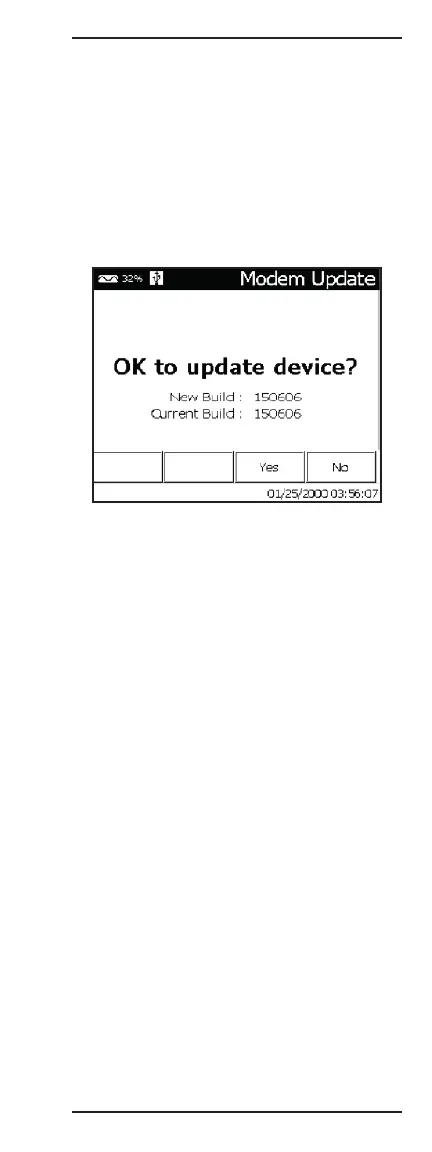
2 Modem Update
This function will update the modem firmware from a
USB flash drive. Insert a USB flash drive that has the
modem firmware (Bxxxxxx.w or Bxxxxx.w filenames) in
the root directory and wait for the USB icon to appear
in the top of the Sidekick
®
Plus display. Press the 2 key
and then the F3 key to start the update process. Do not
remove the USB flash drive or disturb the Sidekick
®
Plus during the modem update. It is recommended
to have external power connected during the update
process since the process could take up to 5 minutes.
3 Wireless
This function will turn on a wireless access point in the
Sidekick
®
Plus to allow phones, tablets, and PCs access
to test results and system settings. The wireless func-
tion will remain on until another function is selected.
4 Clone
The Clone function provides an easy way to copy the
Modem Profiles, Autotest Scripts, Cable Tables, and
System Settings from one test set to another. Insert
a USB flash drive into the Sidekick
®
Plus and wait for
the USB icon to appear at the top of the Sidekick
®
Plus
display. Use the 5 key to check the boxes that should
be copied to the USB flash drive and then press F4. The
Sidekick
®
Plus will configure the USB flash drive with
the files necessary to perform an update on another
Sidekick
®
Plus. To update a Sidekick
®
Plus with this
flash drive, follow the “Device Update” instructions in
the TOOLS MENU.



 To Next Page