17
Sidekick
®
Plus Test Set
F4 MAIN MENU
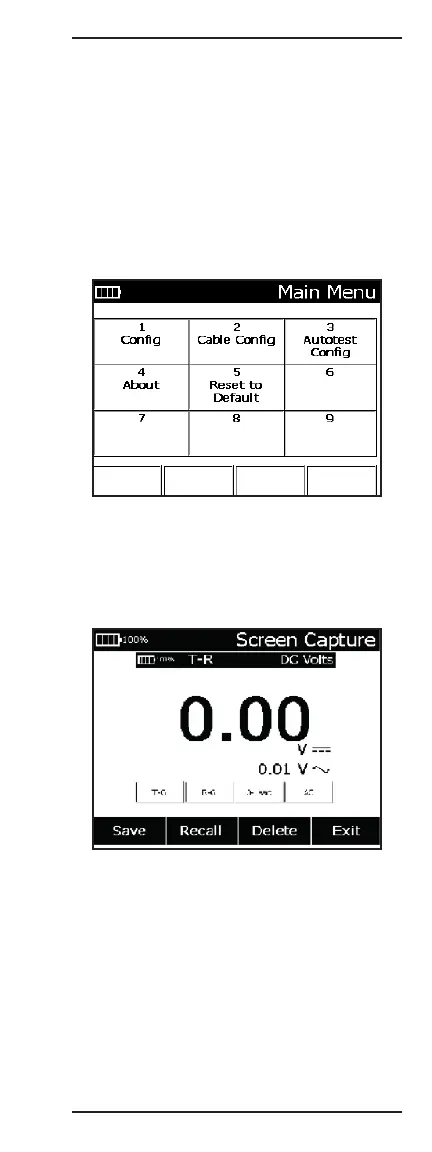
To access the MAIN MENU, press and hold the Fn
key. Press the F4 MAIN MENU key. The menu may be
accessed directly from all modes except TDR, RFL,
Autotest, and Impulse Noise.
Pressing the appropriate number key on the keypad
accesses each section of the menu. Items on the
MAIN MENU are needed during various tests and
measurements.
These items are discussed in detail in a later section or
when the function is required.
Fn+9 Screen Shot
To capture a screen shot with the Sidekick
®
Plus, hold
down the Fn key and press the 9 key. The current
screen will be captured and the Screen Shot menu will
appear.
The screen shot can be exported to a USB flash drive
by first pressing F1 and saving it to internal memory.
Then press F2 Recall and use the Save USB key.
Note: The USB port in the test set is disabled in all
functions except Autotest and ADSL/VDSL for safety
reasons. The Sidekick
®
Plus must be in one of these
functions to export results to a USB flash drive.



 To Next Page