DE10-Lite Control Panel provides VGA pattern function that allows users to output color pattern to
LCD/CRT monitor using the DE10-Lite board. Follow the steps below to generate the VGA pattern
function:
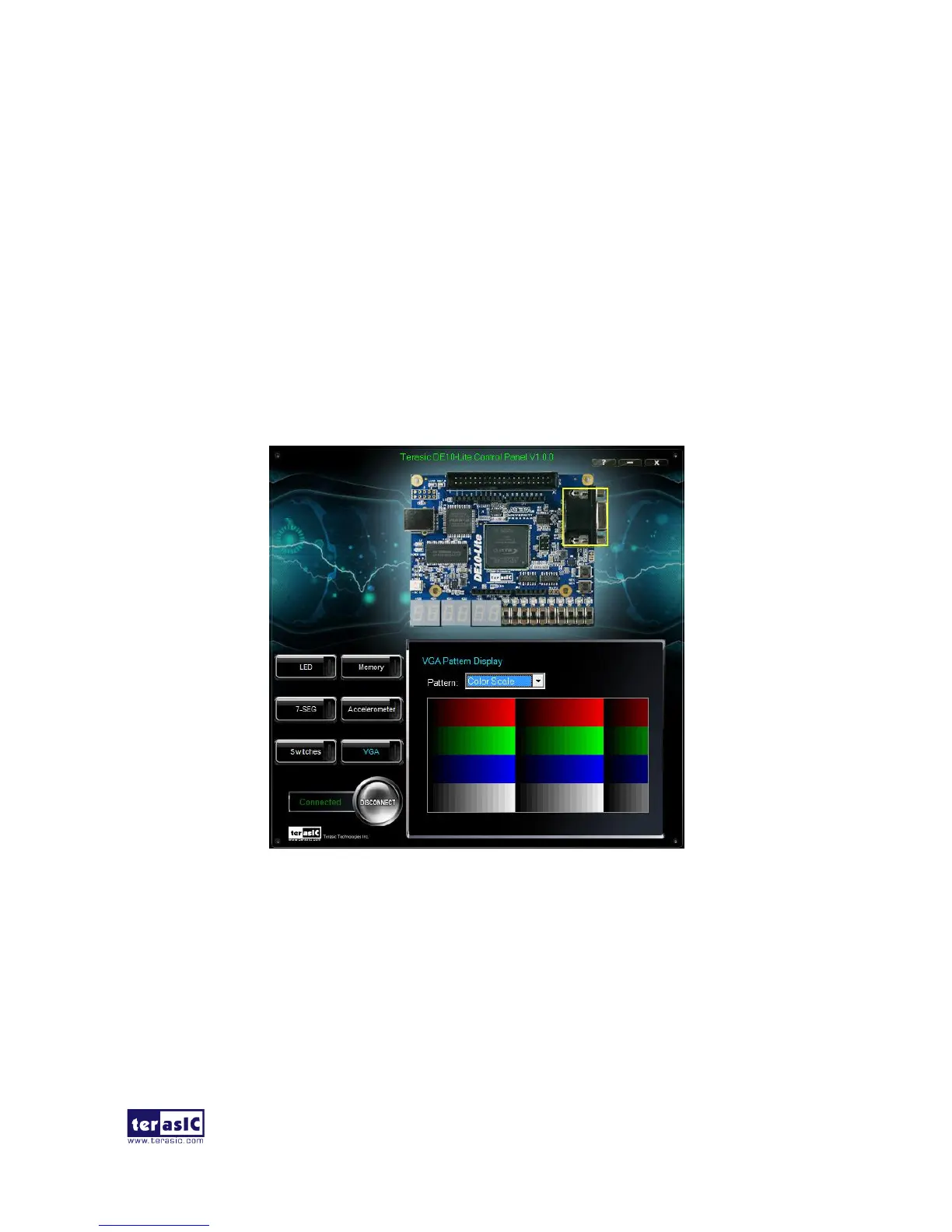
Choosing the VGA tab leads you to the window in Figure 2-8.
Plug a D-sub cable to the VGA connector of the DE10-Lite board and LCD /CRT monitor.
The LCD/CRT monitor will display the same color pattern on the control panel window.
Click the drop down menu shown in Figure 2-8 where you can output the selected pattern
individually.
Figure 2-8 Controlling VGA display under Control Panel


 To Next Page